24/7 Support
Fast, professional support
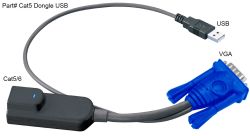
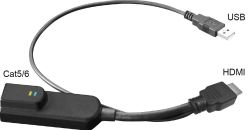

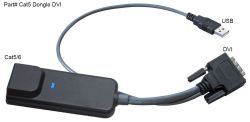
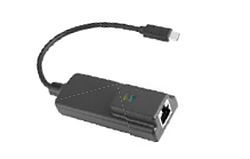
This collection makes it easier to match your target device to the right KVM Dongle. Whether you need USB/VGA, USB/DVI, USB/HDMI, USB-C or DisplayPort connectivity, each product is designed to help connect your equipment to a Cat5/Cat6 KVM switch.
If you are thinking, ‘I do not want to order the wrong one’, start by matching the dongle to the video connection on your device. If you are thinking, ‘I need this to work with my existing setup’, choose the relevant Cat5/Cat6 KVM switch dongle for your connection type.
The result is a simpler, tidier and more dependable KVM setup. Your systems stay easier to access, your cable management stays under control, and your server room or rack environment becomes easier to maintain.
Ready to make your KVM setup easier to manage? Browse the Rackmount Sales range of KVM Dongles, KVM Adapters, and KVM Connectors to find the right match for your device, whether you need VGA, DVI, HDMI, DisplayPort, or USB-C connectivity.
Each product is clearly listed by connection type and part number, helping you choose the right KVM Switch Cable accessory without unnecessary guesswork. Whether you are replacing a missing dongle, expanding a rack setup, or connecting mixed hardware to a Cat5/Cat6 KVM switch, Rackmount Sales makes it simple to find the part you need.
Explore the collection today and choose the Cat5 KVM switch dongle that keeps your systems connected, organised, and ready to access.




















We are so confident you will be satisfied with our products that we offer a 100% satisfaction guarantee