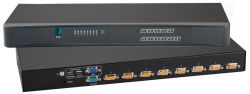
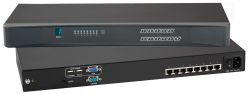
Rackmount KVM Switches: 8 Port Switches

Efficiently manage multiple computers, servers and networks from a single compact rackmount setup with our reliable 8 Port KVM Switches at Rackmount. Our 8 Port Switches are designed to simplify server access, reduce rack clutter and provide reliable control for...
Read More
View as List Grid

Items 7-9 of 9

Set Descending Direction
Page
per page

Centralised Control for Multi-System Environments with 8 Port KVM Switches

8 Port KVM Switches make it simple to manage multiple servers and computers from a single keyboard, monitor, and mouse setup, helping to streamline workflows and reduce unnecessary rack clutter. This collection includes scalable KVM Switches designed for efficient server control in high-density IT environments, with options to suit a wide range of infrastructure sizes and configurations.

Ideal for a full data center and server room environments, these Rackmount KVM Switches are built to simplify everyday system access, improve organisation, and provide reliable switching functionality across multiple machines from one central point. Whether you’re looking for a standalone switch like the 8-port Cat6 KVM Switch for a compact server rack or a dual-user option like the 2-User USB VGA KVM Switch, these KVM Switches provide flexible control for managing multiple systems efficiently.

Choose the Right 8 Port KVM Switch for Your Setup at Rackmount

Explore our range of KVM Switches at Rackmount and find the perfect setup for your computer environment, whether you need a compact solution for a small server rack or a scalable system for managing multiple machines in a larger IT infrastructure.

Any questions or queries regarding our Rackmount KVM Consoles? Contact us, and our team will respond to your queries promptly.

8 Port KVM Switches FAQs

First, consider how many users need simultaneous access, as this determines the number of local consoles, Cat6 remote consoles, and IP consoles required. Then select the appropriate configuration based on your environment and access needs.
To choose the right system, follow three simple steps:

Step 1 – Select Cat6 or VGA KVM Switch.
Step 2 – Select the required port count (8, 16, or 32 ports).
Step 3 – Choose the number of consoles and whether you need IP remote access.
Yes, VGA KVM and Cat6 KVM Switch systems can support 1 to 4 users, depending on the model, with select options offering up to 2 IP connections for high-performance 1080p remote access, full-resolution monitoring, and on-screen display functionality.
VGA and Cat6 KVM Switches are typically used for local or extended in-rack/onsite access, while IP-based KVM solutions allow secure remote access over a network with BIOS-level control.

Trusted By Major Brands

Trustpilot

Why Choose Us?

We are so confident you will be satisfied with our products that we offer a 100% satisfaction guarantee

24/7 Support
Fast, professional support
Extended Return Policy
30 days return policy
Military Grade
Custom Solutions

About Us

Read our story

Frequently Asked Questions

Find the answers you need