Blog

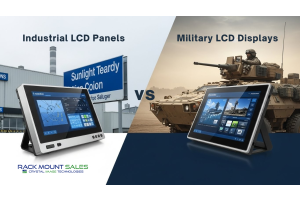
  1. Differences Between Industrial vs Military LCD Displays

    Industrial vs Military LCD display

    Industrial LCD displays are built for heavy-duty environments like factories, warehouses, and outdoor terminals. They can handle heat, dust, vibration, and long operating hours.

    Military LCD displays go far beyond that; they’re engineered for mission-critical use in armored vehicles, aircraft, naval ships, and battlefield conditions. They offer stronger protection against shock, extreme temperatures, and electromagnetic interference, and often include features like night-vision compatibility and tactical-grade housings.

    In simple words, industrial displays are rugged, and military displays are extreme-rugged with mission-level protection.

    1. Side-by-Side Comparison Table

    Feature

    Industrial LCD Display

    Military LCD Display

    Durability

    Rugged, built for factories & outdoor use

    Extreme ruggedness for battlefield and tactical vehicles

    Temperature Range

    Wide range (e.g., -10°C to 60°C)

    Very wide range (e.g., -30°C to 70°C or more)

    Shock & Vibration

    Withstands moderate shock

    Designed for harsh

    Read more »
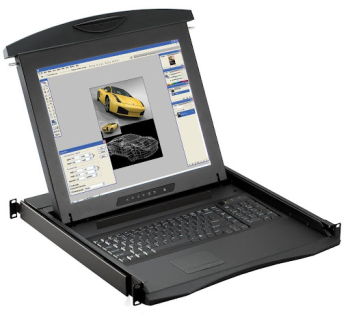
  2. 1U Rack Mount Monitor Installation Guide (Step-by-Step)

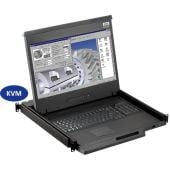
    1U rack mount monitor

    Setting up a 1U rack mount monitor the right way saves you time, protects your gear, and keeps your rack clean and easy to manage. Instead of guessing your way through, you can follow a clear, step-by-step process and get a professional-looking setup on the first try.

    This guide walks you through everything that actually matters: checking compatibility, installing Rails, mounting the monitor, managing cables, and testing your server rack monitor setup so it works smoothly every day.

    Before You Start: Check Rack Compatibility and Monitor Specs

    Before you touch a single screw, make sure your 1U rack mount monitor actually fits your rack. Skipping this step is how people end up with misaligned rails, blocked doors, or a monitor that just won’t sit right.

    Here’s what to confirm:

    • Rack width: Most data center racks are standard 19-inch racks. Your monitor should be designed for this width.
    • Available U-space: You need at least 1U of free space at the height where you want to install the monitor.
    Read more »
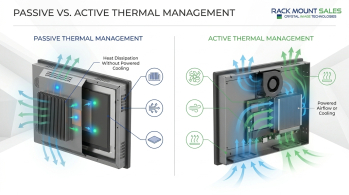
  3. How Industrial LCD Panels Are Built for Harsh Conditions

    Industrial LCD panels

    When a regular screen is dropped into a factory, a plant, or an outdoor control cabinet, it doesn’t last long. Heat, dust, moisture, chemicals, vibration, and bright sunlight quickly expose its limits. Industrial LCD panels are built specifically to survive in these harsh conditions and keep working when consumer displays would fail in weeks or even days.

    Instead of focusing on pretty design or slim bezels, industrial displays focus on one thing: reliability in tough environments. They use rugged housings, sealed fronts, special components, and smart thermal design to stay readable and stable 24/7.

    Let’s break down how they’re engineered from the inside out to handle these challenges.

    What Makes Industrial LCD Panels Different from Regular Screens

    At first glance, industrial LCD panels may look similar to a regular office monitor. But their design goals are very different.

    A standard consumer screen is built for:

    • Clean, indoor environments
    • Limited daily use
    • Comfort-focused temperatures
    Read more »
  4. Exploring Military-Grade Rugged Rackmount Computers & Displays for Tactical Environments

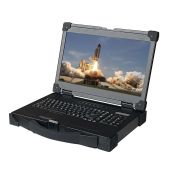
    Exploring Military-Grade Rugged Rackmount Computers & Displays for Tactical Environments

    When you think of military-grade technology, what comes to mind? For many, it's heavy-duty equipment that can withstand extreme conditions while providing reliable performance. This is exactly what military rackmounts, including computers, rugged rackmount monitor displays, and military-grade KVM switches, are designed to do. These systems are vital in tactical environments where precision, durability, and reliability are non-negotiable.

    Military-grade rackmount displays and computers serve as the backbone of many defense operations, from on-the-ground personnel to command centers managing complex data streams. They need to perform under pressure, endure harsh conditions, and continue operating when other equipment might fail. Let’s dive into how these advanced systems are engineered to meet the demanding needs of military operations.

    Why Military-Grade Rackmount Systems Matter

    High Durability for Extreme Environments

    Military rackmount computers are built to withstand the toughest environments.

    Read more »
  5. Troubleshooting Common Issues with KVM Switches: Easy Fixes & Pro Tips

    Professional KVM switch setup with multiple monitors and organized cables, symbolizing seamless connectivity and troubleshooting solutions.

    You’re switching between computers using your KVM switch, and suddenly, something goes wrong. The screen goes black, the keyboard stops responding, or the mouse freezes. It’s frustrating, especially when you’re in the middle of an important task.

    Most KVM switch issues are easier to fix than you might think. Many problems stem from simple things like loose cable connections, outdated firmware, or minor compatibility glitches between your devices and the switch.

    Here’s something surprising—most KVM switch problems are caused by small setup mistakes that often go unnoticed. Many users waste hours troubleshooting when the fix is right in front of them.

    Instead of stressing over it, let’s break down the most common issues and their solutions step by step. By the time you finish this guide, you’ll know exactly how to keep your KVM switch running smoothly without calling tech support.

    Keyboard and Mouse Not Responding? Let’s Get Them Working Again

    Imagine this: You switch between computers using

    Read more »
  6. How PDUs Manage Load Balancing in Large Data Centers

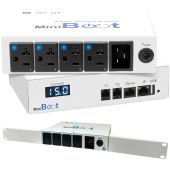
    Modern data center with server racks, smart PDUs, and power flow visualization for efficient load balancing

    Did you know that global data centers consume more electricity than some entire countries? With the rise of cloud computing, AI, and high-performance servers, power demand is skyrocketing. But here’s the real challenge: How do you evenly distribute power across thousands of servers without causing downtime, overheating, or energy waste?

    That’s where PDUs (Power Distribution Units) / Power Strips come in. They’re not just glorified power strips; they are the backbone of load balancing in modern data centers. Whether you’re running a hyperscale facility like Amazon Web Services (AWS) or a private cloud infrastructure, how you distribute power directly affects performance, efficiency, and uptime.

    But here’s something most people don’t realize, not all PDUs are created equal. Some intelligently manage power loads in real-time, while others blindly distribute electricity, risking costly overloads.

    1. What Is Load Balancing in Data Centers?

    Think of a data center like a busy road. If too many

    Read more »
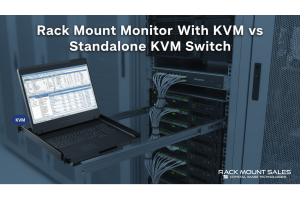
  7. What is a KVM Switch Monitor? The Ultimate Guide

    KVM switch monitor setup for multi-device management

    "Ever wondered how IT professionals manage multiple computers with just one screen? Or how data centers handle dozens of servers without a room full of monitors? The secret lies in a KVM switch monitor!"

    A KVM switch monitor is a powerful tool that allows users to control multiple computers using a single monitor, keyboard, and mouse. It simplifies IT management, improves workflow efficiency, and saves valuable workspace—making it a must-have for server administrators, businesses, and even tech-savvy home users.

    In this guide, we’ll explore:

    • How KVM switch monitors work
    • The benefits of using a rack mount monitor with KVM switch
    • The best features to look for when buying one
    • Common applications and who should use them
    • Troubleshooting tips for common KVM issues

    Understanding KVM Switch Monitors – How Do They Work?

    A KVM switch monitor is essentially a two-in-one device that combines:

    ✅ A monitor (display screen)
    ✅ A KVM switch (which stands for Keyboard, Video, Mouse switch)

    This setup

    Read more »
  8. Choosing Between 1U and 2U Keyboard Drawers: What Works Best for Your Setup?

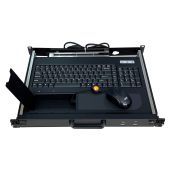
    When managing a rackmount system, every inch of space counts. Keyboard drawers are essential tools that combine functionality and space-saving design, making it easier to operate servers efficiently. But how do you decide between a 1U and 2U keyboard drawer? Each option has unique benefits and drawbacks, and the right choice depends on your specific needs. Let’s break it down in detail, ensuring you have all the information to make an informed decision.

    Introduction to Keyboard Drawers and Rack Units

    Rackmount systems are measured in “U” units, where 1U equals 1.75 inches in height. A 1U keyboard drawer is slim and occupies only one rack unit, while a 2U keyboard drawer takes up two rack units (3.5 inches). These sliding drawers often include built-in keyboards, touchpads, and even monitors, depending on the design.

    Choosing the right unit size is crucial for optimizing space, cost, and functionality. In this guide, we’ll discuss the key differences between 1U and 2U keyboard drawers, their

    Read more »
  9. How Aluminum Frames Improve Industrial LCD Panel Durability

    How Aluminum Frames Improve Industrial LCD Panel Durability

    In industrial environments, durability is non-negotiable. Industrial LCD panels often face harsh conditions like extreme temperatures, physical impacts, and constant vibration. Among the critical design elements ensuring these panels stand the test of time, aluminum frames play an indispensable role. Lightweight, sturdy, and corrosion-resistant, aluminum frames provide unmatched protection and longevity to industrial LCD panels.

    This article delves into how aluminum frames contribute to durability, highlights the advantages they offer, and showcases the Rackmountsales 20” Rugged LCD Aluminum Frame as a prime example of excellence in industrial design.

    Why Durability Matters in Industrial LCD Panels

    The Demands of Industrial Settings

    Industrial LCD panels are used in a variety of demanding applications:

    • Manufacturing Floors: Subjected to heavy machinery vibrations and potential physical impacts.
    • Outdoor Installations: Exposed to fluctuating weather conditions, UV rays, and moisture.
    • Marine
    Read more »
  10. Why You Need a Rugged Monitor for Your Mobile Work Setup

    In today's fast-paced world, the freedom to work from virtually anywhere has transformed the way professionals conduct business. Whether you're jet-setting across continents for meetings, conducting field research in remote locations, or embracing the digital nomad lifestyle, having a reliable and robust monitor is paramount to maintaining productivity on the go. While conventional monitors may suffice within the confines of an office, they often fall short when exposed to the unpredictable challenges of travel and demanding work environments. This is where rugged monitors come to the forefront – purpose-built to withstand the trials of mobile work, they offer unparalleled durability and performance.


    In this comprehensive article, we will delve into the compelling reasons why integrating a rugged monitor into your mobile work setup is a smart choice, and we'll also introduce some of the finest rugged monitors available in the market today.

    1. Withstanding the Elements: Reliability in

    Read more »
Page