




24/7 Support
Fast, professional support




















Choosing the right rack power distribution unit (PDU) can make a significant difference to how you manage server power, monitor electrical loads and maintain reliable IT infrastructure. A basic PDU distributes power, but metered, monitored and switched models offer different levels of visibility and control. Selecting the right type depends on your equipment, rack power requirements, monitoring needs and remote management priorities.
For businesses comparing rack PDU types, the key question is simple: do you only need to distribute power, measure consumption, monitor it remotely, or control individual outlets? This guide explains the differences and helps you identify the right solution for your server room or data centre.
A rack power distribution unit is designed to distribute electrical power from an upstream power source to servers, network switches, storage systems and other equipment installed in a server rack.
A rack PDU does not generate power or replace an uninterruptible power supply (UPS). Instead, it distributes available electricity to connected devices. Depending on its design, it may also measure power consumption, provide remote monitoring, generate alerts or allow administrators to control individual outlets.
Rack PDUs are used in enterprise server rooms, data centres, telecommunications cabinets, network infrastructure and other environments where equipment needs organised and reliable power distribution.
The main types include:
Some models combine multiple functions, such as outlet-level monitoring and switching. These are often described as intelligent or managed rack PDUs.
The main difference between these rack PDU types is the level of information and control they provide.
|
Feature |
Metered PDU |
Monitored PDU |
Switched PDU |
|
Distributes power |
Yes |
Yes |
Yes |
|
Measures power consumption |
Yes |
Yes |
Yes |
|
Local power readings |
Commonly available |
Model-dependent |
Model-dependent |
|
Remote network monitoring |
Depends on model |
Typically available |
Typically available |
|
Alerts and thresholds |
Model-dependent |
Commonly available |
Commonly available |
|
Remote outlet on/off control |
Usually not included |
Usually not included |
Available |
|
Remote power cycling |
Usually not included |
Usually not included |
Available |
|
Best suited for |
Local power visibility |
Remote power visibility |
Monitoring and remote control |
Important: Manufacturers use terms such as metered, monitored and switched differently across product families. Some metered PDUs also support remote monitoring, and some monitored or switched models measure power at individual outlets. Always check the specific model's datasheet before purchasing.
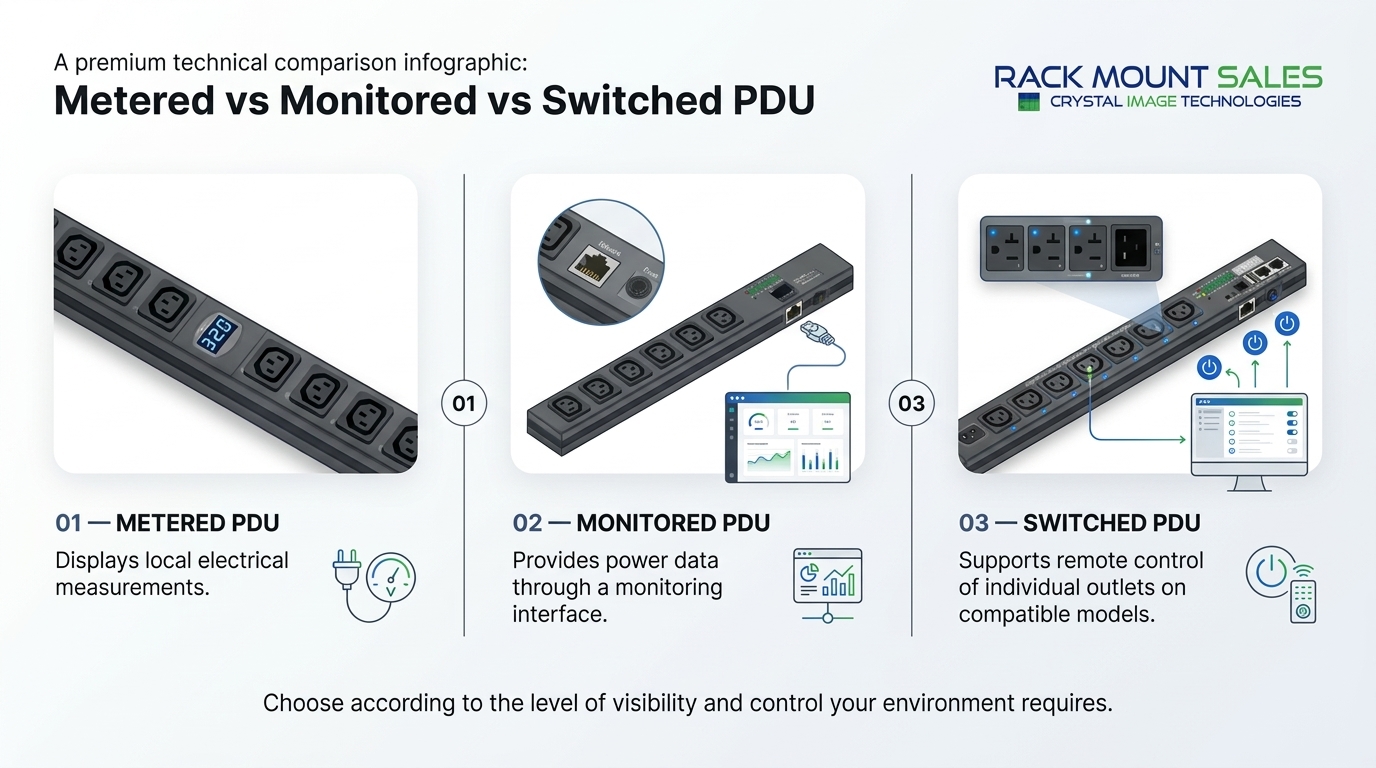
A metered PDU measures electrical consumption so administrators can understand how much power a rack or connected equipment is using.
Many models feature a digital display that shows measurements such as current in amperes. Depending on the model, additional readings may include voltage, power in watts or kilowatts, and energy consumption.
Metered rack PDUs are particularly useful when IT teams need local visibility into power usage without requiring network-based monitoring.
Common features include:
Some products offer branch-level or outlet-level metering. These capabilities should not be assumed to come with every metered PDU.
Better awareness of rack power consumption
A metered PDU helps technicians see how much electrical capacity the connected equipment is using. This information can support planning before additional servers or network devices are installed.
Simpler capacity checks
When expanding a rack, measured consumption provides more useful information than relying entirely on equipment nameplate ratings. Administrators must still account for applicable electrical limits and manufacturer guidance.
Useful in restricted networks
A locally metered PDU may suit installations where network connectivity to power equipment is restricted or unnecessary.
Practical for smaller installations
A metered model can provide useful visibility without the remote control features of a more advanced rack PDU.
A basic metered PDU generally does not allow administrators to remotely switch individual outlets. It may also lack the network alerts and centralised reporting required for large facilities.
If your team needs to monitor racks from a central management platform, check whether the chosen model supports network connectivity, remote readings, and the required monitoring protocols.
Consider a metered rack PDU when you:
A monitored PDU adds network-based visibility into electrical consumption. Instead of relying only on someone checking a local display, administrators can access power information remotely through a supported management interface.
Depending on the model, readings may be available at the PDU, branch circuit or individual outlet level. Some monitored rack PDUs also support threshold alerts and environmental sensors.
This makes monitored PDUs useful for organisations managing multiple racks, remote server rooms or data centres where frequent physical checks are inefficient.
Typical capabilities may include:
The exact feature set depends on the manufacturer, model and monitoring configuration.
Remote power visibility
Administrators can review power consumption without travelling to the server rack. This is particularly useful when infrastructure is distributed across different rooms or locations.
Earlier awareness of potential overloads
Configurable alerts can notify teams when measured loads approach defined thresholds. This gives administrators an opportunity to investigate before a circuit reaches its limit.
Alerts do not guarantee that an overload will be prevented. Correct electrical design, suitable circuit protection and ongoing load management remain essential.
Better planning for infrastructure growth
Historical power data can help teams understand demand patterns and estimate whether a rack has sufficient capacity for additional equipment.
Centralised monitoring
Where supported, a monitored PDU can contribute data to a broader data centre management platform. This can help teams review power consumption across multiple racks.
A monitored PDU typically provides visibility rather than direct outlet control. If a server becomes unresponsive, monitoring alone will not necessarily allow an administrator to restart it remotely.
Some products provide only aggregate PDU measurements, while others offer branch or outlet-level readings. Check the monitoring granularity before choosing a model.
A monitored rack PDU may be the best fit when you:
For organisations improving their power management processes, monitored PDUs can complement the practices covered in our guide to how PDUs manage load balancing in large data centres.
A switched PDU combines power distribution with remote outlet control. Many models also provide monitoring, allowing administrators to view power consumption and control selected outlets through a supported network interface.
This additional control is useful when a device needs to be power-cycled remotely or when administrators need to manage the power state of equipment at individual outlets.
For example, an authorised administrator may be able to switch off and restore power to a specific network device without travelling to the rack. Whether this is possible depends on the PDU's configuration and management interface.
Depending on the model, features may include:
Not every switched PDU includes outlet-level metering. Some models measure power at the input or branch level while providing switching at individual outlets.
Remote power cycling
A switched PDU can allow administrators to restart selected equipment remotely when appropriate. This can reduce the need for a physical visit to the server room.
Improved management of distributed infrastructure
IT teams responsible for remote facilities can benefit from outlet control when local staff are unavailable.
More granular power management
Some models allow administrators to manage outlets individually, subject to the unit's capabilities and configured permissions.
Controlled startup sequences
Supported models can switch outlets in a planned sequence, helping teams manage equipment startup according to manufacturer requirements.
Switched PDUs generally cost more than basic distribution units because they provide additional monitoring and control features.
Remote switching also introduces operational risk. Switching off the wrong outlet can interrupt services, corrupt data or disconnect critical infrastructure. Administrators should use appropriate access controls and change procedures.
A switched PDU is not a substitute for a UPS, redundant power feeds or resilient system design. It also cannot guarantee recovery if the underlying fault is unrelated to power.
Consider a switched rack PDU when you:
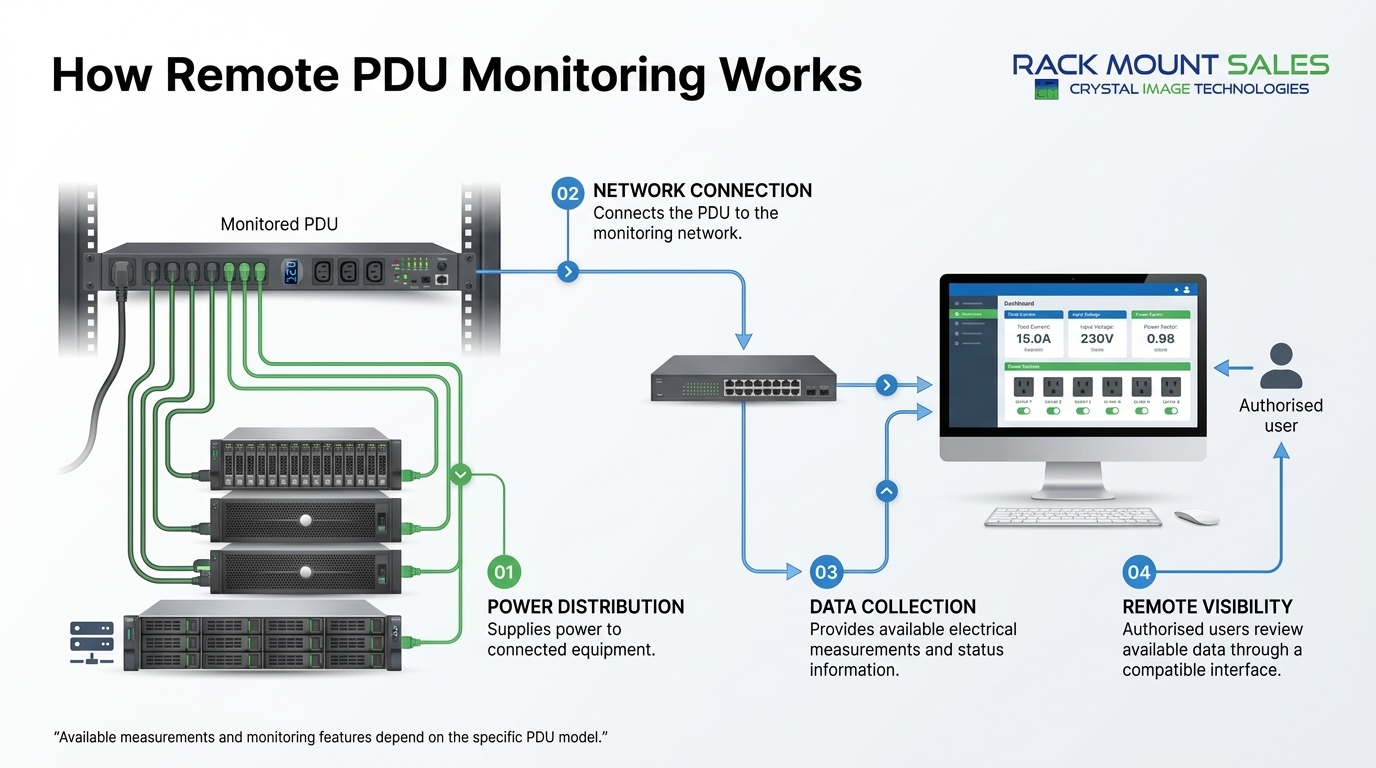
The right choice depends on what your IT team needs to see and control.
|
Your requirement |
Recommended PDU type |
Why |
|
Distribute power with local readings |
Metered |
Provides power measurements without necessarily requiring network access |
|
Monitor rack power remotely |
Monitored |
Offers network-based visibility into power consumption |
|
Receive remote alerts about power thresholds |
Monitored or switched |
Choose a model that supports configurable alerts |
|
Turn individual outlets on and off remotely |
Switched |
Provides remote outlet control |
|
Monitor power and remotely restart equipment |
Switched with suitable monitoring |
Combines visibility and outlet switching |
|
Measure consumption at each outlet |
Outlet-metered model |
Provides more granular readings than input-only metering |
|
Manage multiple racks centrally |
Network-enabled monitored or switched |
Can integrate with supported monitoring platforms |
For many small server rooms, a metered PDU provides sufficient visibility. Larger facilities may benefit from monitored models, while remote sites and environments requiring outlet-level power control may justify switched PDUs.
The best option is not necessarily the model with the most features. It is the one that meets your operational requirements without introducing unnecessary complexity or cost.
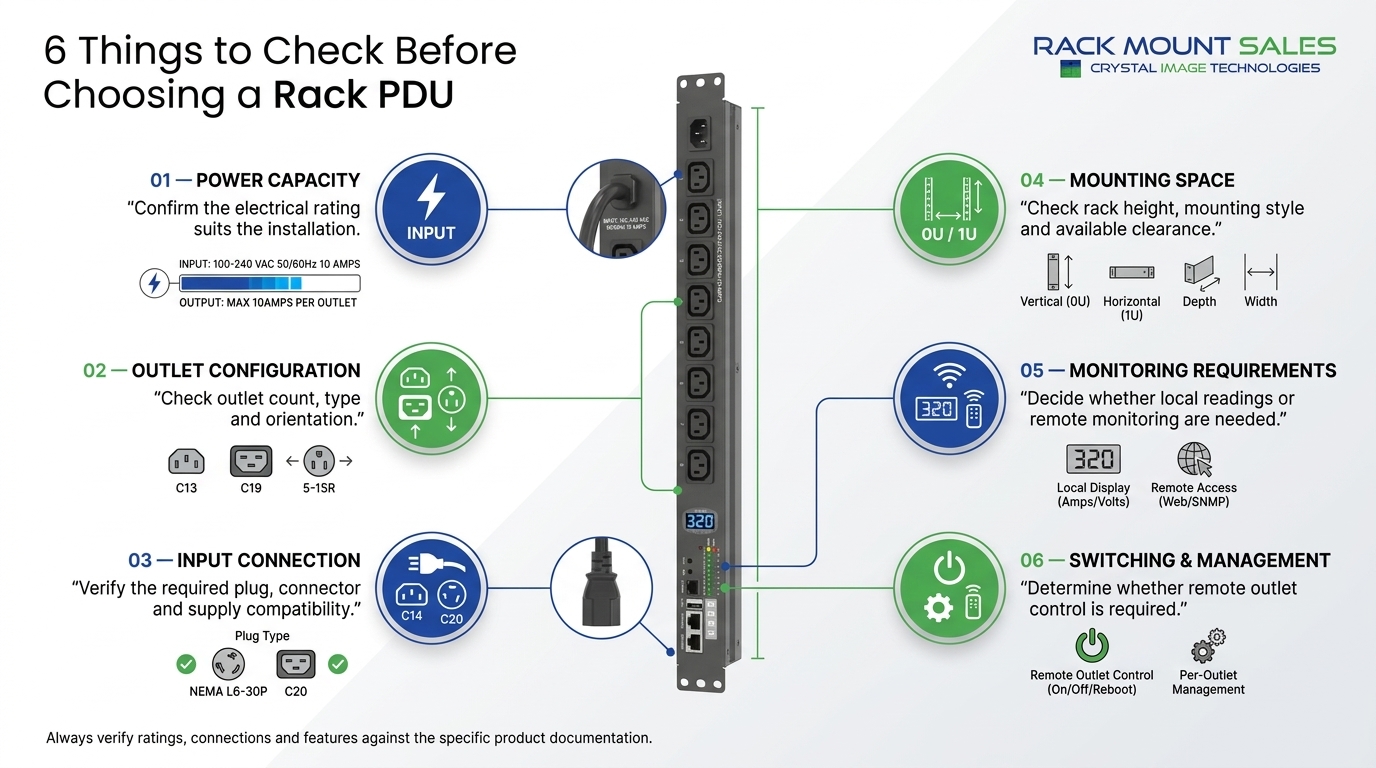
Power monitoring and switching are important, but they are only part of the purchasing decision. A rack PDU must also match the electrical and physical requirements of the installation.
Check the available supply voltage, current rating, phase configuration and required connector before choosing a PDU.
Calculate the expected load of the connected equipment and follow the applicable electrical codes, circuit limits and manufacturer recommendations. Do not assume that a PDU can safely support its full nominal rating under every installation condition.
Where three-phase power is used, consider how the connected load is distributed across phases. Proper phase balancing can help avoid overloading one phase while leaving capacity unused on another.
Confirm that the PDU provides the correct outlet types for your servers, switches, storage devices and other equipment.
Common rack PDU configurations use IEC C13 and C19 outlets, although the appropriate configuration depends on the connected equipment and regional power standards.
Count the outlets you need now and allow for reasonable expansion. Also check whether the outlet layout supports your power cables without blocking neighbouring connections.
Horizontal rack PDUs are commonly installed within the rack's equipment space, often occupying rack units. Vertical PDUs are usually mounted along the side or rear of the cabinet and can preserve valuable rack space.
Your choice depends on cabinet dimensions, mounting options, cable routing and the number of outlets required.
For more information about server rack layout and equipment installation, see our existing 1U rackmount monitor installation guide and related rackmount equipment guides.
For monitored and switched models, check the available network interfaces and management protocols. Confirm that the device supports your existing monitoring environment and security requirements.
Look for appropriate authentication, access permissions, firmware support and secure management options. Remote outlet switching should be restricted to authorised personnel.
Input-level metering shows consumption at the PDU input, while outlet-level metering provides more detailed information about individual connected devices.
Outlet-level data may be useful when investigating equipment power consumption or allocating usage across servers. However, it is not necessary for every installation.
Some intelligent rack PDUs support temperature and humidity sensors. These features can help IT teams identify environmental changes around equipment.
Environmental monitoring should complement, rather than replace, an appropriate cooling strategy and dedicated facility monitoring where required.
Some servers have dual power supplies designed to connect to separate power paths. Where redundancy is required, verify the complete power architecture, including upstream circuits, UPS systems and power distribution.
Connecting two power supplies to separate outlets on the same PDU does not by itself create full power-path redundancy.
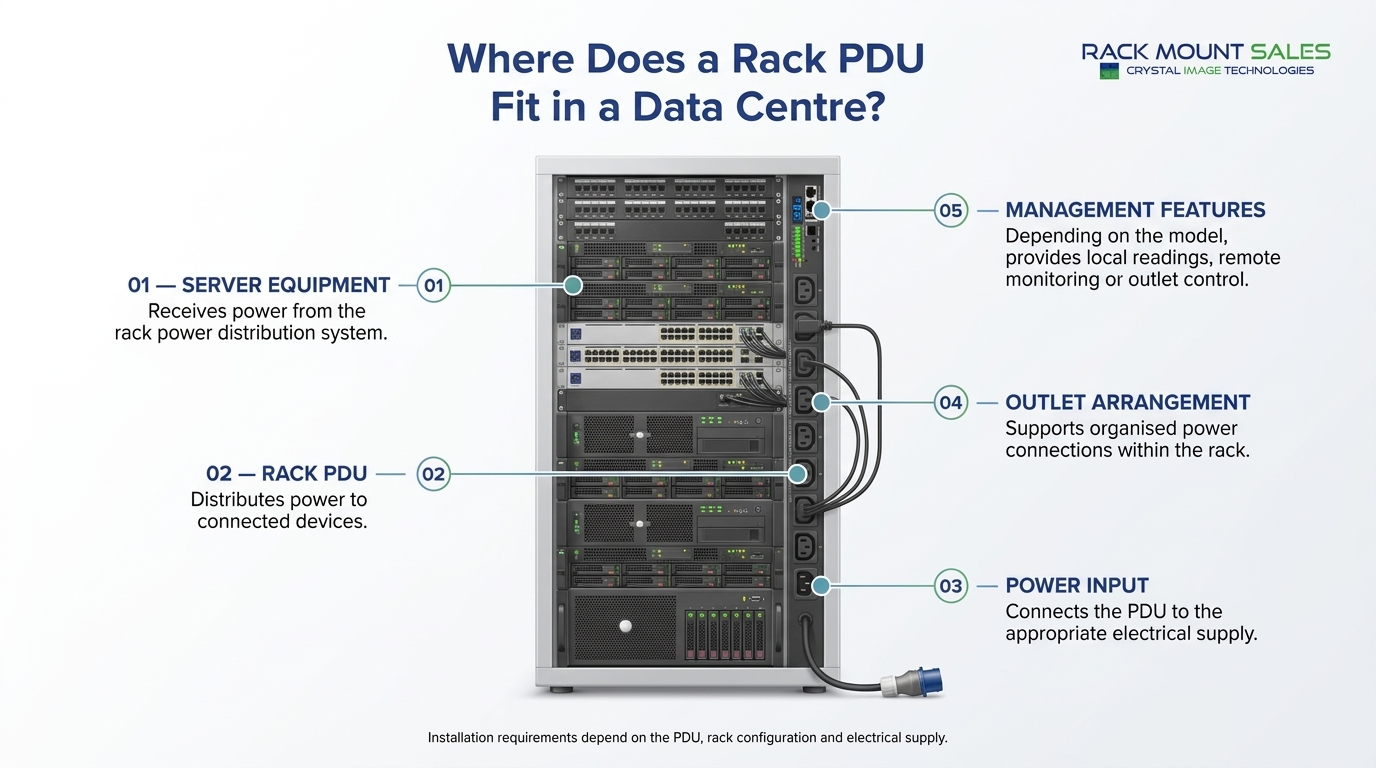
As server rooms expand, understanding power consumption becomes increasingly important. Modern racks may contain compute, storage and networking equipment with different electrical demands.
The right rack PDU can help IT teams organise power distribution and gain better visibility into how electrical capacity is used.
Metered PDUs provide useful local readings. Monitored models can make power information available remotely, while switched units add control over selected outlets.
These capabilities can support several operational activities:
A PDU's monitoring features alone do not automatically balance loads or guarantee uninterrupted service. Effective power management also requires correct circuit sizing, suitable equipment selection, appropriate protection and regular review of operating conditions.
A metered PDU measures electrical consumption, often displaying readings locally. A monitored PDU generally makes power information available remotely through a network interface. Some metered models also support remote monitoring, so check the manufacturer's specifications.
A switched PDU is useful when remote outlet control is required. A monitored PDU may be sufficient when administrators only need remote power readings and alerts. Switched models can offer both functions, but their exact capabilities vary.
A switched PDU can often restart a server by switching its power outlet off and on. This should only be done when appropriate because it can interrupt services or cause data loss. It also will not resolve every type of server failure.
Not necessarily. A basic or metered PDU may be sufficient for a small installation with straightforward power requirements. An intelligent PDU becomes more useful when remote visibility, alerts or outlet control provide a clear operational benefit.
Outlet-level metering measures power consumption for individual outlets rather than only reporting the total or aggregate load. It can help administrators identify the consumption of specific connected devices, provided the PDU supports this feature.
A PDU with monitoring and alerts can help administrators identify rising loads before they exceed configured thresholds. However, monitoring does not replace correctly sized circuits, suitable protective devices or safe electrical installation practices.
Choose enough outlets for the equipment you plan to connect, allowing for suitable expansion. Confirm outlet type, electrical capacity and the requirements of each connected device rather than selecting a PDU based on outlet count alone.
Horizontal PDUs may occupy rack units, while vertical models are commonly mounted along the cabinet's side or rear. The best option depends on available mounting space, outlet requirements, cabinet dimensions and cable management.
When comparing a metered vs monitored vs switched PDU, focus on the level of visibility and control your installation actually requires.
A metered PDU is a practical option for local power readings. A monitored PDU suits teams that need remote visibility into rack power consumption. A switched PDU is the stronger choice when authorised remote outlet control and power cycling are also required.
Before purchasing, confirm the PDU's electrical rating, input connector, outlet configuration, mounting style, monitoring granularity and compatibility with your management systems.
Explore the available rack power distribution options at Crystal Image Technologies and compare product specifications to identify a PDU suited to your server room, network cabinet or data centre requirements.
Technical note: Product features vary by manufacturer and model. Always consult the relevant datasheet and have electrical requirements reviewed by a qualified professional where necessary.

Industrial LCD displays are built for heavy-duty environments like factories, warehouses, and outdoor terminals. They can handle heat, dust, vibration, and long operating hours.
Militarydev411

Downtime costs more than most people expect. When LCD monitor drawers fail inside a rack, teams lose access, waste time, and risk bigger hardware issues. Proper care keeps LCD monitordev411
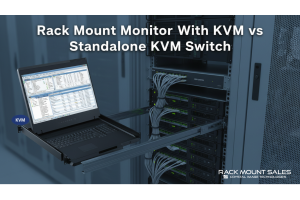
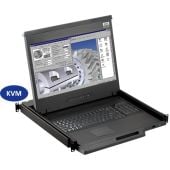
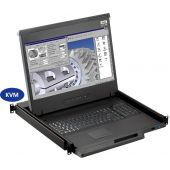
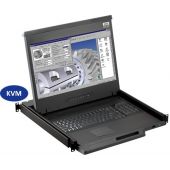
A rack mount monitor with KVM combines display, keyboard, and mouse into a single unit. This all-in-one design lets IT teams access multiple servers without juggling separate devices.dev411



We are so confident you will be satisfied with our products that we offer a 100% satisfaction guarantee


