A bad rackmount decision rarely stays a procurement problem.
It becomes an engineering problem when the hardware does not integrate, an operational problem when reliability suffers and a budget problem when replacement units or modifications are needed. That is why we believe a meaningful rackmount monitor comparison has to look beyond upfront cost and specifications.
In this guide, we will compare the decisions that affect real-world value, including configuration, ruggedisation, customisation, vendor support and Reducing Downtime over the life of the system.
What Should You Compare When Choosing a Rackmount System?
Two Rackmount monitors can have the same screen size, resolution and rack height, yet be suited to two completely different applications. The first step is to define what the system actually needs to do, where it will operate and what would happen if it failed. At a minimum, compare:
- Application
- Rack space
- Environment
- Connectivity
- Users
- Reliability
- Maintenance
- Support
- Cost
This creates a much fairer comparison than simply asking which unit is cheapest or which has the highest specification. The best rackmount system is the one that removes the most expensive compromise for your application.
Comparing Rackmount Monitors & Drawers
The first decision is usually the physical configuration. Different Rackmount Monitors & Drawers solve different problems, so the best option depends heavily on how frequently the system will be accessed and how much space is available.
Fixed Rackmount LCD Panels
A fixed rackmount display can make sense when information needs to remain visible at all times. Because the screen is permanently accessible, there is no need to deploy a drawer before viewing system information. This can suit monitoring, control and industrial applications where operators need continuous visibility.
The trade-off is rack space. A larger fixed display may occupy several rack units that could otherwise be used for computing, networking or storage hardware.
Rackmount Monitor Drawers
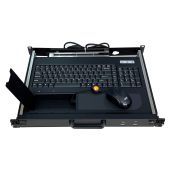
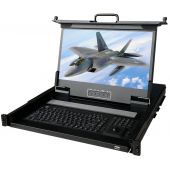
A rackmount monitor drawer stores the display inside the rack when it is not being used. Many designs also integrate a keyboard and pointing device, allowing an operator to pull out the drawer, raise the display and access the system from one compact workstation.
A 1U configuration can be particularly valuable in racks where space is already at a premium.
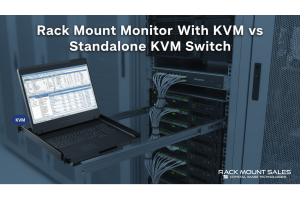
Rackmount KVM Drawers
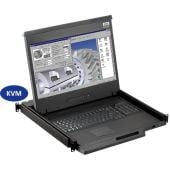
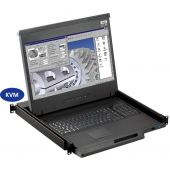
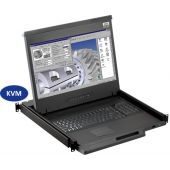
A KVM drawer takes that concept further by allowing one keyboard, display and pointing device to control multiple computers. Instead of installing separate peripherals for each server or computer, the operator can switch between connected systems from one console.
Rackmount Console vs KVM Drawer: Which Should You Choose?
The difference between a Rackmount Console vs KVM Drawer becomes much clearer when you start with the number of systems that need to be controlled.
Choose a standard rackmount console when:
- Local access is required for one computer or system.
- Switching between multiple systems is unnecessary.
- Simplicity is a priority.
- You want to avoid paying for functionality that will not be used.
Consider an integrated KVM drawer when:
- Several servers or computers need local access.
- Rack space is limited.
- One operator needs to move regularly between systems.
- Consolidating keyboards, monitors and pointing devices would simplify the rack.
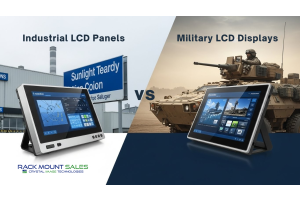
Military Rackmount vs Commercial Rackmount: How Much Ruggedization Do You Need?
A standard commercial rackmount monitor operating in a controlled server room faces very different demands from a display installed in a military vehicle, mobile command system or rugged transit case.
When Commercial Rackmount Hardware May Be Enough
Commercial equipment can be perfectly suitable when temperature is controlled, the rack remains stationary, shock and vibration are minimal, dust and moisture exposure are limited, standard commercial connectivity is suitable, and no specific military or environmental compliance is required. In these environments, paying for extensive ruggedization may provide little practical benefit.
When Military Rackmount Hardware Becomes Important
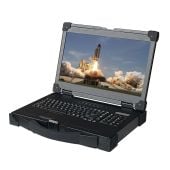
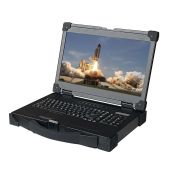
A Military Rackmount system becomes more relevant when the installation introduces harsher environmental demands. Depending on the specific model, rugged rackmount equipment can offer features such as MIL-STD-810F/G compliance, wide operating temperature ranges, conformal coating, EMI filtering, rugged or sealed keyboards, high-brightness displays, CAC card readers, and ruggedized slides and construction.
Those features can matter enormously in the right environment. In the wrong environment, they may simply increase cost.
Custom vs Off-the-Shelf Rackmount Systems
The same principle applies when comparing Custom vs Off-the-Shelf hardware. Custom engineering is not automatically superior, and standard equipment is not automatically a compromise. The right choice depends on whether an existing configuration can meet the critical requirements without forcing expensive changes elsewhere.
An off-the-shelf rackmount system may offer the better ROI when:
- Standard rack dimensions work.
- Chassis depth is suitable.
- Existing video and USB interfaces are compatible.
- Environmental requirements are already covered.
- No unusual power or security features are required.
- Fast availability is important.
- Straightforward replacement is valuable.
Customization starts to justify its cost when a standard product creates a genuine constraint. That might include:
- Restricted chassis depth
- Unusual rack dimensions
- Weight limitations
- Specific power requirements
- Custom video or data connections
- Unusual mounting arrangements
- Additional computing hardware
- Environmental protection requirements
- Repeated deployment across a larger programme
What Is the Safest Long-Term Rackmount Investment?
There is no single rackmount monitor, console or drawer that represents the safest investment for every project. A controlled data center, mobile communications rack, and military vehicle simply do not have the same requirements.
Instead, you should look for the option that satisfies five conditions:
1. It Fits the Application
The physical dimensions, interfaces and functionality match what the system actually requires.
2. It Fits the Environment
The level of ruggedisation reflects the temperature, vibration, shock, dust, moisture and EMI conditions it will face.
3. It Avoids Unnecessary Complexity
Features such as integrated KVM switching, touchscreen controls or military-grade protection are included because they are useful, not because they are available.
4. It Can Be Maintained and Replaced
A failure does not automatically become an engineering project.
5. The Vendor Can Support the Wider Requirement
Technical support, custom engineering and lifecycle considerations have been evaluated alongside the hardware itself.
The safest long-term investment is rarely the cheapest system or the system with the highest specification. It is the one with the fewest expensive compromises.
Find the Right Rackmount Configuration for Your Application
The best rackmount system is not determined by price, ruggedisation or the number of features on the specification sheet. It is determined by how well the hardware fits the application around it.
For some projects, that will mean a straightforward off-the-shelf monitor drawer. For others, an integrated KVM, rugged Military Rackmount configuration or completely custom solution may remove risks that would otherwise cost much more later.
Rackmount Sales offers rackmount monitors, LCD panels, monitor drawers, KVM systems, military-grade configurations and custom-engineered solutions for applications where standard hardware does not provide the right fit.
Before choosing a system, define the environment, integration requirements, expected lifecycle and consequences of failure. Then compare the products and vendors against those requirements.
Need help identifying the right configuration? Discuss your rackmount requirements with a specialist and compare the options around your actual application rather than a generic specification.