




24/7 Support
Fast, professional support




















Choosing the wrong industrial monitor design can add unnecessary installation work, increase enclosure costs and create problems with heat management or environmental protection. Open-frame and enclosed industrial monitors can both serve demanding applications, but they are built for different installation requirements. One gives equipment manufacturers greater freedom to integrate a display into a custom product, while the other provides a more complete unit that can be installed with less mechanical modification.
For OEM manufacturers, automation engineers and industrial equipment buyers, the decision comes down to integration, mounting, protection, maintenance and total project cost. This guide compares open-frame vs enclosed industrial monitors and explains how to select the right design for your application.
The main difference is the physical construction of the display. An open-frame industrial monitor is designed to be integrated into a machine, cabinet or custom enclosure. An enclosed industrial monitor comes with a finished housing designed to support installation as a standalone display or within a suitable mounting system.
|
Feature |
Open-Frame Industrial Monitor |
Enclosed Industrial Monitor |
|
Physical design |
Exposed mounting frame and display assembly |
Complete outer housing |
|
Installation |
Integrated into a custom enclosure or machine |
Mounted using supported brackets, VESA mounts or other specified hardware |
|
Customisation |
Greater flexibility for enclosure and front-panel design |
Depends on the manufacturer's available configurations |
|
Mechanical integration |
Usually requires more design work |
Generally simpler for standard installations |
|
Environmental protection |
Depends heavily on the final integration |
Depends on the enclosure's specified protection |
|
Thermal management |
Must be considered within the host enclosure |
Managed according to the monitor's design and installation requirements |
|
Maintenance access |
Depends on the equipment design |
Often easier to replace as a complete unit |
|
Typical applications |
OEM equipment, kiosks, embedded systems and machine interfaces |
Industrial workstations, monitoring stations and standalone displays |
Neither design is automatically more durable or reliable. Performance depends on the display's specifications, construction, operating conditions and how it is installed.
An open-frame industrial monitor is a display assembly designed for integration into a larger product. Instead of arriving with a complete external housing, it typically uses a metal chassis or mounting frame that allows an equipment manufacturer to install the display behind a custom front panel or within a machine enclosure.
Depending on the model, the assembly may include an LCD panel, backlight, display controller, power components, mounting points and optional touchscreen hardware.
This arrangement gives designers greater control over the finished product's appearance and mechanical layout.
Common characteristics include:
Always confirm which components are included. Some display assemblies require separate power supplies, cables or interface boards.
Open-frame displays allow manufacturers to design a front panel that matches the rest of their equipment. This is useful when a standard monitor housing would interfere with the machine's dimensions, appearance or controls.
For example, a manufacturer building a custom operator terminal can position the display behind a purpose-designed front panel rather than adapting the entire machine around a finished monitor.
Open-frame industrial monitors are well suited to original equipment manufacturer (OEM) projects where the display becomes part of a larger product.
Applications include industrial automation equipment, self-service kiosks, vending machines, gaming cabinets and specialised control systems.
Manufacturers can select the bezel design, front-panel materials and overall layout. This can help create a consistent appearance across different machine models.
An open-frame design may fit a compact or irregular enclosure more effectively than a conventional monitor. However, designers still need sufficient room for mounting hardware, cables, connectors, cooling and maintenance access.
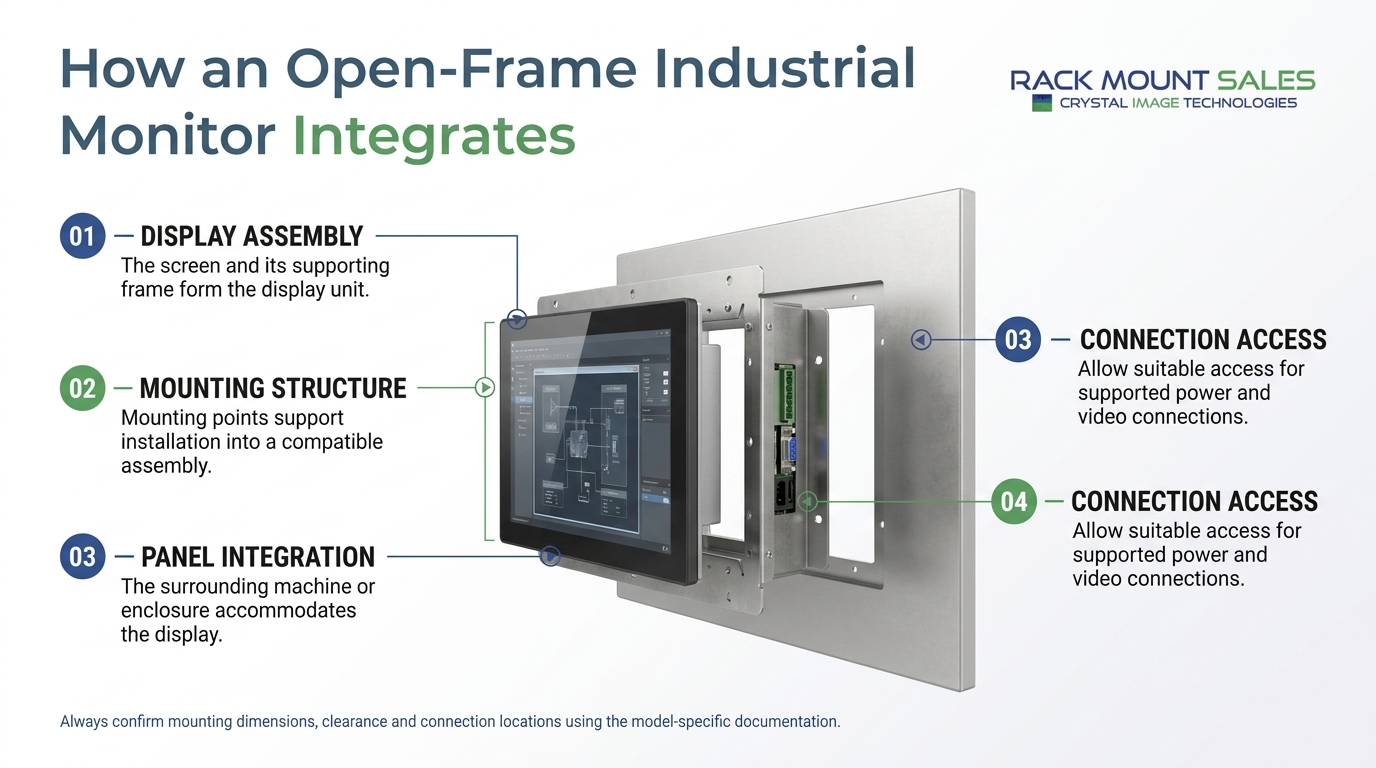
Open-frame displays shift more responsibility to the equipment manufacturer or system integrator.
The surrounding enclosure must provide appropriate mechanical support, cable management and environmental protection. Designers also need to consider heat dissipation, access to connectors and the method used to secure the display.
An exposed mounting frame does not automatically provide dust or water protection. If the finished equipment requires a defined ingress protection rating, the complete assembly must be designed and tested accordingly.
Open-frame monitors may also require additional engineering and installation time. A lower component purchase price does not necessarily mean a lower total project cost.
An enclosed industrial monitor is supplied with a complete external housing around the display assembly. The enclosure supports the internal components and provides a finished physical form for installation.
Depending on the product, the housing may include mounting points, connector access, controls, protective features and provisions for thermal management.
Unlike an open-frame display, an enclosed industrial monitor generally requires less custom housing work before it can be installed in an appropriate location.
Depending on the model, these may include:
Not every enclosed industrial monitor is sealed against dust or water. Buyers should verify the actual protection rating and the conditions under which it applies.
An enclosed monitor can reduce the amount of custom mechanical work required. This makes it a practical option for industrial workstations, equipment rooms and monitoring stations where the display does not need to become part of a bespoke product enclosure.
The manufacturer's housing protects the internal assembly according to its design. Where an installation requires resistance to dust, moisture or other environmental conditions, a suitably rated model may simplify product selection.
Check whether the specified rating applies to the complete monitor, its front face or a particular installation arrangement.
A complete monitor may be easier to remove and replace without dismantling the surrounding equipment. This can help reduce maintenance work in applications where the display is a separate component.
Actual replacement time depends on cable access, mounting arrangements and how the equipment has been installed.
Because the monitor arrives with its own housing, the project team may spend less time designing a custom display enclosure, sourcing additional brackets or developing a finished front panel.
This can be especially useful for small production runs, retrofits and installations where a standard form factor is acceptable.
An enclosed monitor may not fit a highly customised machine layout as easily as an open-frame assembly.
Its housing can add bulk, and the available mounting points may limit the positions or orientations supported. Customising the bezel or front appearance may also require a different product configuration.
Furthermore, an enclosed housing does not guarantee industrial-grade performance. Buyers should verify operating temperature, vibration resistance, brightness, ingress protection and other specifications against the actual application.
The best choice becomes clearer when you consider how the display will be installed and used.
Recommended option: Open-frame industrial monitor
OEM manufacturers often need displays that fit into a custom front panel or machine enclosure.
An open-frame design allows the engineering team to determine the display position, bezel appearance and mounting arrangement as part of the overall product design.
Before selecting a model, confirm its dimensions, mounting-hole positions, connector clearance and service requirements. The sample should be tested within the finished equipment before production begins.
Recommended option: Enclosed industrial monitor
An enclosed industrial monitor is often a practical choice when the screen needs to function as a separate display at an operator workstation.
The complete housing can simplify installation and replacement, provided the mounting arrangement and operating specifications match the environment.
For more specialised installations, compare the available options with your requirements for industrial LCD monitors and displays.
Recommended option: Depends on the panel design
Both formats can work in industrial automation.
An open-frame display may suit a machine with a custom front panel, while an enclosed monitor may be preferable when a complete housing and standard mounting arrangement are more convenient.
If the display must be fitted into a panel cutout with a finished front surface, also consider a dedicated panel-mount industrial monitor. Panel-mount products can offer a different balance of integration flexibility and front-panel protection.
Recommended option: Open-frame industrial monitor
Open-frame monitors are commonly used in kiosks and self-service terminals because they can be integrated behind a custom fascia.
This arrangement supports a consistent product appearance and allows designers to position the screen alongside payment hardware, physical controls or other components.
For public-facing installations, also consider touch technology, screen brightness, impact protection, accessibility and service access.
Recommended option: Evaluate the complete installation
Neither an open-frame nor an enclosed design should be selected solely because it is described as industrial-grade.
The relevant requirements may include dust, moisture, cleaning procedures, vibration, impact, ambient temperature and exposure to sunlight.
An enclosed monitor with a suitable protection rating may simplify deployment in some environments. An open-frame display may also work if it is integrated into an appropriately designed and validated enclosure.
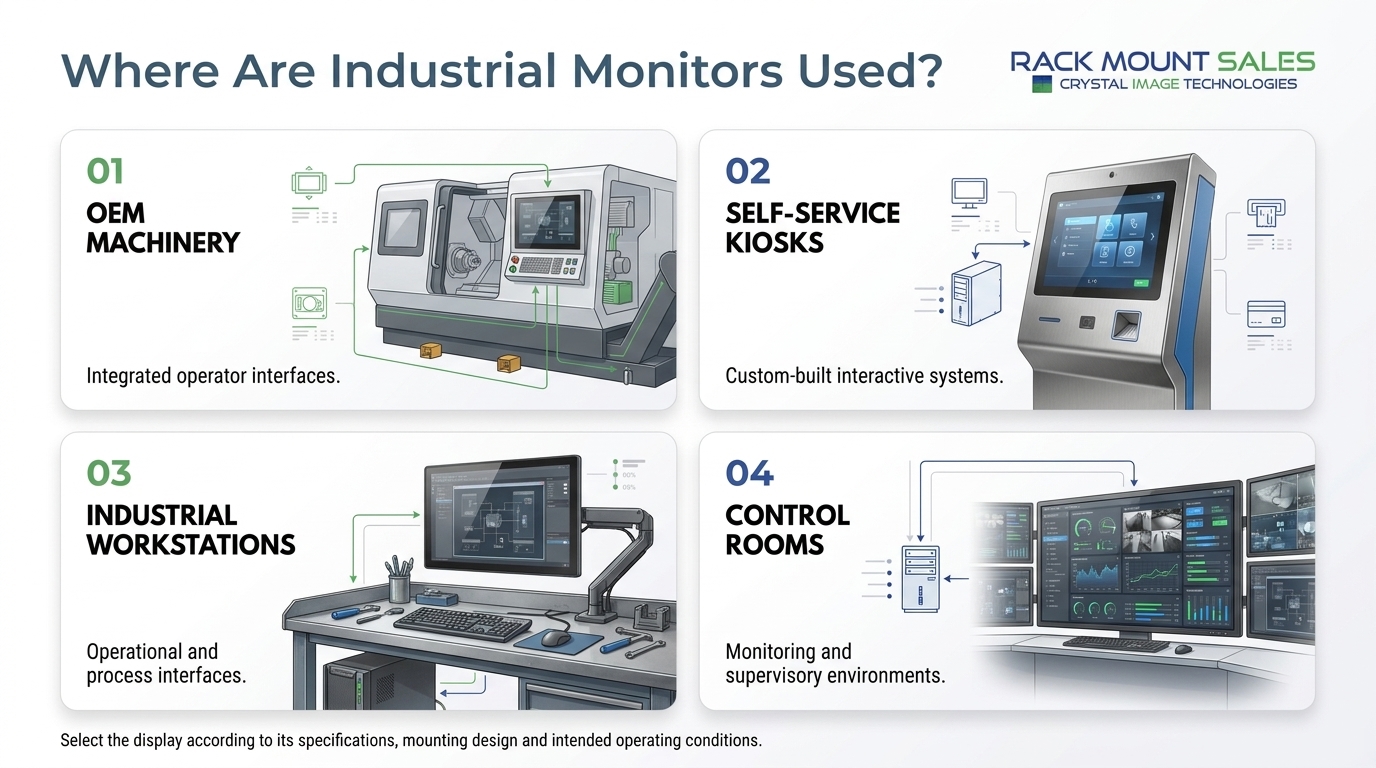
For additional context, see our existing article on industrial LCD monitors built for harsh conditions.
Before comparing individual models, establish the mechanical, electrical and environmental requirements of your installation.
Start with the available installation space.
For an open-frame monitor, check the overall chassis dimensions, mounting-hole positions, front-panel opening and the clearance required behind the display.
For an enclosed monitor, check the housing dimensions, mounting points and access needed for connectors and maintenance.
Do not rely on screen size alone. Two monitors with the same diagonal measurement can have different overall dimensions and mounting requirements.
If your project involves integrating a display into an enclosure, our guide to panel-mount vs rack-mount industrial LCD panels can provide useful context.
Determine whether the display will be exposed to dust, moisture, cleaning agents or other environmental conditions.
Check the specified ingress protection (IP) rating where relevant. Also verify whether it applies to the front face, the complete housing or the display after installation.
For an open-frame design, the final enclosure and sealing arrangement must be considered as part of the overall system. Do not assume that adding a front cover automatically produces a particular IP rating.
The screen must remain readable under the expected lighting conditions.
For indoor industrial workstations, moderate brightness may be sufficient. Applications exposed to strong ambient light or direct sunlight may require a higher-brightness display and appropriate anti-glare or optical treatments.
Check brightness specifications in nits or candelas per square metre, alongside contrast, viewing angle and the expected viewing distance.
If operators need to interact directly with the display, compare the available touchscreen options.
Projected capacitive touchscreens commonly support multi-touch gestures, while resistive touchscreens may suit applications involving particular gloves or a stylus, depending on the design.
Confirm compatibility with the expected operating conditions, protective glass, user interface and host system. Touchscreen performance can vary with glove materials, moisture and controller configuration.
Check which interfaces the monitor supports and whether they match the host equipment.
Depending on the model, options may include HDMI, DisplayPort, VGA or other industrial display connections. Confirm the supported resolution, refresh rate, connector type and power requirements.
For systems that use multiple computers or shared operator stations, you may also find our guide to rackmount monitor integration with KVM switches relevant.
Industrial displays generate heat, and the installation can affect how that heat is dissipated.
Open-frame monitors require particular attention to airflow or conduction through the surrounding enclosure. A tightly packed cabinet may restrict ventilation, depending on its construction and the display's thermal design.
Enclosed monitors also need to operate within their specified temperature range and mounting conditions.
Check the manufacturer's operating-temperature limits and installation instructions rather than assuming that either format will perform reliably in every industrial environment.
Compare the full cost of installation and operation, not just the purchase price.
For an open-frame monitor, include the cost of the custom enclosure, mounting hardware, sealing, cabling, thermal management and engineering work.
For an enclosed monitor, consider the initial price, mounting requirements, replacement procedures and whether its standard housing fits the application without modification.
A higher upfront cost may be justified if it reduces installation effort or simplifies maintenance. Conversely, an open-frame design may offer better overall value for an established OEM production process.
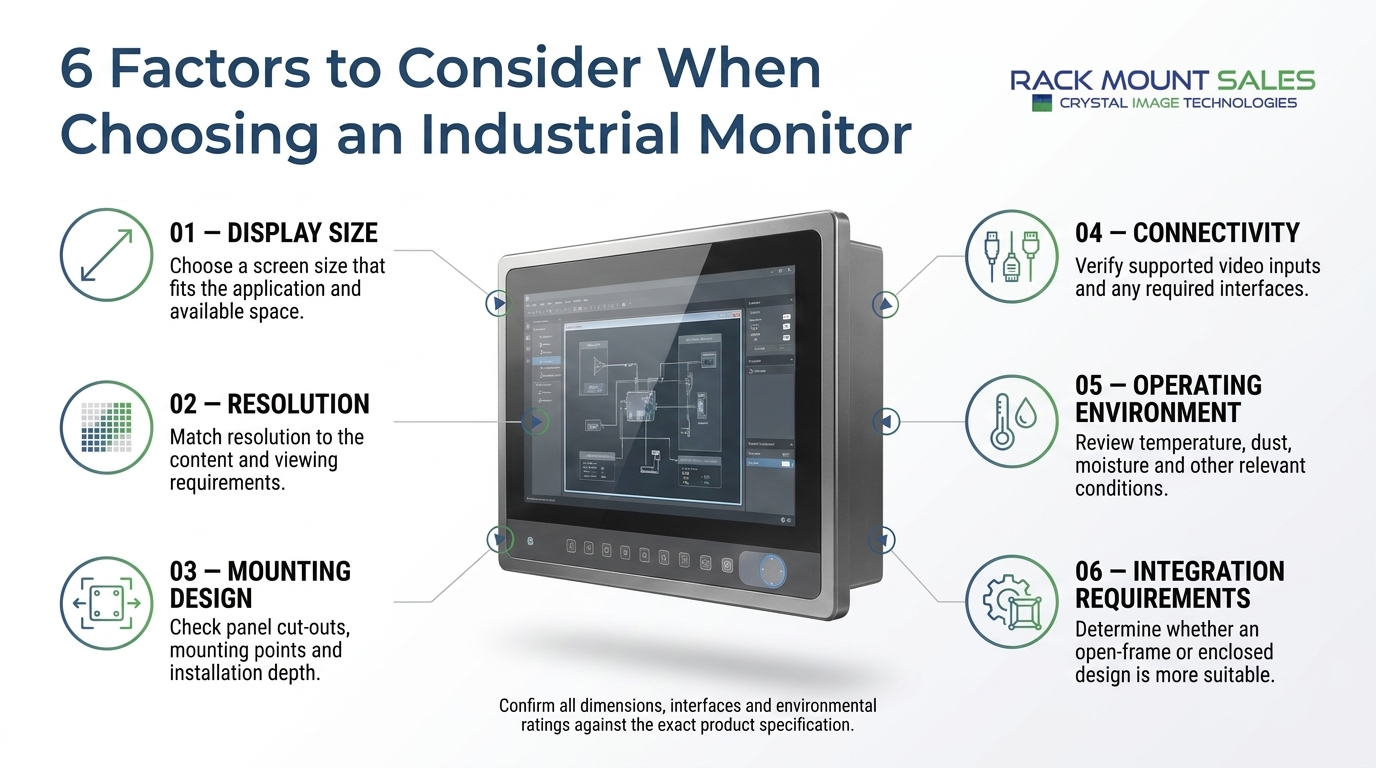
There is no universal rule that open-frame monitors are cheaper or that enclosed monitors provide better long-term value. The total cost depends on production volume, integration requirements, installation time and maintenance arrangements.
|
Cost factor |
Open-frame design |
Enclosed design |
|
Initial monitor cost |
Depends on configuration and quantity |
Depends on configuration and quantity |
|
Custom enclosure |
May require additional design and fabrication |
Usually included as part of the monitor |
|
Mounting hardware |
May need custom brackets or fixtures |
Often uses supplied or specified mounting provisions |
|
Engineering time |
Can be higher for new designs |
Often lower for standard installations |
|
Environmental sealing |
May require additional system-level design |
Depends on the specified enclosure and rating |
|
Replacement work |
Depends on access to the integrated assembly |
May be simpler when the monitor can be replaced as a unit |
|
High-volume production |
Can suit repeatable OEM integration |
Can suit standardised installations |
For a small project, a complete enclosed monitor may reduce engineering effort. For a large OEM production run, an open-frame model may make more sense when the enclosure is already part of the product design.
The most reliable comparison uses a project-specific cost estimate that includes both the display and its installation.
Avoid these common purchasing and integration mistakes:
Choosing by screen size alone. Confirm dimensions, mounting points, resolution and connector clearance before ordering.
Assuming an industrial label guarantees environmental protection. Verify the actual IP rating, temperature range and other relevant specifications.
Ignoring the enclosure design. An open-frame monitor depends on the host equipment for appropriate mounting and environmental protection.
Overlooking heat dissipation. Restricted airflow or poor thermal contact can affect performance and component life.
Selecting an incompatible interface. Confirm the host's video output, supported resolution, cable requirements and power supply.
Comparing only purchase prices. Include fabrication, integration, installation, maintenance and replacement costs.
Skipping prototype testing. Test the display in the finished enclosure or installation before committing to full production.
An open-frame industrial monitor is designed to be integrated into a custom enclosure or machine. An enclosed industrial monitor arrives with a complete external housing and is generally easier to install as a separate display.
Yes, provided the selected model meets the application's requirements and is integrated correctly. The host enclosure must provide suitable mounting, thermal management and environmental protection where needed.
Not necessarily. Durability depends on the monitor's construction, specified operating conditions, protection rating and installation. An enclosed housing alone does not guarantee resistance to dust, water, vibration or impact.
An open-frame monitor can be incorporated into a system designed for water or dust protection, but the complete assembly must be engineered and validated for the required conditions. The display's mounting interface, front seal, connectors and enclosure joints all matter.
An open-frame monitor is often suitable when the display must fit into a custom machine or product enclosure. An enclosed monitor may be more practical when a standard housing meets the mechanical and environmental requirements.
Some can, depending on their dimensions, mounting provisions and intended installation. A dedicated panel-mount monitor may be a better option when the project requires a particular cutout, flush front surface or defined sealing arrangement.
Many models are available with touchscreen options, including capacitive and resistive technologies. Confirm the specific model's touch controller, interface, protective layer and compatibility with the host system.
An enclosed monitor may be easier to replace as a complete unit, while an open-frame assembly may provide convenient service access in a well-designed machine. Actual maintenance requirements depend on the installation and the manufacturer's service instructions.
The choice between open-frame vs enclosed industrial monitors depends on how the display will fit into your equipment and the environment in which it must operate.
Choose an open-frame industrial monitor when custom integration, a purpose-built front panel and flexibility over the finished product design are important.
Choose an enclosed industrial monitor when you need a complete display housing, a straightforward installation and a suitable standard mounting arrangement.
Before purchasing, confirm the display dimensions, mounting requirements, interfaces, brightness, operating temperature and environmental protection. Where the display will be integrated into a machine, test the complete assembly under representative operating conditions.
Explore RackmountSales.com to compare the available industrial display options and identify a configuration that matches your installation requirements.
Industrial LCD displays are built for heavy-duty environments like factories, warehouses, and outdoor terminals. They can handle heat, dust, vibration, and long operating hours.
Militarydev411

Downtime costs more than most people expect. When LCD monitor drawers fail inside a rack, teams lose access, waste time, and risk bigger hardware issues. Proper care keeps LCD monitordev411
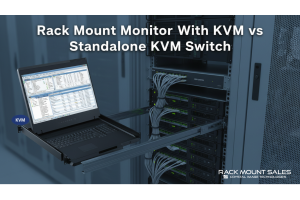
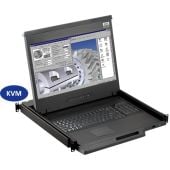
A rack mount monitor with KVM combines display, keyboard, and mouse into a single unit. This all-in-one design lets IT teams access multiple servers without juggling separate devices.dev411

We are so confident you will be satisfied with our products that we offer a 100% satisfaction guarantee


