




24/7 Support
Fast, professional support




















Choosing the right IP KVM switch depends on the number of servers you need to manage, the type of connections your equipment supports and how your IT team accesses remote systems. An 8-port configuration may be sufficient for a small server installation, while 16-port and 32-port solutions provide additional capacity for larger infrastructure.
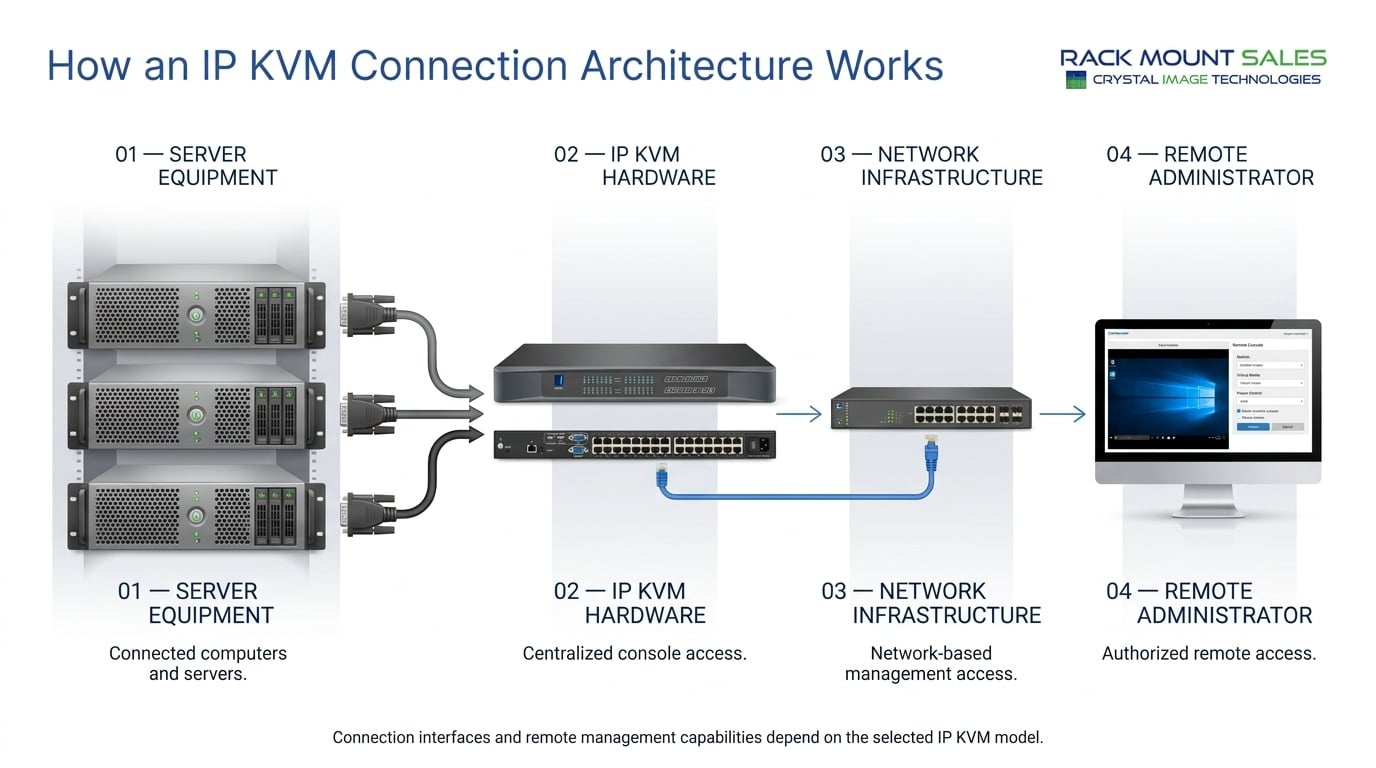
For businesses managing multiple servers across a data center or enterprise network, remote access and centralized control can make daily operations more efficient. An 8-port KVM over IP switch provides a practical way to access and manage multiple connected computers through a single console, reducing the need for separate keyboards, monitors and mice at each server.
As infrastructure expands, administrators may need a higher-capacity solution. This is where 16-port and 32-port IP KVM configurations become relevant.
This guide examines the differences between these configurations, their technical requirements, server management applications and the factors IT professionals should consider before selecting an IP KVM switch.
The primary difference between 8-port, 16-port and 32-port IP KVM switches is their connection capacity. Each configuration accommodates a different number of computers, although the supported interfaces, remote management features and expansion capabilities depend on the individual model.
|
Comparison |
8-Port IP KVM |
16-Port IP KVM |
32-Port IP KVM |
|
Maximum direct connections |
8 |
16 |
32 |
|
Typical application |
Smaller server installations |
Growing IT environments |
Larger server installations |
|
Remote access |
Model dependent |
Model dependent |
Model dependent |
|
Local console |
Model dependent |
Model dependent |
Model dependent |
|
Video connections |
Model dependent |
Model dependent |
Model dependent |
|
Expansion |
Model dependent |
Model dependent |
Model dependent |
|
Installation requirements |
Depends on model |
Depends on model |
Depends on model |
A higher port count does not automatically mean better performance. The right configuration depends on the number of systems requiring access, connection compatibility, management requirements and available infrastructure.
For example, a business operating six servers may not need a 32-port solution. However, an organization managing several server racks may benefit from the additional capacity of a larger configuration.
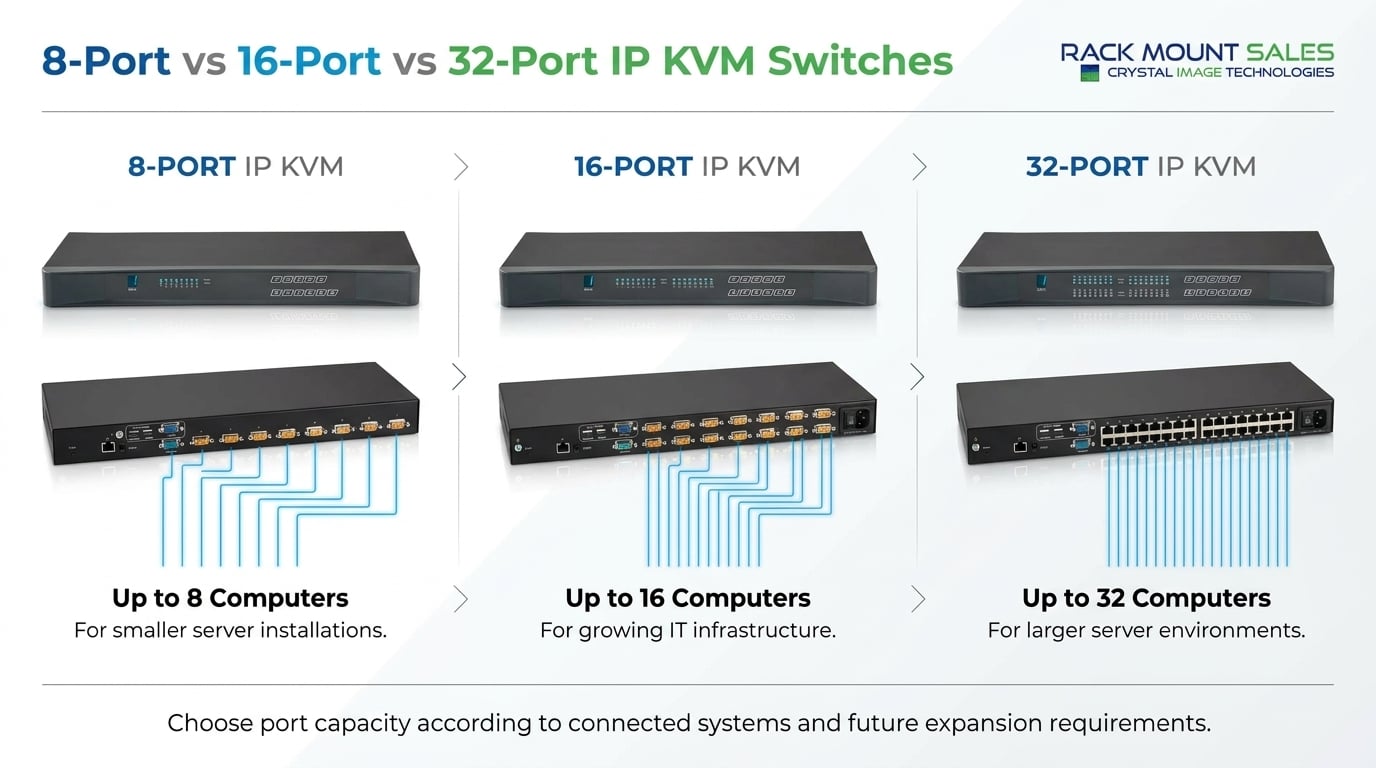
An 8-port IP KVM switch is a practical option for smaller server rooms, departmental IT environments and businesses managing a limited number of computers.
It provides access to multiple connected systems through a centralized console arrangement. Depending on the model, administrators can also access supported systems remotely through an IP connection.
For IT teams managing several servers within one location, an 8-port solution can help reduce the amount of separate console equipment required.
Consider an 8-port configuration when:
For smaller installations requiring VGA and USB connectivity, the KVM-IP8 8-port VGA USB KVM over IP switch is one available RackmountSales option.
Its published specifications include eight KVM ports, one local console and one remote IP console with BIOS-level access. The product also supports local resolutions up to 1920 × 1200 and IP console resolutions up to 1920 × 1080, subject to the specified display mode.
Other listed features include DHCP, BOOTP and DNS network protocol support, along with SSL v3, RSA and AES security specifications.
Before purchasing, administrators should confirm video compatibility, cable requirements and the remote console resolution needed for their installation.
A 16-port IP KVM switch provides additional connection capacity for organizations managing more computers and servers.
It can be useful for growing server rooms, enterprise IT departments, testing environments and infrastructure installations where multiple systems require centralized console access.
The additional ports also provide more flexibility when new servers are introduced. Instead of immediately replacing an existing smaller switch, organizations can select a configuration that better matches their expected requirements.
A 16-port configuration may be suitable when:
For installations requiring RJ45 server connections, the 16-port Cat5 KVM over IP switch is an option to evaluate.
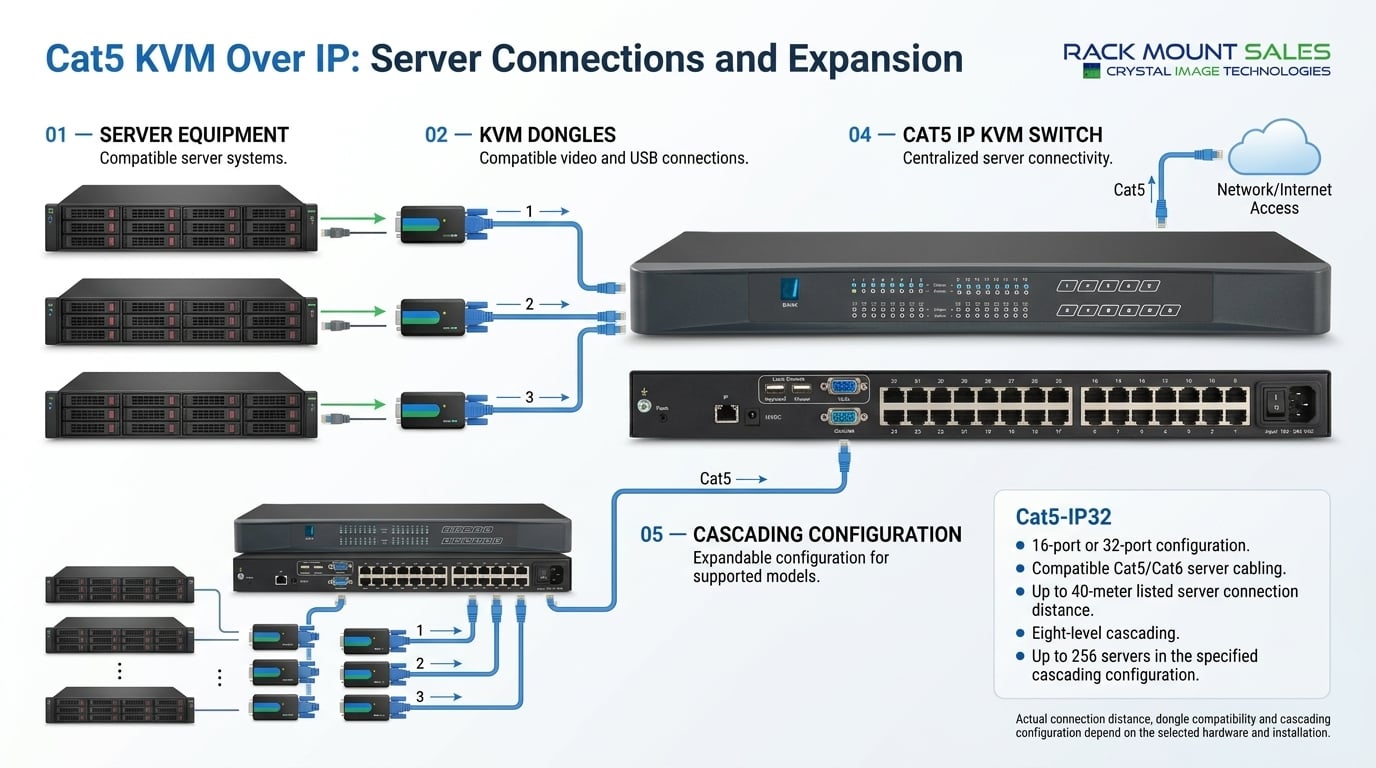
Its published specifications identify RJ45 KVM connections and compatibility with DP, HDMI, DVI-D, and VGA dongles through Cat5 or Cat6 cabling.
The product documentation also lists local VGA console connectivity, USB keyboard and mouse connections, network-based IP console access, and support for compatible cascading configurations.
The listed server connection distance is up to 40 meters using the specified Cat5 or Cat6 cable arrangement.
For organizations connecting computers with different video interfaces, this type of connection flexibility can be an important consideration.
A 32-port IP KVM switch offers greater connection capacity for larger server installations and infrastructure environments.
It can be useful for data centers, enterprise server rooms, and technical facilities where administrators need access to numerous connected computers.
A higher-capacity KVM system can also help consolidate server console connections, provided the selected equipment supports the required interfaces and management arrangement.
Consider a 32-port configuration when:
For larger installations, the 32-port Cat5 KVM over IP switch (Cat5-IP32) provides an option with RJ45 KVM connections and compatible Cat5 or Cat6 cabling.
Its published specifications identify support for DP, HDMI, DVI-D, and VGA dongles, allowing compatible computers with different video connections to be integrated into the KVM arrangement.
The product listing also identifies:
The listed IP console resolution is up to 1600 × 1200, with an upgrade option for 1920 × 1080 support. Buyers should verify the selected configuration before ordering.
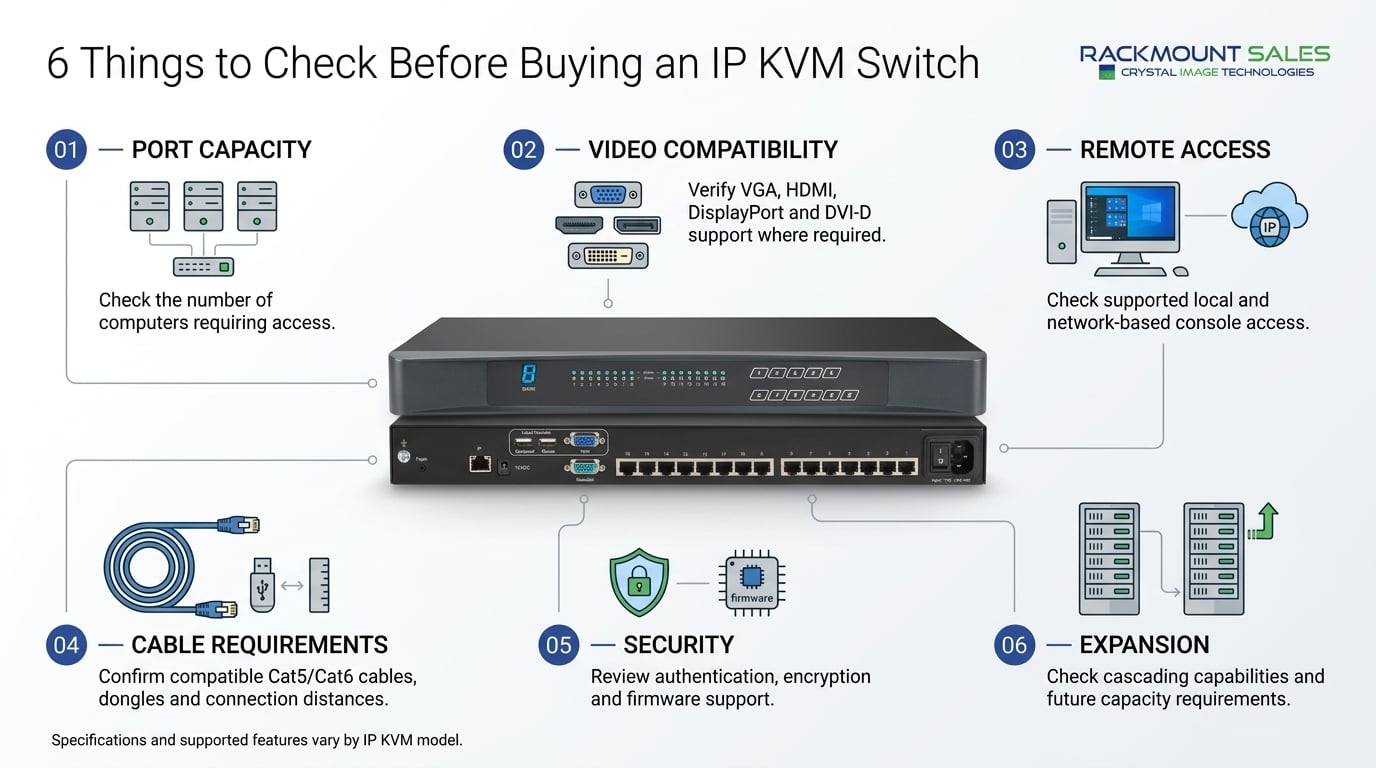
Port capacity is only one part of selecting an appropriate IP KVM solution. The connection interfaces, network requirements and management capabilities can have an equally important impact on compatibility and deployment.
Start by calculating the number of computers that require KVM access.
Include existing servers, dedicated workstations, and other compatible systems that need to be managed through the installation.
It is also worth considering future infrastructure growth. Purchasing a configuration with insufficient capacity may require additional equipment or a different deployment arrangement later.
However, selecting the largest available switch is not always necessary. The goal is to find a suitable balance between current requirements and anticipated expansion.
Some IP KVM switches support both local console access and remote management through a network connection.
This arrangement allows administrators to access connected systems from the server location or through the supported remote interface.
When comparing products, examine the number of local consoles, remote access capabilities, active user limits and simultaneous session support.
For example, the RackmountSales KVM-IP8 specification identifies one active user and 15 user logins. The Cat5-IP32 listing also identifies one active user and 15 user logins.
These details matter when multiple administrators share responsibility for infrastructure management.
Video compatibility should be checked before selecting a KVM switch.
Different computers may use VGA, HDMI, DisplayPort, or DVI-D outputs. A suitable KVM configuration must support the relevant connection types through its available ports, cables, or dongles.
For example, the Cat5-IP16 and Cat5-IP32 specifications identify support for compatible DP, HDMI, DVI-D and VGA dongles.
Administrators should also compare local and remote console resolution limits. The maximum supported resolution may differ between the two access methods.
This is particularly important when managing servers with different display requirements.
Certain IP KVM systems use RJ45 connections and compatible Cat5 or Cat6 cabling to connect servers.
The Cat5-IP16 and Cat5-IP32 product specifications identify server connection distances of up to 40 meters using the specified cable and dongle arrangement.
Before installation, check:
One important distinction is that an RJ45 connector does not always represent a standard Ethernet network connection. Some KVM systems use RJ45 ports for dedicated server connections, while a separate interface provides IP-based console access.
Understanding this distinction helps prevent incorrect cabling and installation decisions.
Remote console access introduces additional security considerations.
Administrators should review the available authentication methods, encryption specifications, user permissions, network protocols, and firmware support.
The RackmountSales product listings identify security specifications including SSL v3, RSA, and AES for the relevant IP KVM configurations.
However, the presence of a security protocol in a product specification does not automatically establish that every protocol version is suitable for current enterprise security requirements.
Before deployment, verify the supported firmware and protocol versions with the manufacturer. Use appropriate network segmentation, access restrictions, and secure administrative practices.
Remote management interfaces should not be exposed directly to the public internet without a properly designed security architecture.
Some KVM systems support cascading, allowing compatible switches to be connected within a larger installation.
This can increase the number of computers accessible through a coordinated KVM arrangement.
For example, the Cat5-IP32 product specification identifies eight-level cascading with support for up to 256 servers.
This feature may be useful for organizations planning larger installations, but compatibility between switch models and the manufacturer's cascading requirements must be checked before implementation.
Data centers contain multiple servers that require configuration, maintenance and troubleshooting.
A suitable rackmount KVM switch can provide centralized console access to compatible systems, reducing the need for separate keyboard, monitor, and mouse arrangements at every server.
For larger installations, administrators may consider higher-port-count IP KVM configurations based on server density and management requirements.
Enterprise environments often include multiple servers supporting internal applications, databases, storage systems and network services.
A multi-port IP KVM configuration can help infrastructure teams organize access to these systems through a centralized management arrangement.
The appropriate solution depends on the number of connected computers, required remote access capabilities, and existing network architecture.
Network operations teams may use IP KVM equipment to access compatible servers and troubleshoot hardware-related problems.
Remote console access can be particularly useful when conventional software-based management tools are unavailable.
For example, administrators may need to investigate boot problems, review firmware settings, or access a system before its operating system loads.
Industrial facilities sometimes operate dedicated computers responsible for monitoring, processing, and control activities.
Where equipment compatibility and network access permit, IP KVM technology can provide another way to manage these systems without requiring a dedicated console at every workstation.
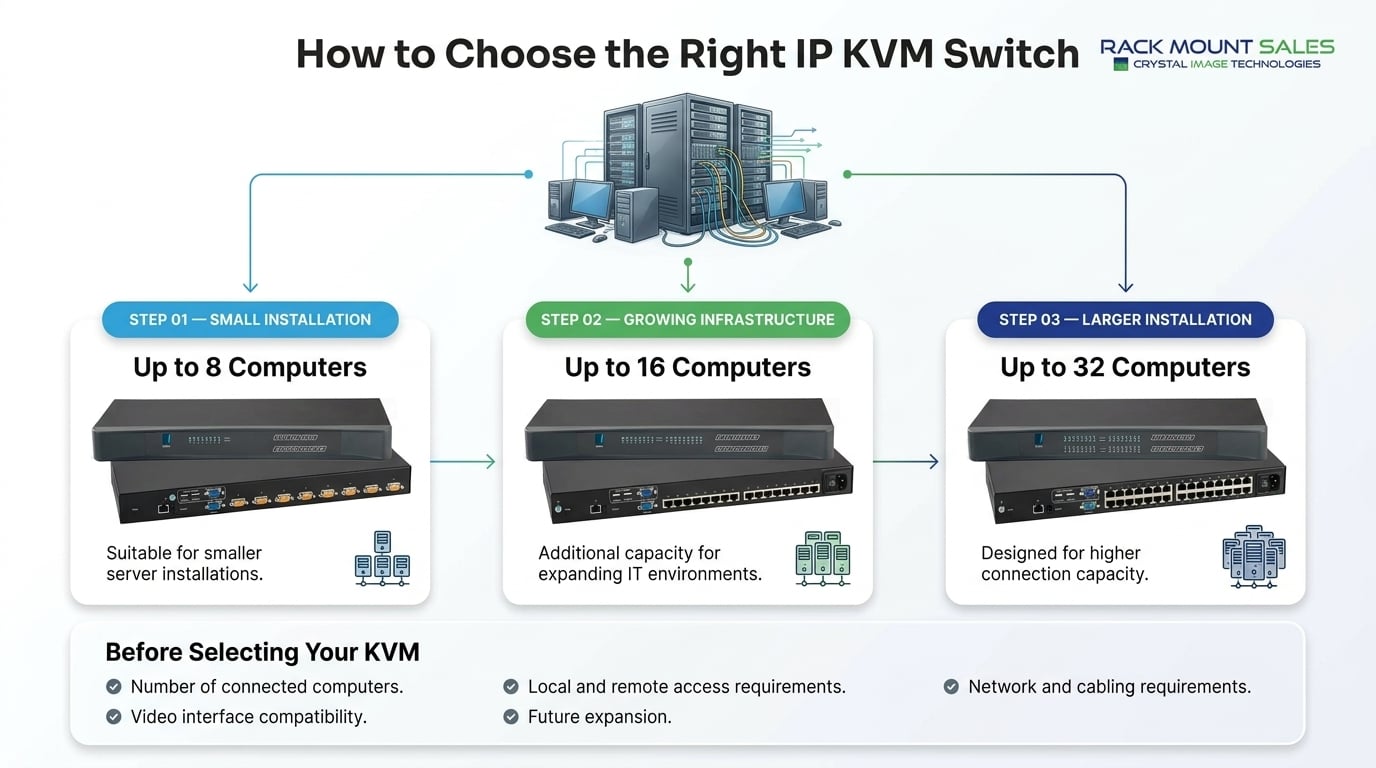
The best configuration depends on the size of your installation and the management capabilities required.
|
Requirement |
Configuration to consider |
|
Up to 8 connected computers |
8-port IP KVM |
|
Up to 16 connected computers |
16-port IP KVM |
|
Larger installations requiring up to 32 ports |
32-port IP KVM |
|
Different video interfaces |
Check compatible dongle support |
|
Remote BIOS access |
Verify BIOS-level access specifications |
|
Longer server connections |
Check Cat5/Cat6 distance limits |
|
Larger cascaded installations |
Verify cascading capacity and compatibility |
For a smaller installation, an 8-port solution may provide sufficient capacity without unnecessary additional connections.
Businesses managing more servers can consider a 16-port configuration, while larger environments may require a 32-port system or a compatible cascaded arrangement.
Before making a final selection, compare the individual product specifications rather than relying on port count alone.
An 8-port IP KVM switch supports up to eight connected computers, while a 16-port model supports up to 16. The larger configuration provides additional connection capacity for installations managing more systems.
Yes. A 32-port IP KVM switch can be suitable for data center installations requiring centralized access to numerous computers. Buyers should evaluate port capacity, cabling, video compatibility and network requirements before selecting a model.
Some IP KVM switches support BIOS-level remote access, allowing administrators to manage compatible computers before the operating system loads. This capability varies by product and should be verified in the manufacturer's specifications.
The supported number depends on the KVM model and its cascading architecture. The RackmountSales Cat5-IP32 listing specifies eight-level cascading with support for up to 256 servers.
Cable requirements vary by product. The RackmountSales Cat5-IP16 and Cat5-IP32 configurations use RJ45 server connections with compatible Cat5 or Cat6 cabling and supported dongles.
Certain Cat5 IP KVM configurations support HDMI and DisplayPort connections through compatible dongles. The Cat5-IP16 and Cat5-IP32 specifications identify DP, HDMI, DVI-D and VGA compatibility.
Count the computers requiring access, consider expected infrastructure growth and compare the supported features of available models. An 8-port configuration may suit a smaller installation, while 16-port and 32-port systems provide additional connection capacity.
Selecting an 8-port, 16-port, or 32-port IP KVM switch depends on the number of connected computers, remote management requirements, and expected infrastructure growth.
Smaller server installations may benefit from an 8-port configuration, while 16-port systems offer additional flexibility for expanding IT environments. A 32-port solution can accommodate larger installations that require more extensive server connectivity.
Port capacity should not be the only deciding factor. Video compatibility, cable requirements, local and remote console functionality, security specifications, and cascading support all influence the suitability of a particular model.
Explore the RackmountSales range of KVM switches to compare available configurations and identify a solution that matches your server management requirements.
Industrial LCD displays are built for heavy-duty environments like factories, warehouses, and outdoor terminals. They can handle heat, dust, vibration, and long operating hours.
Militarydev411

Downtime costs more than most people expect. When LCD monitor drawers fail inside a rack, teams lose access, waste time, and risk bigger hardware issues. Proper care keeps LCD monitordev411
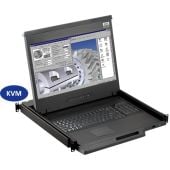
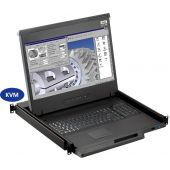
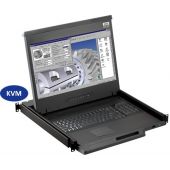
A rack mount monitor with KVM combines display, keyboard, and mouse into a single unit. This all-in-one design lets IT teams access multiple servers without juggling separate devices.dev411
We are so confident you will be satisfied with our products that we offer a 100% satisfaction guarantee


