




24/7 Support
Fast, professional support




















Selecting the right interface for a rackmount monitor is just as important as choosing the monitor itself. The connection between your monitor and server determines image quality, compatibility, performance, and even how easily your IT infrastructure can adapt to future upgrades.
Today's rackmount monitors support a variety of video interfaces, including HDMI, DisplayPort, USB-C, and VGA. While each serves the same basic purpose of transmitting video signals, they differ significantly in bandwidth, supported resolutions, refresh rates, and compatibility with modern and legacy hardware.
For IT professionals, system integrators, and data center managers, understanding these differences helps prevent connectivity issues and ensures the monitor performs reliably in demanding environments.
In this guide, we'll compare the four most common rackmount monitor interfaces, explain where each one excels, and help you determine which option best fits your infrastructure.
Choosing the correct interface isn't simply about plugging in a cable. The interface directly affects display quality, device compatibility, cable management, and long-term scalability.
Using an outdated or incompatible connection may limit your monitor's performance, while selecting the right interface allows you to take full advantage of your hardware's capabilities.
A suitable interface helps you:
For organizations operating server rooms, network operation centers, industrial facilities, or control rooms, selecting the right interface contributes to a more efficient and dependable infrastructure.
Modern rackmount monitors often include multiple input options to accommodate different types of equipment.
The most commonly used interfaces are:
Each interface was developed for different purposes and generations of hardware. Some prioritize high-resolution digital video, while others focus on compatibility with legacy systems or modern portable devices.
Before deciding which interface to use, it's important to understand how each technology works and where it performs best.
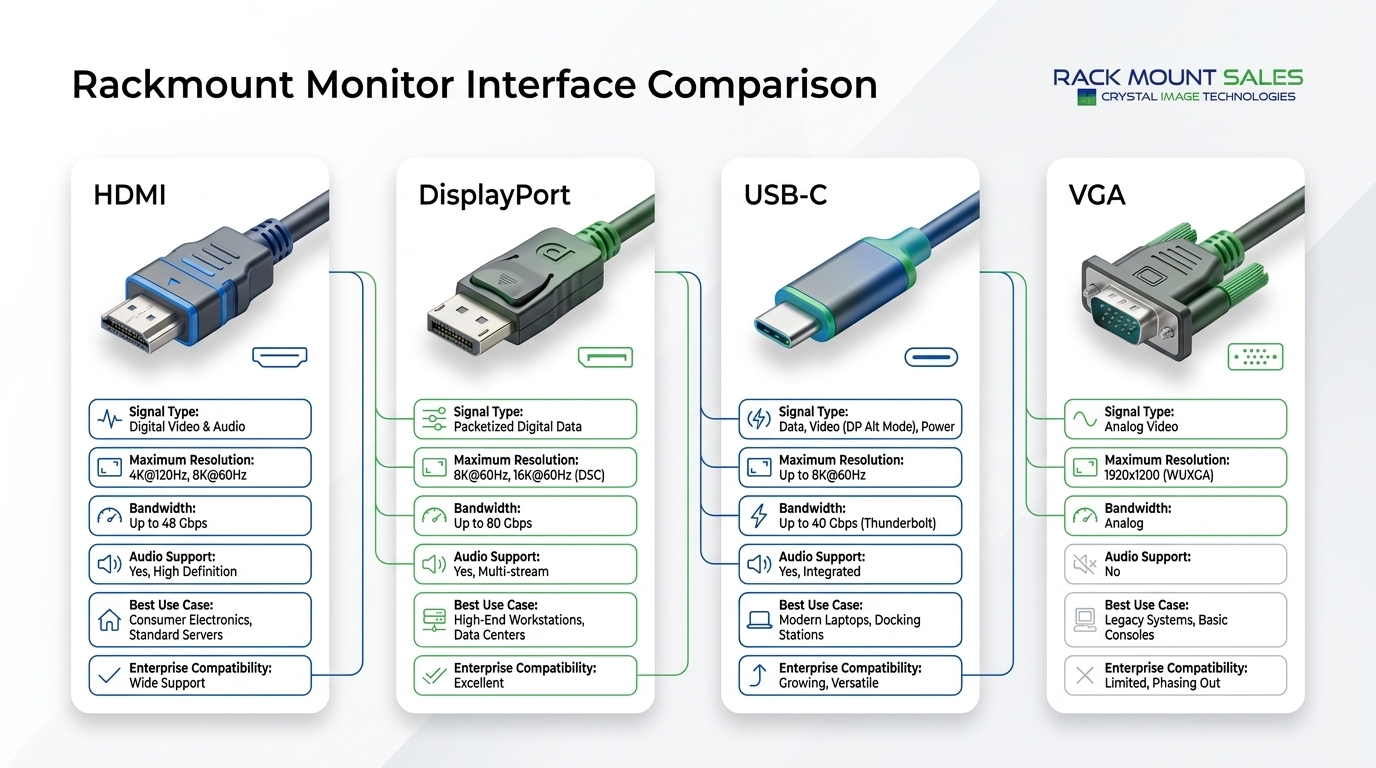
High-Definition Multimedia Interface (HDMI) has become one of the most common display standards across both consumer electronics and professional IT environments.
Most modern rackmount monitors include at least one HDMI input because it provides a simple, reliable digital connection that supports both video and audio over a single cable.
HDMI offers several benefits that make it suitable for many enterprise deployments.
Excellent image quality
HDMI transmits digital signals without the quality loss associated with older analog interfaces. This results in sharp text, accurate colors, and clear images that are ideal for server monitoring and administrative tasks.
Wide compatibility
Nearly every modern desktop computer, workstation, graphics card, and many servers support HDMI. This broad compatibility makes deployment straightforward without requiring specialized adapters.
Simple installation
A single HDMI cable carries video and audio, reducing cable clutter and making installations easier to manage.
Support for high resolutions
Current HDMI standards support Full HD, 4K, and even 8K resolutions, depending on the hardware and cable version being used.
Although HDMI is highly versatile, it may not always be the ideal solution for enterprise environments.
Some limitations include:
For many organizations, however, HDMI remains a practical choice thanks to its reliability and widespread compatibility.
HDMI works particularly well for:
Its balance of performance, compatibility, and ease of use continues to make HDMI one of the most popular interfaces available.
While HDMI dominates consumer devices, DisplayPort was designed with professional computing environments in mind.
It has become the preferred interface for many enterprise workstations, high-performance graphics systems, and modern data center equipment because it delivers greater bandwidth and advanced display capabilities.
DisplayPort offers several features that appeal to IT professionals responsible for demanding workloads.
Higher bandwidth
DisplayPort provides greater data bandwidth than many HDMI versions, allowing support for higher resolutions, faster refresh rates, and improved overall performance.
Excellent support for high-resolution displays
Organizations deploying high-resolution rackmount monitors benefit from DisplayPort's ability to deliver crisp images without sacrificing performance.
Multi-monitor support
One of DisplayPort's standout advantages is Multi-Stream Transport (MST), which allows compatible systems to drive multiple displays from a single connection. This feature is especially valuable in network operations centers and control rooms where several monitors are used simultaneously.
Reliable enterprise performance
DisplayPort is commonly found in enterprise workstations, industrial computers, and professional graphics hardware, making it a natural choice for business environments.
Although DisplayPort offers impressive capabilities, it also has a few considerations.
Despite these limitations, DisplayPort remains one of the strongest options for professional rackmount monitor deployments.
DisplayPort is an excellent choice for:
For organizations prioritizing performance, scalability, and long-term compatibility, DisplayPort is often considered the preferred interface.
USB-C has become increasingly common in modern laptops, compact workstations, and portable devices. Unlike traditional video interfaces, USB-C can carry video, data, and power through a single cable, making it a convenient option for organizations looking to reduce cable clutter.
Many newer rackmount monitors include USB-C connectivity, especially models designed to support hybrid workstations and modern enterprise environments.
USB-C offers several practical benefits for IT professionals.
Single-cable connectivity
One USB-C cable can transmit video, transfer data, and charge compatible devices simultaneously. This simplifies workstation setups and reduces the number of cables required.
Support for high-resolution displays
When USB-C supports DisplayPort Alternate Mode (Alt Mode), it can deliver high-resolution video suitable for professional applications and enterprise deployments.
Improved cable management
Fewer cables mean cleaner rack installations and easier maintenance, especially in environments where space is limited.
Excellent compatibility with modern devices
Many current-generation laptops and compact business computers rely on USB-C as their primary display output, making it an increasingly valuable interface.
Although USB-C is versatile, it is important to understand its limitations.
Before deployment, always verify that both the rackmount monitor and connected device support the same USB-C video standard.
USB-C is ideal for:
As enterprise hardware continues to evolve, USB-C is expected to become even more common in professional environments.
Although VGA is one of the oldest display interfaces still found in IT environments, it remains relevant in certain industries where legacy hardware continues to operate.
Unlike HDMI, DisplayPort, and USB-C, VGA transmits an analog video signal rather than a digital one.
While this limits image quality, many organizations still depend on VGA-compatible equipment that has been in service for years.
Despite its age, VGA offers a few practical benefits.
Compared to modern digital interfaces, VGA has several drawbacks.
For organizations investing in new infrastructure, HDMI, DisplayPort, or USB-C are generally better long-term choices.
VGA is still appropriate for:
In these situations, VGA provides a practical way to maintain compatibility while organizations gradually modernize their systems.
HDMI and DisplayPort are both digital interfaces capable of delivering excellent image quality, but they serve slightly different purposes.
HDMI is widely supported across desktops, laptops, and many servers, making it an easy choice for general IT deployments.
DisplayPort, on the other hand, offers greater bandwidth and advanced features such as Multi-Stream Transport (MST), making it better suited for enterprise workstations and multi-monitor environments.
If your deployment involves high-performance graphics, multiple displays, or professional computing workloads, DisplayPort is often the preferred option. For standard server administration and general business use, HDMI remains an excellent and highly compatible choice.
HDMI and USB-C both provide high-quality digital video, but their strengths differ.
HDMI focuses primarily on reliable video and audio transmission.
USB-C expands on this by combining video, data transfer, and power delivery into a single connection.
Organizations using modern laptops and docking stations often benefit from USB-C because it simplifies workstation connectivity.
However, HDMI remains more universally compatible across a wider range of enterprise hardware.
These interfaces are closely related because many USB-C ports transmit video using DisplayPort Alt Mode.
DisplayPort remains the stronger choice for dedicated workstations, enterprise graphics systems, and high-performance server environments.
USB-C excels where flexibility, portability, and cable reduction are priorities.
Choosing between them often depends on the hardware already deployed within your organization.
Although newer interfaces offer better performance, replacing every legacy system is not always practical.
VGA continues to make sense in situations such as:
Organizations maintaining mixed environments often use adapters or dual-input rackmount monitors to bridge the gap between legacy and modern systems.
There is no single interface that is ideal for every deployment. The right choice depends on your equipment, performance requirements, and long-term infrastructure plans.
|
Environment |
Recommended Interface |
|
Enterprise Data Centers |
DisplayPort |
|
Modern Server Rooms |
HDMI or DisplayPort |
|
AI and GPU Servers |
DisplayPort |
|
Hybrid Workstations |
USB-C |
|
Industrial Automation |
HDMI |
|
Legacy Infrastructure |
VGA |
|
Network Operations Centers |
DisplayPort |
|
General IT Administration |
HDMI |
Selecting the interface that best matches your environment helps maximize compatibility and simplifies future upgrades.
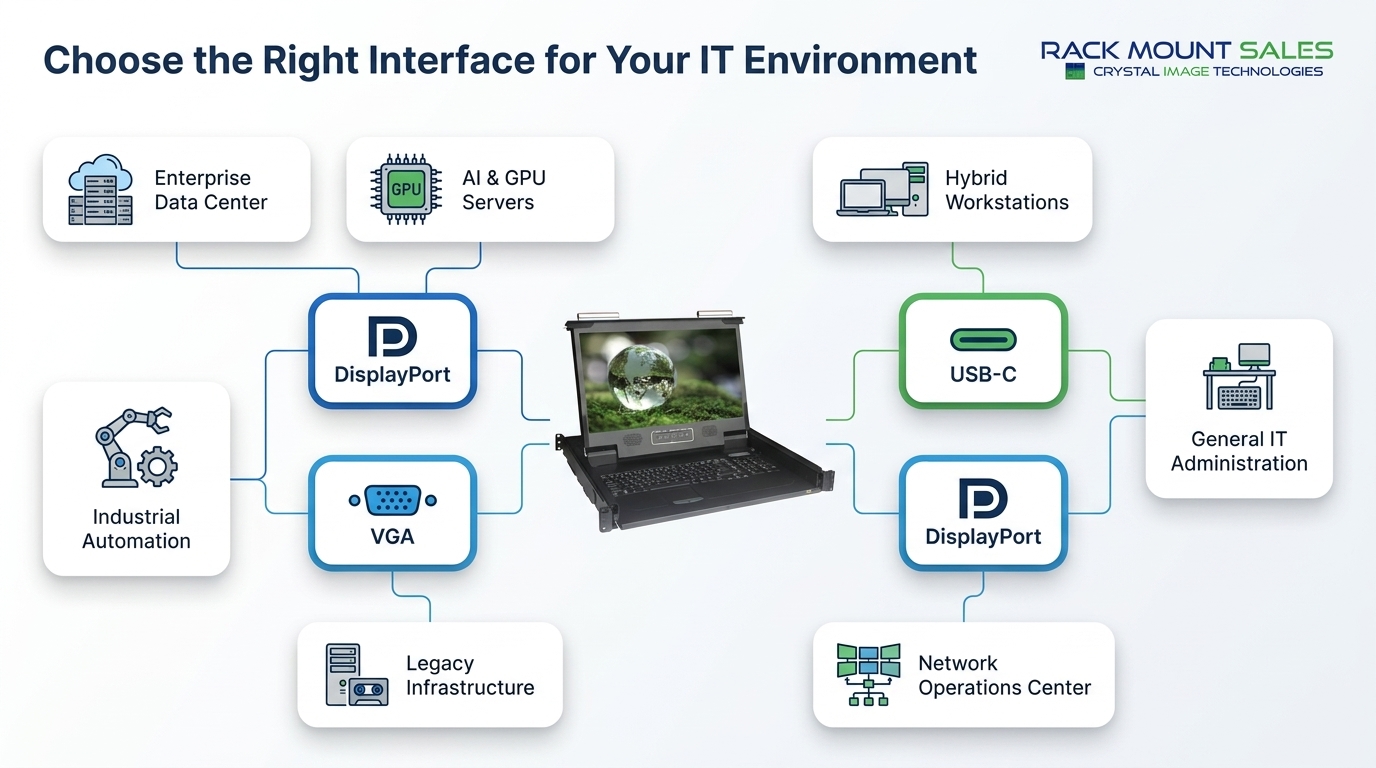
Before selecting a rackmount monitor interface, consider the following questions:
Answering these questions early can prevent unnecessary hardware purchases and deployment delays.
Following a few simple best practices can improve reliability and reduce troubleshooting after deployment.
These small steps can significantly improve the stability of enterprise display deployments.
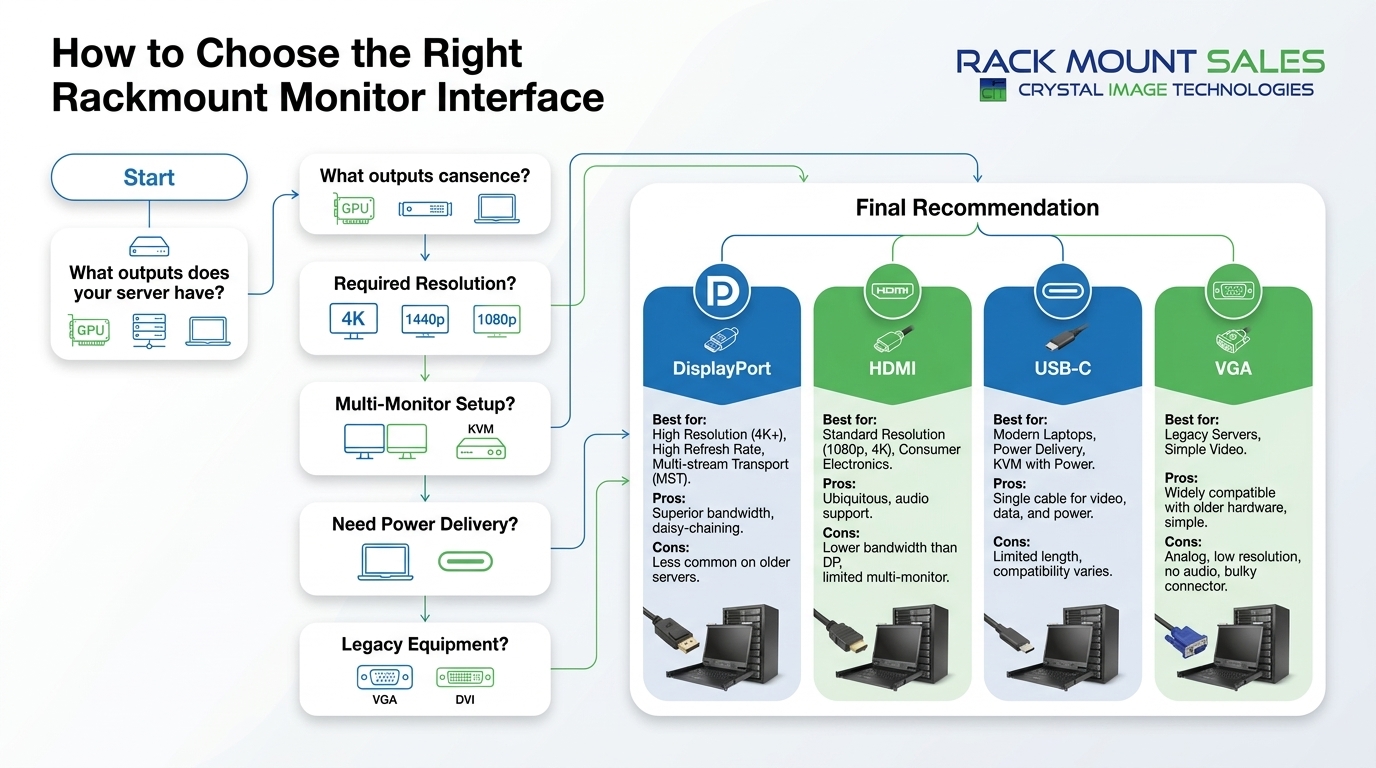
HDMI, DisplayPort, and USB-C all deliver excellent digital image quality when properly configured. DisplayPort generally offers the greatest bandwidth for high-resolution professional applications.
For enterprise workstations, AI servers, and multi-monitor environments, DisplayPort often provides additional performance and flexibility. HDMI remains an excellent option for most general IT deployments.
Yes, if both the monitor and connected device support USB-C video output. Many modern laptops use USB-C as their primary display interface.
Yes. Many industrial facilities, manufacturing systems, and legacy server environments continue to rely on VGA-compatible equipment.
Many modern rackmount monitors include multiple inputs such as HDMI, DisplayPort, USB-C, and VGA, allowing them to connect with a wide variety of hardware platforms.
Most modern KVM switches support HDMI or DisplayPort, while older models may still use VGA. Always verify compatibility before purchasing new equipment.
The interface you choose plays an important role in the overall performance, compatibility, and longevity of your rackmount monitor deployment.
HDMI offers broad compatibility and dependable performance for everyday enterprise use. DisplayPort is the preferred option for high-performance workstations, AI servers, and multi-monitor environments. USB-C simplifies connectivity by combining video, data, and power into a single cable, making it an excellent choice for modern devices. VGA, while no longer the standard for new deployments, continues to provide valuable support for legacy infrastructure. If you're evaluating connectivity options for your next rackmount monitor, Rackmount Sales offers a range of solutions designed to meet the needs of modern enterprise, industrial, and mission-critical IT environments.
By evaluating your existing hardware, future upgrade plans, and operational requirements, you can select an interface that delivers reliable performance today while supporting your organization's growth in the years ahead.
Industrial LCD displays are built for heavy-duty environments like factories, warehouses, and outdoor terminals. They can handle heat, dust, vibration, and long operating hours.
Militarydev411

Downtime costs more than most people expect. When LCD monitor drawers fail inside a rack, teams lose access, waste time, and risk bigger hardware issues. Proper care keeps LCD monitordev411
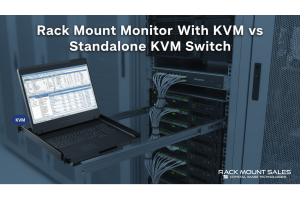
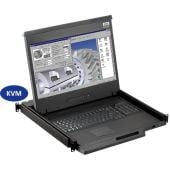
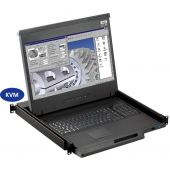
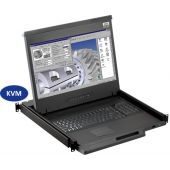
A rack mount monitor with KVM combines display, keyboard, and mouse into a single unit. This all-in-one design lets IT teams access multiple servers without juggling separate devices.dev411
We are so confident you will be satisfied with our products that we offer a 100% satisfaction guarantee


