




24/7 Support
Fast, professional support




















If you're building or upgrading a rackmount system, the choice between an HDMI vs DisplayPort KVM switch matters more than most people realize. It's not just about which cable fits your port. It's about bandwidth, resolution support, compatibility with your existing gear, and whether your display keeps its settings every time you switch servers. Get it wrong, and you'll deal with signal drops, scrambled display layouts, and compatibility headaches that slow down your entire team.
The good news is that both HDMI and DisplayPort KVM switches work well; they just work better in different situations. Once you understand the real differences between them, the right choice becomes obvious.
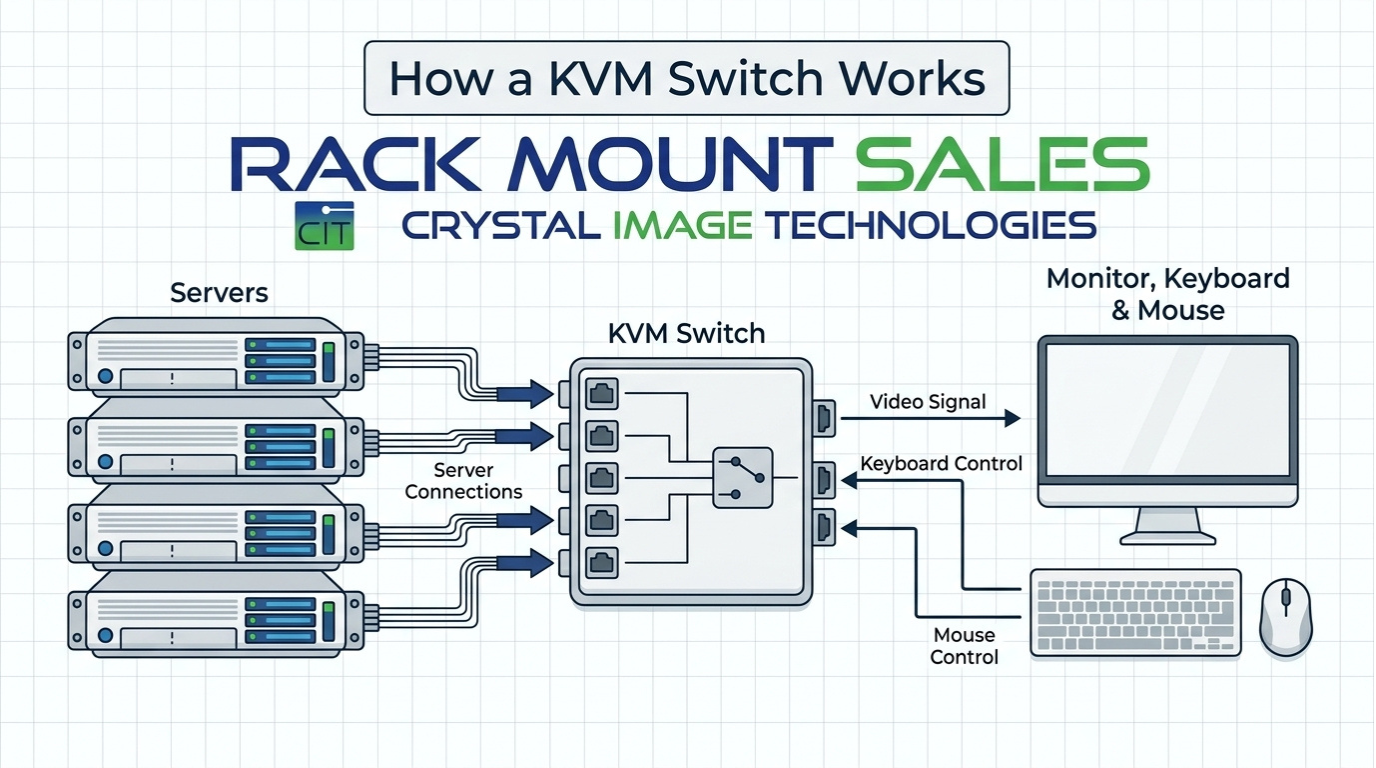
A KVM switch lets you control multiple servers or computers from a single keyboard, monitor, and mouse. The video interface, HDMI or DisplayPort, determines how that video signal travels from your servers to your display. Both are digital connections. Both carry high-quality video. But they behave very differently under the hood, and those differences directly affect your day-to-day workflow.
HDMI was designed for consumer electronics, TVs, gaming consoles, Blu-ray players, and projectors. DisplayPort was built specifically for computer displays and professional workstations. That single origin difference shapes everything from the bandwidth they offer to how they handle multi-monitor setups and whether your display layout survives a server switch.
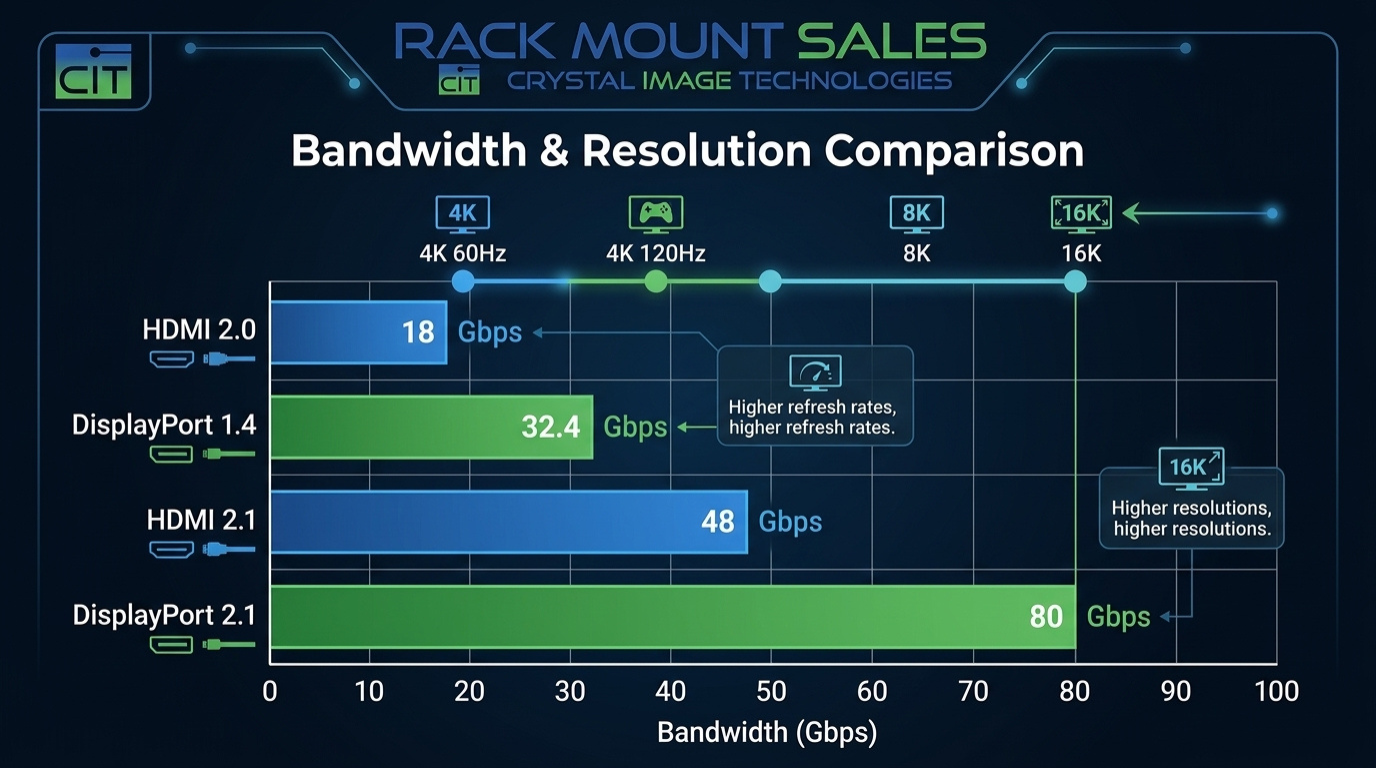
Bandwidth is the ceiling of what your connection can carry. More bandwidth means higher resolution and faster refresh rates without compression or quality loss. Here's how the two standards compare:
|
Standard |
Max Bandwidth |
Best Resolution |
Best For |
|
HDMI 2.0 |
18 Gbps |
4K @ 60 Hz |
Server rooms, console drawers |
|
HDMI 2.1 |
48 Gbps |
4K @ 120 Hz / 8K @ 60 Hz |
AV, gaming, high-end workstations |
|
DisplayPort 1.4 |
32.4 Gbps |
4K @ 144 Hz / 8K @ 60 Hz* |
Pro workstations, NOC, multi-monitor |
|
DisplayPort 2.1 |
80 Gbps |
16K |
Next-gen displays, future-proofing |
* DisplayPort 1.4 requires Display Stream Compression (DSC) to achieve 8K @ 60 Hz.
For most server room and data center applications, you're not running 4K at 144Hz on a rackmount monitor. But bandwidth still matters because it determines how many monitors you can drive simultaneously and whether your switch can handle future display upgrades without being fully replaced.
Quick rule of thumb: if your rackmount monitors are 1080p or standard 1920x1200, HDMI 2.0 handles it easily. If you're running 4K displays or planning to upgrade to them, DisplayPort 1.4 gives you significantly more headroom, especially across multiple monitors.
Let's cut through the spec sheet noise. Here's every feature that actually matters in a rack environment, compared side by side:
|
Feature |
HDMI KVM |
DP KVM |
Notes |
|
4K @ 60 Hz support |
Yes |
Yes |
Both handle 4K/60Hz comfortably |
|
4K @ 120 Hz+ support |
HDMI 2.1 only |
Yes |
DP 1.4 achieves this without HDMI 2.1 hardware |
|
Multi-monitor daisy-chain (MST) |
No |
Yes |
DP-exclusive feature, major advantage for NOC setups |
|
Audio over same cable |
Yes |
Yes |
Both carry audio; HDMI more universally supported in AV |
|
EDID emulation |
Partial |
Partial |
Available in premium models of both standards |
|
Common on rack servers |
Yes |
No |
Most server hardware outputs HDMI or VGA, not DP |
|
Common on workstation GPUs |
Partial |
Yes |
Professional GPUs prioritize DP outputs |
|
Cost (per port, rack-grade) |
Lower |
Higher |
HDMI KVM switches typically cost less at equivalent port counts |
|
Cable max distance (passive) |
~15 ft |
~10 ft |
Active cables extend both; similar in rack environments |
|
Future-proofing |
Partial |
Yes |
DP 2.1 roadmap offers significantly higher bandwidth ceiling |
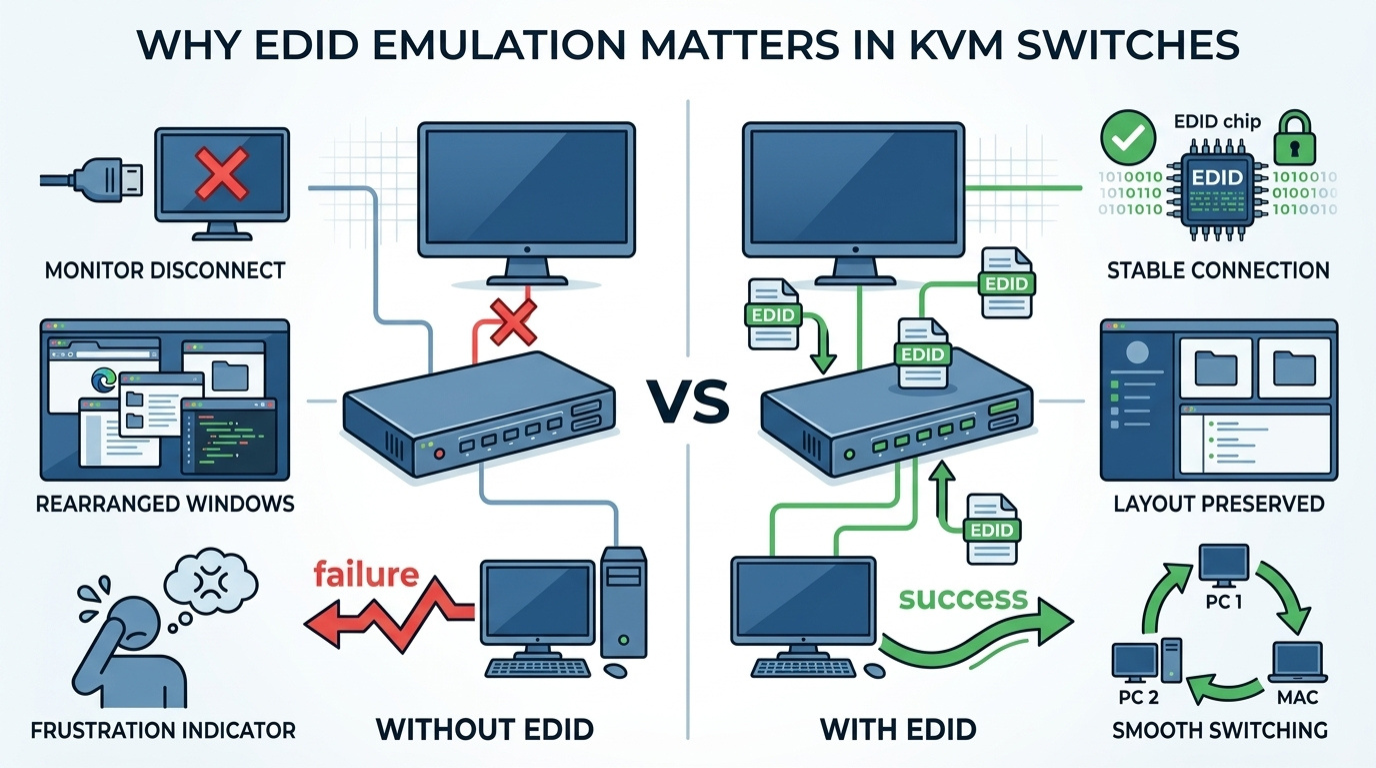
EDID stands for Extended Display Identification Data. It's the handshake signal your monitor sends to your computer to say "here's what I can display." When you switch servers with a KVM, that handshake is briefly interrupted. Without EDID emulation, your computer sees a disconnected monitor and rearranges all your windows, icons, and display settings, every single time you switch.
EDID emulation solves this by making the computer think the monitor is always connected, even when the KVM is pointed at another system. Higher-end HDMI and DisplayPort KVM switches both offer it, but it's more consistently implemented in DisplayPort switches because DisplayPort was built with professional PC use cases in mind from the start.
If you're managing multiple servers in a 24/7 environment and can't afford display layout disruption every time you switch, make EDID emulation a non-negotiable requirement regardless of which video standard you choose.
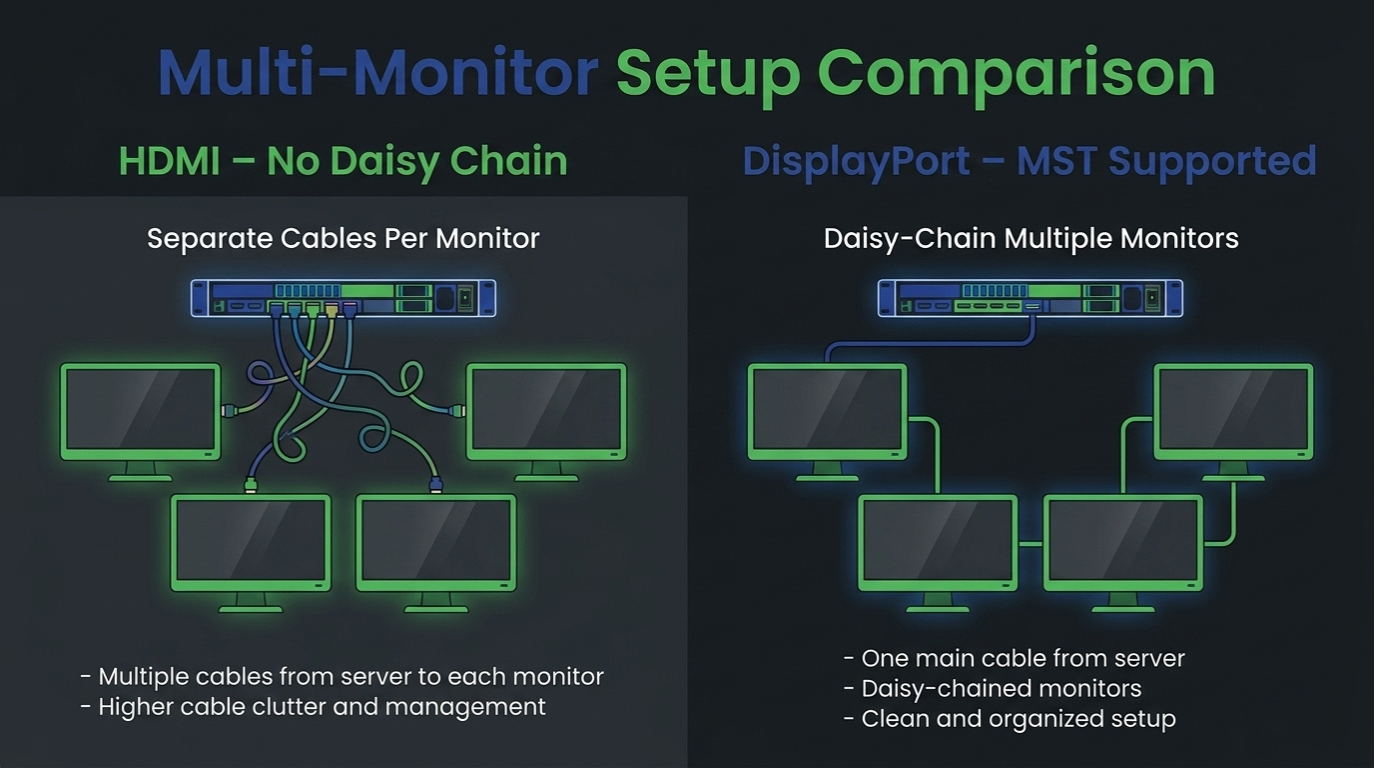
DisplayPort supports Multi-Stream Transport (MST), a feature that lets a single DisplayPort connection drive multiple monitors in a daisy-chain. One cable out of your server feeds multiple screens in sequence. HDMI does not support daisy-chaining at all.
For NOC environments, control rooms, or any setup where operators watch multiple screens simultaneously, this is a significant advantage. A DisplayPort KVM switch supports complex multi-monitor configurations that would require a completely different cabling approach with HDMI, more cables, more switches, more complexity.
HDMI KVM switches are not the inferior option; they're simply the right option for specific use cases. And they're extremely common in rackmount environments for very good reasons.
Here's what most DisplayPort advocates overlook: the majority of rack servers don't have DisplayPort outputs at all. Look at the rear I/O panel of a Dell PowerEdge, an HPE ProLiant, or a Cisco UCS server. You'll almost always find a VGA port and sometimes an HDMI port. DisplayPort is rare on server hardware.
This is the most practical reason to use an HDMI KVM switch in a server environment. When your servers output HDMI (or VGA with an adapter), an HDMI KVM switch is the natural fit. You're connecting server-to-switch with the port that's actually there, not forcing an adapter chain that introduces more potential points of failure.
Most rackmount monitors, including 1U and 2U console drawers, include HDMI as their primary video input. The 1080p and 1920x1200 panels that dominate server room environments don't need DisplayPort's extra bandwidth. Running a Cat5 KVM or integrated HDMI console drawer to manage a rack of Linux servers at standard resolutions? HDMI handles it perfectly, with no quality compromise.
HDMI KVM switches, especially 8-port and 16-port rackmount models, are more widely available and typically cost less than comparable DisplayPort units. For a data center team standardizing across a large number of rack units, that price difference adds up fast. If your use case is standard 1080p server management, the extra cost of DisplayPort gear doesn't buy you anything meaningful.
DisplayPort KVM switches shine in workstation-heavy environments, engineering teams, graphics departments, video editors, or NOC operators who need large, high-resolution displays showing multiple data feeds simultaneously. These are also the environments where switching speed and display stability matter most, because any disruption breaks focused work.
If your team uses 4K monitors and the computers you're switching between have discrete GPU outputs, which almost always means DisplayPort, then a DisplayPort KVM switch is the clear choice. HDMI 2.0 limits you to 4K at 60Hz. DisplayPort 1.4 gives you 4K at 144Hz, which matters for design work where smooth cursor movement and visual responsiveness reduce eye strain over long sessions.
More importantly, desktop workstations and professional GPUs, such as NVIDIA Quadro and AMD Radeon Pro, typically have more DisplayPort outputs than HDMI outputs. A DisplayPort KVM switch matches the hardware you already have, without adapters.
Control rooms, network operations centers, and broadcast environments often have operators watching three to six monitors simultaneously. DisplayPort's MST daisy-chaining support means fewer cables, simpler rack wiring, and cleaner cable management. One DisplayPort output from a server can feed two or three monitors in sequence, then connect to the KVM switch, a topology that's simply not possible with HDMI.
Display technology is moving toward higher resolutions and refresh rates even in professional IT environments. DisplayPort 2.1, while not yet common in KVM switches, is already on the roadmap for major manufacturers. Investing in DisplayPort infrastructure now means your KVM switches are more likely to remain compatible with next-generation displays without a full replacement cycle.
That said, future-proofing is not a reason to overspend today. If your current and planned displays are 1080p or 1920x1200, DisplayPort's extra capability sits unused. Spend the budget where it delivers real benefit in your actual environment.
For a fast reference, here are the key specs that matter most when evaluating KVM switch options:
|
Spec |
HDMI KVM Switch |
DisplayPort KVM Switch |
|
Switching latency |
1–3 seconds |
1–3 seconds |
|
Video passthrough delay |
< 2 ms |
< 2 ms |
|
Typical rackmount form factor |
1U / 2U drawer |
1U / 2U drawer |
|
Port counts available |
2, 4, 8, 16, 32 |
2, 4, 8 (less common at 16+) |
|
Typical cable run (passive) |
Up to 15 ft (4.5 m) |
Up to 10 ft (3 m) |
|
Audio support |
Yes (standard) |
Yes (varies by device) |
|
Common server port availability |
High |
Low |
Stop looking at specs in isolation. Match your switch choice to what your rack actually needs. Here's a clear verdict for the most common real-world scenarios:
|
Use Case |
Best Choice |
Reason |
|
Standard server room (1080p monitors) |
HDMI KVM |
Servers output HDMI; cost-effective; 1080p needs no extra bandwidth |
|
Data center with 1920x1200 displays |
HDMI KVM |
HDMI 2.0 handles this resolution easily with headroom to spare |
|
4K rackmount monitors |
Either (4K@60Hz) |
Both HDMI 2.0 and DP 1.4 cover 4K@60Hz; choose based on server ports |
|
NOC / control room (multi-screen) |
DisplayPort KVM |
MST daisy-chaining simplifies multi-monitor cable management |
|
Engineering workstations (4K@120Hz+) |
DisplayPort KVM |
DP 1.4 delivers high refresh rates; matches GPU output ports |
|
Mixed legacy + modern servers |
Cat5 KVM |
Cat5 with adapters handles VGA, HDMI, and DP inputs simultaneously |
|
Broadcast / video production rack |
DisplayPort KVM |
High color depth, high refresh rate, and multi-monitor MST support |
|
Budget-constrained rack build |
HDMI KVM |
Lower per-port cost; widely available; no adapter overhead |
Important: If you're using active adapters to convert DisplayPort output to HDMI input on a KVM switch, verify the adapter supports your required resolution and refresh rate. Passive adapters often cap at 1080p and will silently downgrade your signal quality at higher resolutions. Always use active adapters for 4K conversions.
Not every rack runs purely HDMI or purely DisplayPort. Many real-world setups include legacy servers with only VGA output, newer machines with HDMI, and high-end workstations with DisplayPort, all in the same rack.
For these mixed environments, a few approaches work well:
RackMountSales.com carries a curated range of integrated KVM console drawers and standalone KVM switches in both HDMI and Cat5 configurations, making it straightforward to find a solution that matches your exact port mix and rack depth requirements. Their 1U and 2U rackmount console drawers are available with HDMI inputs as standard, with Cat5 options for longer cable runs and mixed-hardware environments.
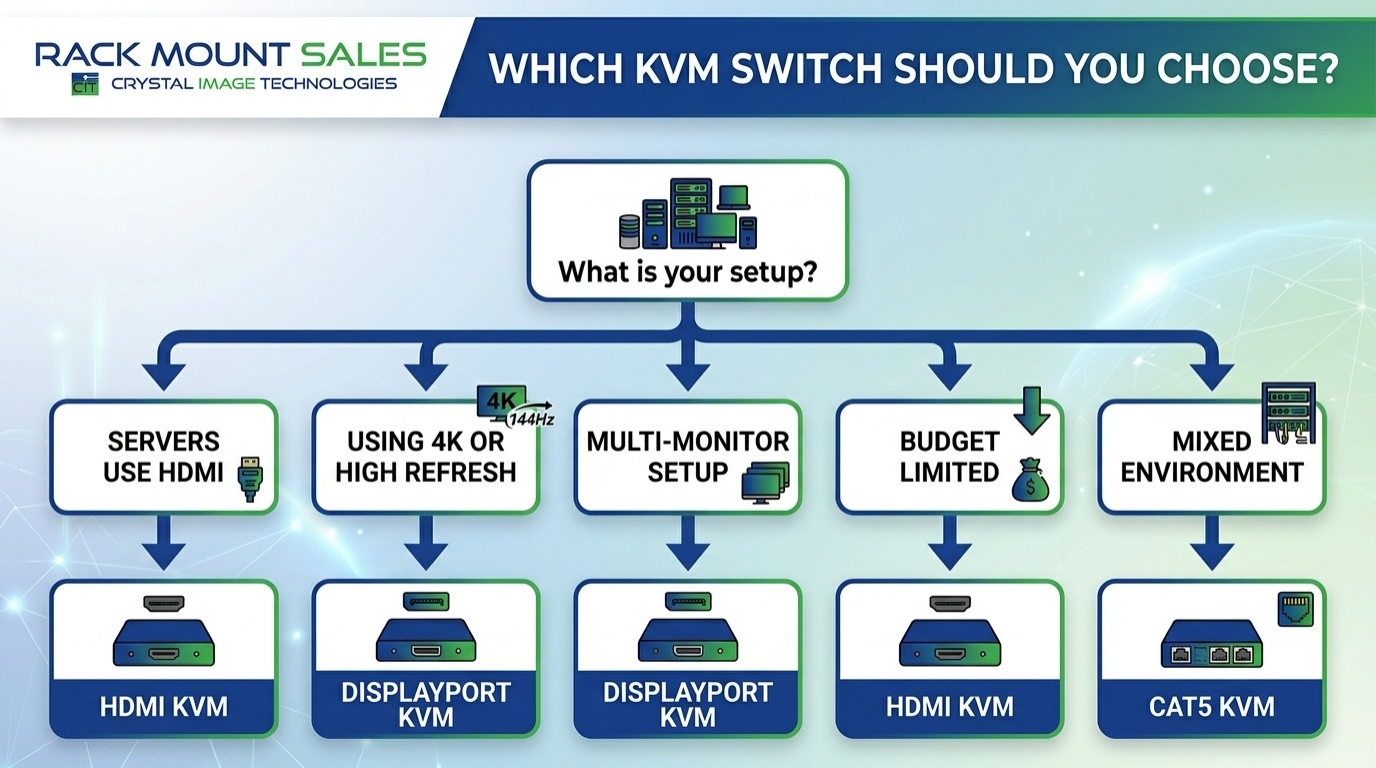
Ask yourself these five questions before purchasing any KVM switch:
The HDMI vs DisplayPort KVM switch debate doesn't have a universal winner; it has a right answer for each specific environment. For traditional server rooms managing racks of Linux and Windows servers through standard 1U console drawers, HDMI KVM switches remain the practical, cost-effective choice because they match the hardware that's actually installed. For workstation-heavy environments, NOC operations, and any setup pushing 4K or multi-monitor configurations, DisplayPort KVM switches deliver the bandwidth and display stability that demanding workflows require. The mistake most buyers make is optimizing for a spec sheet number rather than the actual ports on their servers and the real resolution of their displays. Know your hardware, match your switch to what your rack actually uses, and you'll get years of reliable performance from whichever standard you choose.
Yes, but you'll need active DisplayPort to HDMI adapters at each server connection. Passive adapters often fail at higher resolutions. Active adapters are more reliable but add cost per port. If most of your servers use HDMI, an HDMI KVM switch is the simpler and more cost-effective solution overall.
Neither has a meaningful advantage. Both add under 2 milliseconds of video passthrough delay in quality KVM switches, completely imperceptible in any server management or workstation task. The brand and build quality of the KVM switch matter far more than the video standard when it comes to switching speed and signal stability.
EDID emulation makes each connected computer think the monitor is always present, even when the KVM is switched to another system. Without it, your computer detects a display disconnection and rearranges all open windows and icons. In busy server environments, this is a constant frustration. Look for KVM switches that explicitly list EDID emulation as a feature; it's one of the most important quality-of-life specs to check.
For 4K at 60Hz, both HDMI 2.0 and DisplayPort 1.4 work fine. For 4K at higher refresh rates (120Hz or above), DisplayPort 1.4 is the better choice because it offers more bandwidth headroom without requiring compression. Most server room applications at 4K run at 60Hz, so HDMI 2.0 is sufficient for the majority of rack environments running 4K displays.
Some enterprise-grade KVM switches do support mixed video inputs, including VGA, DVI, HDMI, and DisplayPort simultaneously. These are typically Cat5-based switches with server interface units (SIUs) that handle the conversion at each server. For simpler setups, most KVM switches are single-standard; pick the one that matches the majority of your server outputs.
Most 1U and 2U rackmount console drawers come with HDMI as the primary video input, reflecting the dominance of HDMI in server hardware. Some higher-end console drawers include both HDMI and DisplayPort inputs for flexibility. When choosing a console drawer, always verify the video input matches the output on your servers before purchasing. This is the most common mismatch mistake buyers make.
At that scale, Cat5 KVM switches are often the most practical choice. They use standard network cabling throughout, support adapter modules for whatever video standard each server uses, and allow centralized management from a single 1U console drawer. Pure HDMI or DisplayPort KVM switches at 100+ server scale require significantly more cable management and are harder to expand incrementally.
Industrial LCD displays are built for heavy-duty environments like factories, warehouses, and outdoor terminals. They can handle heat, dust, vibration, and long operating hours.
Militarydev411
Downtime costs more than most people expect. When LCD monitor drawers fail inside a rack, teams lose access, waste time, and risk bigger hardware issues. Proper care keeps LCD monitordev411
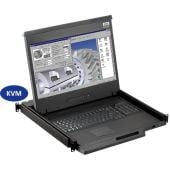
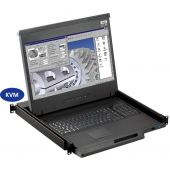
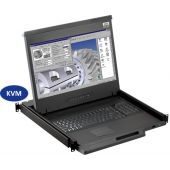
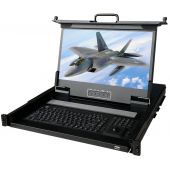
A rack mount monitor with KVM combines display, keyboard, and mouse into a single unit. This all-in-one design lets IT teams access multiple servers without juggling separate devices.dev411
We are so confident you will be satisfied with our products that we offer a 100% satisfaction guarantee


