




24/7 Support
Fast, professional support




















The monitor is not always the weak point. A rugged display may have excellent shock and vibration specifications, but if the mounting hardware, rack, fasteners, or cables are poorly matched to the application, the system can still fail.
That is why one of the biggest mistakes in military vehicle integration is treating the display and its mounting as separate decisions. A reliable installation comes from considering how all of those components behave together under real vehicle movement.
In this guide, we will explain the practical checks used to judge whether a military rackmount installation is genuinely secure. First, let's look at the mounting method.
There is no single mounting method that is safest for every military vehicle . The right choice depends on the display, its weight and dimensions, the available structure, and the shock and vibration environment the vehicle is expected to encounter.
When we assess a display installation, we start with the application rather than the bracket. Where will the display sit? How will its weight be supported? What movement will the vehicle generate? Does the display need to remain fixed, tilt for operator viewing, or be removed for servicing?
These questions determine whether direct rack mounting, VESA mounting, rails, or additional support makes the most sense.
For equipment already being integrated into a standard equipment rack, direct rack mounting is often the logical starting point. However, attaching a display to the front rack posts alone is not automatically sufficient. Consider:
A deeper or heavier unit can create greater leverage on its mounting points, particularly as the vehicle moves. That makes appropriate support particularly important. When planning a rackmount installation for military use , think beyond whether the equipment physically fits the available rack units. The rack has to support the display under the conditions in which it will actually operate.
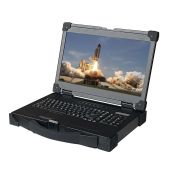
VESA mounting can provide more flexibility where a display cannot sit conventionally inside a rack or where its viewing angle and position need to be adjusted. Some military displays support both rackmount and VESA configurations. For example, our 17.3-inch military rackmount LCD panel provides VESA and rackmount mounting options, with removable rackmount rails for VESA installation.
That flexibility can be useful, but VESA compatibility alone does not make a mounting arrangement appropriate for a vehicle. The bracket, attachment points, display weight, and mounting geometry still need to be considered. A display positioned farther away from its supporting structure can place different loads on that structure than one mounted directly against it.
Rails or additional structural support may be appropriate for larger, deeper, or heavier rackmount equipment. The goal is not simply to add as much metal as possible. It is to prevent unnecessary movement and distribute loads through parts of the installation capable of supporting them.
Vehicle vibration rarely needs to throw a monitor around dramatically to cause problems. Repeated movement can gradually loosen parts, create relative movement between components, produce wear, and ultimately contribute to mechanical failure. The U.S. Department of Defense's vibration testing documentation specifically identifies loosening, wear, physical distortion, fatigue, and failure among the potential effects of vibration.
Therefore, you should treat movement control as a system-level problem. The display, mounting structure, fasteners, connectors, and cabling all matter.
Start by making sure the display's weight is being carried by the intended mounting points and supporting structure. Look for unnecessary flex in rack posts, rails, brackets, mounting plates, attachment points, and the display enclosure itself.
If movement is visible when reasonable force is applied during inspection, that deserves investigation before the system enters service. But remember that the reverse is not necessarily true. A display feeling solid while stationary does not prove that it will remain secure after prolonged vibration.
That requires consideration of the actual environmental requirements and, where necessary, appropriate analysis or testing.
Fasteners are another potential weak point. The correct hardware and method of preventing loosening will depend on the design, materials, loads, service requirements, and applicable engineering specifications.
What matters is that the possibility of loosening under vibration has been considered rather than assuming that a fastener tightened during assembly will remain unchanged indefinitely. Inspection and maintenance requirements should also be clear. If a particular fastening method requires periodic checks, those checks need to form part of the wider maintenance plan.
A securely mounted display can still suffer problems if its cables are poorly supported. A cable that repeatedly pulls, swings, or flexes independently of the display can transfer force to its connector. Over time, that can place unnecessary strain on both the cable and the connection point.
Where appropriate for the application, locking connectors can also help reduce the possibility of accidental disconnection. Selected Rackmount Sales military display configurations offer MIL-type locking connector options for power.
It can be tempting to assume that adding rubber, dampers, or isolation mounts will automatically make an installation more resistant to vibration. Isolation systems change how equipment responds dynamically to vibration. Adding compliance without understanding the frequencies, loads, and complete mounting system can create a different problem rather than solving the original one.
Where vibration isolation is required, it should be engineered around the expected environment, not added simply because softer mounting appears more protective.
One of the most useful things you can do before replacing an existing installation is understand what it was originally designed to withstand.
Investigate an existing mount more closely if you find:
A monitor mount designed for a stationary control room can be perfectly reliable in that environment. That does not necessarily make it suitable for a military vehicle.
The environmental conditions are different. A moving platform can introduce vibration, shock, temperature variation, dust, moisture, electrical constraints, and repeated dynamic loading that may never be significant in a stationary installation.
This is why you should start with hardware designed with rugged applications in mind rather than selecting commercial equipment first and attempting to engineer around its limitations later.
MIL-STD-810 is important, but it should not be treated as a universal badge meaning that a product is suitable for every military environment.
The official U.S. Department of Defense description of MIL-STD-810 makes this distinction clear. The standard provides environmental engineering and laboratory test methods and describes a process for tailoring environmental requirements to the system's expected service conditions. It does not impose one universal set of design or test specifications.
For vehicle-mounted displays, shock and vibration will usually be among the environmental considerations that deserve particular attention.
Current MIL-STD-810 methodology includes specific approaches for assessing vibration and shock, while the precise procedures, levels, durations, and configurations need to reflect the equipment and its intended environment.
A specification written for one type of platform or operating profile may not accurately represent another. The requirements for a wheeled vehicle, tracked platform, aircraft, or other mobile system cannot simply be assumed to be identical.
No. This is one of the biggest misconceptions of MIL-STD-810 displays. A display manufacturer may provide evidence that its product satisfies particular shock or vibration requirements. That evidence applies to the equipment and configuration that were assessed.
It does not automatically prove that:
Do not rely only on the phrase "military grade." Check:
Rackmount Sales military products include documented specifications and downloadable technical information to help engineering and procurement teams evaluate individual configurations. For example, the 17.3-inch military LCD panel is MIL-STD-810F/G compliant and provides downloadable military specifications and a user manual.
Mounting and display selection should happen together. If you know a vehicle requires a particular mounting format, DC power range, environmental protection level, screen size, or connector configuration, those requirements should influence the display you select from the start.
For example, the Rackmount Sales 17.3-inch military LCD panel combines:
Those features do not remove the need to properly engineer and validate the completed installation. What they do provide is a more appropriate starting point for rugged integration than attempting to adapt a display that was never intended for the environment in the first place.
If you are designing a new military vehicle system or reviewing an existing display installation, start by defining the physical, electrical, mounting, and environmental requirements the display needs to meet.
Rackmount Sales offers rugged military LCD displays and rackmount systems with a range of mounting, power, connectivity, and environmental options for defense and mobile applications. Discuss your requirements with a Rackmount Sales specialist to identify a military rackmount display configuration that fits your application.
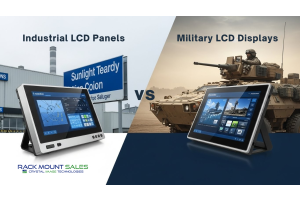
Industrial LCD displays are built for heavy-duty environments like factories, warehouses, and outdoor terminals. They can handle heat, dust, vibration, and long operating hours.
Militarydev411

Downtime costs more than most people expect. When LCD monitor drawers fail inside a rack, teams lose access, waste time, and risk bigger hardware issues. Proper care keeps LCD monitordev411

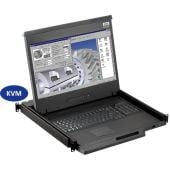
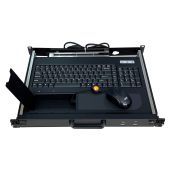
A rack mount monitor with KVM combines display, keyboard, and mouse into a single unit. This all-in-one design lets IT teams access multiple servers without juggling separate devices.dev411
We are so confident you will be satisfied with our products that we offer a 100% satisfaction guarantee


