




24/7 Support
Fast, professional support




















Should a mobile rackmount system be as small, light, and rugged as possible? Our answer is no, and that distinction matters. The smallest hardware may create cooling or service problems, the lightest may not suit the operating environment, and paying for maximum ruggedization can add cost and weight where the application does not require it.
We believe good mobile-system design comes from finding the right level of each rather than maximizing any one specification. This article explains how we would make those decisions across space, vehicle, and aircraft installation, weight reduction, durability, power, and system efficiency.
To understand what optimized really means, start with the environment rather than the equipment.
For a fixed server room, there may be flexibility around rack depth, available power, cooling, weight, and operator access. A mobile command vehicle, aircraft, or deployable field system is usually much less forgiving. The enclosure may already be fixed, the payload may be limited, and the available power supply may dictate what can realistically be installed.
To figure out the Rackmount system you need, you should define:
This is an important distinction when designing optimized rackmount systems. There is no single configuration that is automatically "best." A system is optimized when the hardware matches the physical and operational constraints of the application without introducing capability that consumes space, weight, power or budget without providing a useful benefit.
The obvious response to limited rack space is to look for smaller equipment. However, that only solves part of the problem. Instead, you should ask yourself how many separate components the system actually needs.
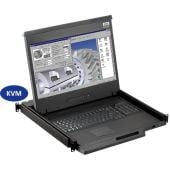
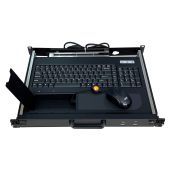
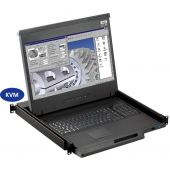
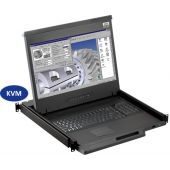
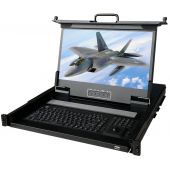
A conventional setup may use a separate monitor, keyboard, pointing device and KVM switch. Each one needs somewhere to go, along with its own mounting, connections and cabling. Where the workflow allows it, an integrated rackmount LCD/KVM drawer can combine several of those functions into one unit.
For example, 1U rackmount consoles can integrate the display, keyboard, touchpad and multi-port KVM into a single drawer. Rackmount Sales also offers a 17-inch 4K 1U configuration with an integrated eight-port KVM, allowing one operator console to control up to eight systems.
That can be much more useful than simply finding a slightly thinner display.
If another server or computer is added to the system, it does not necessarily follow that another monitor and keyboard need to be added with it. In many mobile systems, consolidation provides a better route to saving space than miniaturization alone.
One of the easiest mistakes to make is to judge compactness entirely by rack height. A 1U product may sound ideal, but that tells you nothing about how far it extends into the enclosure.
This matters particularly in vehicle racks, transit cases and shallow communications cabinets. Rear connectors, cable bend radius, rails and other equipment may leave considerably less usable depth than the external dimensions of the rack suggest.
Rackmount Sales offers short-depth 1U console designs with a chassis depth of approximately 16 inches, alongside different mounting arrangements and optional 9 to 36V DC power.
For engineers researching rackmount systems with mobile command applications, physical dimensions are only the beginning. Once equipment leaves a stationary rack, you should look at what it will experience during transportation and operation.
Vehicles, mobile shelters, aircraft and field systems can expose hardware to shock, vibration and temperature conditions that ordinary office or data-center equipment may never encounter. That does not mean every mobile installation automatically needs the highest available level of ruggedization.
Instead, the environmental requirements should come from the application. Rackmount Sales offers military rackmount products that are MIL-STD-810F/G compliant. Depending on the product, options can also include sealed keyboards, extended operating-temperature ranges, high-brightness displays , conformal coating and other ruggedized features.
Power is another area to define early. A system installed in a building can usually assume a conventional AC supply. Mobile and field systems may be operating from a DC power architecture instead. Adding power conversion after every other component has been selected can introduce extra equipment, additional wiring, heat and another potential failure point.
Depending on the model, Rackmount Sales provides products with optional 9 to 36V DC input, including short-depth monitors, industrial panels and rugged portable displays . That does not mean direct DC is automatically preferable. It means available power should influence equipment selection from the start rather than being treated as an installation detail at the end.
Display specifications should also reflect the operating environment. A standard display that looks perfectly clear indoors may become difficult to use in high ambient light. Conversely, paying for extreme brightness where it is unnecessary may add cost without improving the application.
For bright field environments, some rugged Rackmount Sales configurations offer high-brightness displays up to 1,000 nits. The goal is not to maximize every specification. It is to give the operator the display performance needed to perform the task reliably.
If every computer receives its own display, keyboard and mouse, a significant amount of hardware is being duplicated before the weight of the rack, rails, power equipment and cabling is even considered.
Where the operational workflow permits it, an integrated KVM can allow one operator station to access several systems. That can potentially remove additional displays, keyboards, and pointing devices, separate KVM hardware, mounting components, and some associated cabling and power hardware.
The exact saving will depend on the system, which is why I would calculate it rather than make an assumed percentage claim.
Another mistake is comparing component weights individually while ignoring the secondary hardware each component requires.
A useful weight budget should include:
A component that is slightly heavier on its own may still produce a lighter overall design if it replaces several other pieces of equipment. That is why weight should always be assessed at system level, not simply product level.
We would move beyond a standard rackmount product when the standard configuration starts forcing compromises elsewhere in the system. That might happen because of:
Rackmount Sales offers both standard and more specialized configurations across rackmount LCDs, KVM consoles, industrial displays and rugged portable systems. Custom work is also available when the application cannot be solved cleanly with an existing configuration.
Before finalizing an optimized rackmount system, we recommend being able to answer all of the following:
If several of those answers are still unknown, you should establish them before choosing the final hardware. That one step can prevent a lot of redesign later.
The best mobile rackmount system is not automatically the smallest, lightest or toughest one you can build. It is the one that gives the operator the required capability without consuming more rack space, payload, power or complexity than the application demands.
You should consolidate where it makes sense. Reduce unnecessary weight. Match power and connectivity to the platform. Ruggedize according to the actual environment. Leave enough room to operate and maintain the system properly.
If an off-the-shelf product almost solves the problem, but the mounting, depth, connections or other requirements are unusual, you should explore whether the hardware can be adapted rather than redesigning the entire platform around it.
If you're specifying a rackmount LCD, KVM console, rugged display or portable workstation for a mobile command, field, military or aerospace application, you can contact Rackmount Sales to discuss the space, power, interface and environmental requirements of your system and identify an appropriate standard or custom configuration .
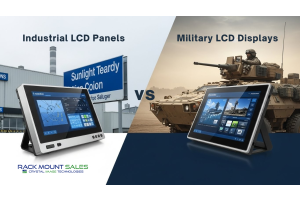
Industrial LCD displays are built for heavy-duty environments like factories, warehouses, and outdoor terminals. They can handle heat, dust, vibration, and long operating hours.
Militarydev411

Downtime costs more than most people expect. When LCD monitor drawers fail inside a rack, teams lose access, waste time, and risk bigger hardware issues. Proper care keeps LCD monitordev411
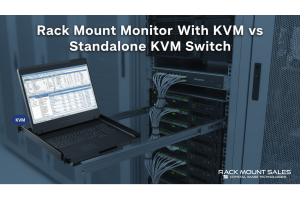
A rack mount monitor with KVM combines display, keyboard, and mouse into a single unit. This all-in-one design lets IT teams access multiple servers without juggling separate devices.dev411
We are so confident you will be satisfied with our products that we offer a 100% satisfaction guarantee


