More capability can make a rack worse. It is easy to assume that an integrated KVM drawer must be better because it lets one console control multiple systems, but that benefit only matters if multiple systems actually need to be controlled. Otherwise, you may be adding hardware, cabling, and another dependency without improving the operator's job.
At the other extreme, specifying a basic console where several systems need immediate local access can leave technicians fighting the rack when something goes wrong. This blog will approach the comparison of KVM drawer vs console by looking at the operational requirements first, then reliability, deployment, and security.
Rackmount Console Vs KVM drawer: What's the Difference?
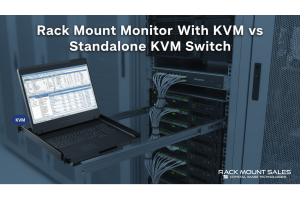
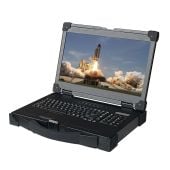
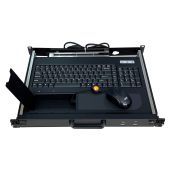
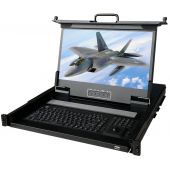
A rackmount console typically combines a monitor, keyboard, and pointing device into a drawer that slides into the rack. It gives a technician local keyboard, video, and mouse access to the connected computer without requiring separate peripherals.
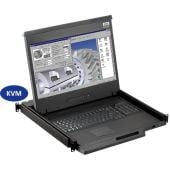
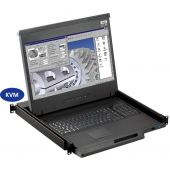
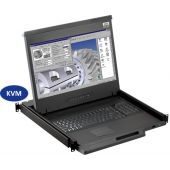
A KVM drawer provides the same basic operator interface but adds KVM switching, allowing one keyboard, monitor, and mouse to control multiple computers or servers.
That distinction can become blurred because both are often described as KVM consoles or console drawers. For this article, when I refer to a rackmount console, I mean a local console without integrated multi-system switching. When I refer to a KVM drawer, I mean a console with KVM switching built into the rackmount system.
The practical difference is therefore straightforward: a console gives you local access; a KVM drawer gives you local access plus the ability to switch between multiple systems.
Do You Need Full Console Access or Switching Between Multiple Systems?
Start by counting the systems that genuinely need local access. If there is only one computer in the rack that an operator needs to control, adding an 8-, 16- or 32-port KVM switch does not automatically make the setup better.
In fact, it may mean buying, connecting, and maintaining switching hardware that has no operational job to do.
When a rackmount console makes more sense
Lean toward a straightforward console when:
- Only one computer or controller requires local access.
- A separate KVM switch is already installed elsewhere in the rack.
- The operator needs a dedicated interface for one critical system.
- Keeping the access path as simple as possible is the priority.
- There is no realistic requirement to add more systems later.
Think of a rack containing one industrial PC running a control application. If the sole requirement is for an engineer to open the drawer and access that PC during commissioning or troubleshooting, integrated multi-port switching may solve a problem that does not exist.
The best KVM switch in that situation may be the one you do not install.
When a KVM drawer makes more sense
The calculation changes quickly when several computers require local access. If eight servers all need to be maintained from the same rack, giving each one its own monitor, keyboard, and mouse would be wasteful. A KVM drawer can provide one permanent operator interface for the entire group.
This is where KVM drawers for rackmount displays earn their place. Rackmount Sales offers integrated configurations with 8-, 16- and 32-port switching, including Cat5/Cat6 and higher-resolution options.
Consider a KVM drawer when:
- Several computers need regular local administration.
- Technicians frequently move between systems.
- Rack space is limited.
- One central operator interface would simplify maintenance.
- The rack is likely to expand.
- Integrated switching eliminates separate KVM hardware elsewhere in the enclosure.
In other words, do not ask which product has more capability. Ask whether that capability removes complexity from your particular rack.
What's More Reliable in Critical Operations?
This is where the KVM drawer vs console decision becomes more interesting. It is tempting to say that a plain console is automatically more reliable because it contains fewer components. There is some logic to that: a simpler architecture can mean fewer connections and an easier signal path to troubleshoot.
But reliability needs to be considered across the whole operating system, not just inside the drawer.
A simpler console can mean fewer dependencies
If one mission-critical computer needs direct local access, placing unnecessary switching between the operator and that machine offers little benefit. When the requirement is simple, you should keep the architecture simple too.
A KVM drawer can make multi-system access more dependable
A single-system console may itself be extremely dependable, but it does not solve the operational problem of accessing the other seven machines.
An integrated KVM drawer means the operator has one permanently installed access point capable of reaching multiple systems. There is less need to bring temporary monitors or keyboards to the rack, reconnect peripherals, or improvise another access method when troubleshooting moves from one computer to another.
Rackmount Sales' Cat6 KVM configurations, for example, include 8-, 16- and 32-port options, with some architectures also supporting remote users and KVM-over-IP.
Critical environments require more than a reliable KVM switch
For industrial, defense, and military applications, reliability also depends on the physical environment. Depending on the deployment, you may need to consider:
- Shock and vibration
- Operating temperature
- Humidity
- EMI/EMC requirements
- Power supply
- Mounting hardware
- Transport conditions
- Conformal coating
- Relevant military or industry standards
Rackmount Sales offers specialist military rackmount displays with features and configurations including MIL-STD-810F/G compliance, conformal coating, EMI filtering, locking power connections, and ruggedized construction.
That leads to an important point: do not judge reliability purely by whether the product has a KVM switch built into it. Judge whether the complete configuration is suitable for the environment and the access requirement.
Which is Easier to Deploy?
For a single system, the rackmount console usually wins on simplicity. For several systems, however, a KVM drawer can simplify the overall rack even though the drawer itself contains more functionality. That distinction matters.
Deploying a rackmount console
A rackmount console can require relatively little planning:
- Confirm it physically fits the rack.
- Check the required video and USB interfaces.
- Install the drawer.
- Connect it to the computer.
- Test local control.
This works particularly well when switching already exists elsewhere or when the console will always serve the same machine. The limitation appears when requirements grow. If you later need to control several systems, you may then need a separate KVM switch, additional cabling, or a different architecture.
Deploying a KVM drawer
An integrated KVM drawer involves more decisions upfront because you need to establish:
- How many systems will connect.
- Which video standards they use.
- Which USB connections are required.
- What resolution must be supported.
- How far the connected equipment is from the console.
- Whether local or remote users are required.
- Whether the system may need to expand.
But once those decisions have been made correctly, the finished installation can be much cleaner.
A single 1U KVM drawer can combine the display, keyboard, pointing device and multi-system switching into one rack-mounted interface. Rackmount Sales currently offers 1U models with integrated switching and configurations supporting interfaces including HDMI, DisplayPort, DVI and Cat5/Cat6-based connectivity, depending on the model.
Check rack depth, not just rack width
A product may be described as a 19-inch rackmount console and still be unsuitable for your enclosure if there is insufficient mounting depth.
For example, Rackmount Sales' short-depth RM-F17USD supports different mounting ranges depending on whether it is configured as a single console or with a KVM.
Before ordering either type, confirm:
- Available U-space
- Front-to-rear mounting distance
- Physical chassis depth
- Clearance behind the drawer
- Cable routing
- Power location
Measure the rack you actually have, not the rack you assume you have.
What's More Secure: a Rackmount Console or KVM Drawer?
Security is determined by the access architecture, not the product name. A plain local console does not become secure simply because it lacks switching, and an integrated KVM does not automatically create a security problem because it can control multiple systems.
Instead, look at how access is controlled.
Consider who can physically access the rack
If someone can physically reach the console, what prevents unauthorized use? Depending on the application, relevant controls might include:
- Restricted access to the rack or room
- Physical locking
- User authentication
- Smart-card or CAC requirements
- Procedures governing which operators may access particular systems
For military applications, for example, Rackmount Sales offers rackmount consoles with integrated CAC card readers as well as rugged MIL-STD configurations. The correct controls depend on the wider system and security policy.
Think carefully about local and remote access
KVM-over-IP can be extremely useful because it allows equipment to be administered remotely. But local and remote KVM access solve different problems.
A network-based management route depends on the infrastructure required to reach it. A physical console gives an operator another way to interact with equipment locally when they are at the rack.
That does not make local access inherently safer, nor does it make remote KVM inherently less secure. It means the security and resilience implications should be considered as part of the wider network and access design.
KVM Drawer Vs Console: Which Should You Choose?
For most applications, the decision can be reduced to one principle:
Choose the simplest architecture that reliably gives operators access to every system they actually need to control.
Choose a rackmount console when:
- One system primarily needs local access.
- Switching already exists elsewhere.
- Direct console access is preferable.
- Additional switching provides no real operational benefit.
- Simplicity is the priority.
Choose a KVM drawer when:
- Multiple computers need local control.
- Operators regularly move between systems.
- Rack space is limited.
- Consolidating multiple interfaces into one drawer simplifies the installation.
- The number of systems is likely to increase.
The Best Console is the One That Earns its Place in the Rack
Avoid treating a KVM drawer as the automatic upgrade from a simpler rackmount console. More switching is useful only when there is something useful to switch between.
For one dedicated computer, direct local console access can be the cleaner architecture. For a rack containing several systems, an integrated KVM can make local management considerably simpler by putting those machines behind one permanent operator interface.
And in industrial, military, or other critical environments, neither choice should be made in isolation. Rack depth, connectivity, resolution, environmental requirements, authentication, and the consequences of losing remote access all belong in the specification.
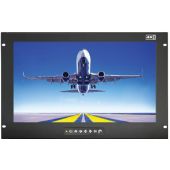
Rackmount Sales offers standalone rackmount monitor configurations alongside integrated KVM drawers for rackmount displays, including multi-port, Cat5 /Cat6, high-resolution and rugged military options .
If you are not sure which architecture belongs in your rack, start with the requirement rather than the product. Identify the systems that need access, the interfaces they use and the environment they will operate in, then match the console or KVM configuration to those needs.