




24/7 Support
Fast, professional support




















It can be hard to choose the correct KVM switch, especially when you're trying to decide between a single-monitor KVM switch and a dual-monitor KVM switch. They both tackle the same basic problem: how to handle more than one computer with one keyboard, mouse, and display. However, they do so in completely different ways.
This guide makes it simple and to the point. By the conclusion, you'll know for sure which choice works best for your setup, budget, and work style.
|
Feature |
Single Monitor KVM Switch |
Dual Monitor KVM Switch |
|
Monitor support |
1 display |
2 displays simultaneously |
|
Ideal for |
Home offices, basic setups |
Power users, IT teams, data centers |
|
Setup complexity |
Simple |
Moderate to advanced |
|
Cost |
Lower |
Higher |
|
Workspace needs |
Minimal |
Larger desk or rack space |
This quick snapshot helps you decide fast, but let’s dig deeper.
With a single monitor KVM switch, you may utilise one monitor, keyboard, and mouse to operate more than one computer. You can switch between systems right away by pressing a button or using a keyboard shortcut.
With a dual monitor KVM switch, you may operate more than one computer while using two monitors at the same time. When you transfer systems, both screens change at the same time, so your extended desktop stays the same.
Although both devices perform the same basic function, the experience they deliver is very different.
If your work involves spreadsheets, dashboards, logs, or creative tools, dual monitors dramatically improve efficiency.
Single monitor KVM switches usually require:
Dual monitor KVM switches require:
This impacts both desk space and installation time.
Performance varies heavily by model, but in general:
If you’re using:
You must verify compatibility before buying, especially with dual-monitor KVM switches.
Modern KVM switches are designed to be nearly lag-free, but:
For most users, productivity impact is minimal, but gamers and real-time operators should choose carefully.
Ideal for users who want a fast, simple installation.
While setup takes longer, the productivity payoff is often worth it.
Price is often the deciding factor between single and dual monitor KVM switches.
Best for: users who want functionality without overpaying.
Best for: professionals where time, multitasking, and visibility matter.
???? Rule of thumb: If dual screens directly improve your workflow, the extra cost pays for itself quickly.
Not all KVM switches work the same across systems and setups.
Dual monitor KVM switches must match both monitors and both systems exactly.
Some low-end models limit USB bandwidth; always check specs.
These mistakes cost users time, money, and frustration:
Avoiding these alone can save hours of troubleshooting.
No. Single monitor KVM switches are designed for one display only. Dual monitor setups require a dual monitor KVM.
High-quality models do not. Performance issues usually come from poor compatibility or low-end hardware.
Yes, slightly. More cables and correct port matching are required, but the process is still straightforward.
Dual monitor KVM switches provide better multitasking and visibility, especially for professional workflows.
The best KVM switch for you will depend on how you operate and how much screen area you need for your everyday duties. If you have a simple workflow, not much desk space, or just need to move between systems, a single monitor KVM switch is a good solution. It is simple to set up, inexpensive, and easy to use, which makes it perfect for home offices, small teams, and people who are comfortable working on one screen at a time, which is a regular request we get from clients at Rackmountsales.
A dual monitor KVM switch, on the other hand, is made for places where productivity is important and where multitasking, visibility, and efficiency are all important. The extra cost is worth it if you have to manage more than one programme, keep an eye on data in real time, or work in a professional IT, trading, or control room scenario. This is why many businesses employ Rackmountsales solutions: the extra room and faster operations frequently save time and improve performance.
In short, neither choice is better by default; the best KVM switch is the one that fits your workflow. You will get the greatest value out of your setup if you choose based on how you use your screens and not just on price.

Industrial LCD displays are built for heavy-duty environments like factories, warehouses, and outdoor terminals. They can handle heat, dust, vibration, and long operating hours.
Militarydev411
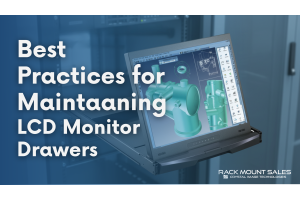
Downtime costs more than most people expect. When LCD monitor drawers fail inside a rack, teams lose access, waste time, and risk bigger hardware issues. Proper care keeps LCD monitordev411
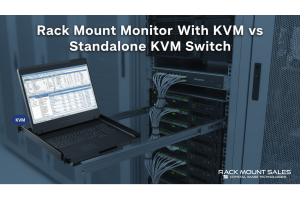
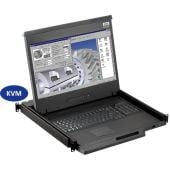
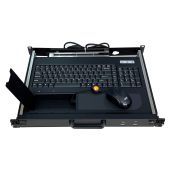
A rack mount monitor with KVM combines display, keyboard, and mouse into a single unit. This all-in-one design lets IT teams access multiple servers without juggling separate devices.dev411

We are so confident you will be satisfied with our products that we offer a 100% satisfaction guarantee


