




24/7 Support
Fast, professional support




















Standard monitors can become a weak point in military environments. Poor visibility, loose connections, shock, vibration and power issues can all affect performance when the system is needed most.
The deployment environment should guide the specification. A rackmount monitor for a fixed control room will not need the same features as one used in a vehicle, field unit, shipboard setup or aerospace environment.
Fit, power, and connectivity must be checked early. The wrong rack depth, power input, mounting range or video connection can create installation problems and increase the risk of failure.
Custom military rackmount solutions give teams more confidence. When off-the-shelf products do not match the rack, power, input, security or environmental needs, a configured solution can provide a safer and more reliable fit.
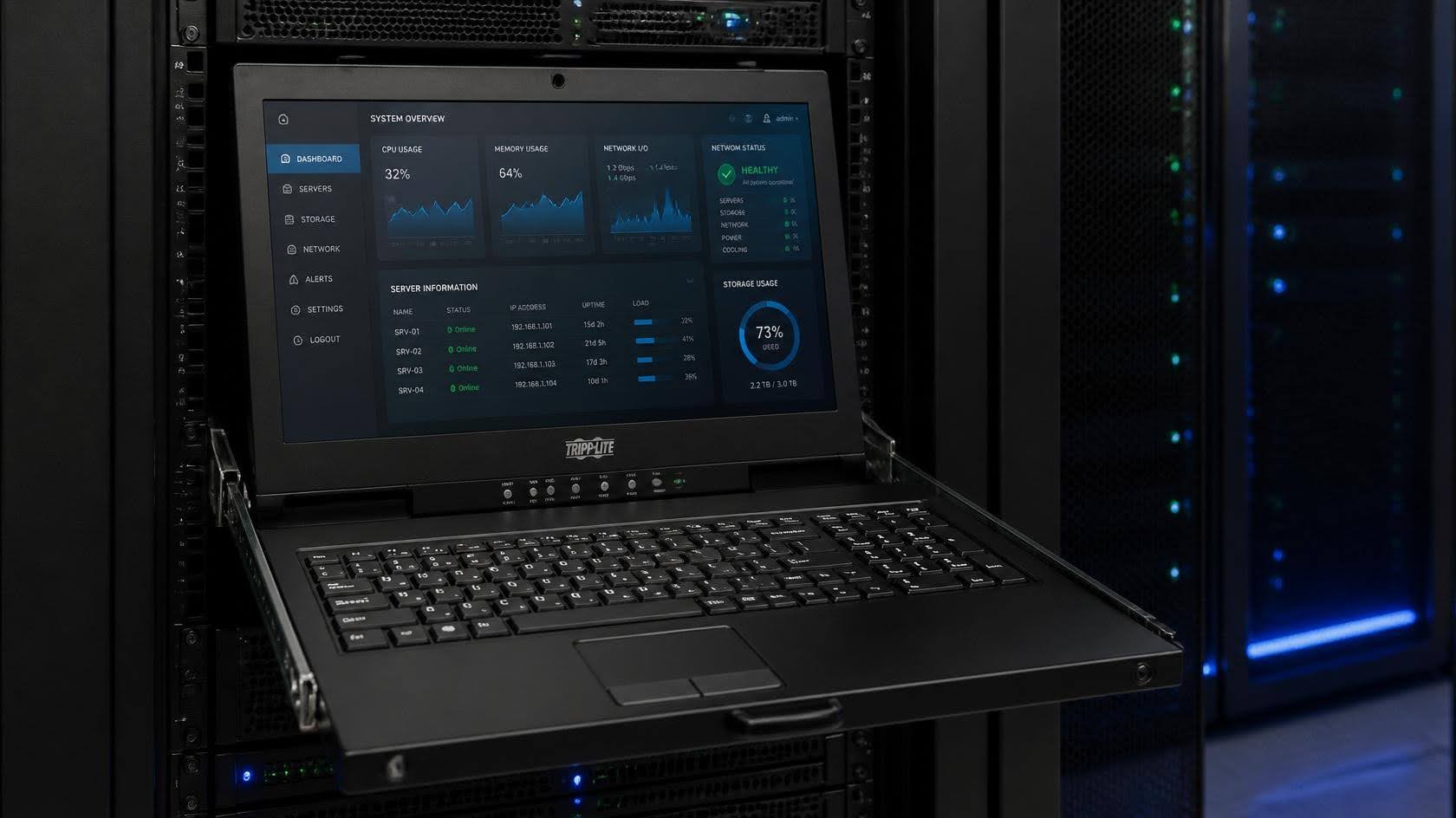
When it comes to rackmount monitors, military environments demand more than a standard display. In defence, aerospace, field operations and mission-critical control settings, a display failure is more than an inconvenience. It can slow decision-making, disrupt communications and compromise operational performance.
This guide explains how to choose the right military rackmount monitor, rugged LCD drawer, KVM console or custom military rackmount solution for your deployment. We'll cover what makes a system suitable for demanding environments, the key specifications to compare, and how options such as MIL-STD configurations, rugged builds, high-brightness displays and secure access features can support reliable performance under pressure.
Standard commercial monitors are not always designed for high-pressure, vibration-prone, temperature-variable or space-constrained environments. In standard office or control room settings, this may not be an issue. However, in military, defence, aerospace, shipboard, vehicle-mounted or field-based environments, the wrong display system can quickly become a weak point.
Poor screen visibility, unreliable keyboard or touchpad input, loose connections, power issues, heat-related failure and environmental exposure are all problems that can affect performance when standard equipment is used in demanding conditions. Even small issues, such as glare on the screen, a drawer that does not lock securely, or a system that is difficult to access for maintenance, can slow down operators and make equipment less reliable when it is needed most.
This does not mean every deployment needs the most rugged solution available. It means the display system should be matched to the environment, the rack setup, the operator's task and any specific compliance or security requirements.
Before choosing or replacing a rackmount monitor, ask:
If the answer to any of these questions is unclear, it may be worth reviewing your current setup before it becomes a problem. Unsure whether your current display is fit for deployment? Send us your requirements, and we'll help you compare suitable options.
The most important aspects that make a rackmount system "military-grade" are verifiable design features, test references, and configuration. Standards such as MIL-STD-810 for environmental considerations and MIL-STD-461 for EMI/EMC requirements are important in making systems fit for military use.
Buyers should always check which standards, methods, options, and testing requirements are relevant to the military operations they will be undertaking before choosing their rackmount systems.
A military rackmount system needs to be physically built for the environment it will be used in. In mobile, field, shipboard or vehicle-mounted deployments, standard monitor drawers can be affected by shock, vibration and movement, which may cause loose connections, unstable positioning or premature wear.
Look for features such as vibration-resistant construction, solid bearing slides, secure locking mechanisms and transport-safe latches that help keep the system stable when the rack is moved or exposed to demanding conditions. Rack depth compatibility is also important, especially where space is limited or the system needs to be fitted into an existing enclosure.
The right mechanical design should make the monitor easy to access when needed, secure when stowed, and reliable throughout the deployment.
Military and defense environments can expose rackmount monitors to conditions that standard commercial equipment is not designed to handle. Temperature changes, humidity, dust, moisture and repeated handling can all affect reliability if the system is not specified correctly.
Depending on the deployment, you may need a monitor or KVM drawer with a wide operating temperature range, sealed input devices, dust and moisture protection, or an IP-rated front panel. These features help protect the system in harsh or variable environments, from mobile command centers and field units to marine, aerospace and industrial settings.
Environmental resilience should always be matched to the real conditions the system will face, rather than chosen from generic product claims.
Display performance is critical when operators need to read information quickly and clearly. The right military rackmount monitor should be chosen based on screen size, resolution, brightness, viewing angle and the way the operator will interact with the system.
High-brightness displays may be needed for daylight visibility or bright control environments, while anti-glare surfaces can help reduce reflections and improve readability. Touchscreen options may also be useful where keyboard access is limited or fast operator input is required.
Screen size and resolution should be matched to the task. A compact 1U LCD drawer may be suitable for server access, while larger screens, dual displays or high-resolution panels may be better for surveillance, monitoring or command applications.
In defense, aerospace, communications and electronic systems environments, electromagnetic interference can be an important specification factor. EMI and RFI issues may affect how equipment performs, particularly where sensitive electronics, radio systems or secure communications are involved.
Military rackmount systems may need EMI shielding, filtered connectors or configurations that support relevant MIL-STD-461 considerations. This is especially important when the display system is being installed near other mission-critical equipment or in an environment where emissions and susceptibility need to be controlled.
The key is to confirm the exact requirements of the deployment before selecting a system, as EMI and shielding needs can vary depending on the application, installation and compliance expectations.
Many military rackmount monitor setups need to support secure, controlled access to connected systems. This is where features such as KVM integration, multi-port control and CAC card reader options can become important.
A rackmount KVM console allows operators to control one or multiple servers or systems from a single drawer, helping to reduce equipment clutter and improve efficiency within the rack. CAC card reader options can also support controlled access where secure authentication is required.
By combining display, keyboard, pointing device and system control in one rugged rackmount unit, operators can work more efficiently while keeping access organised and contained.
Power requirements should be confirmed early in the specification process. A rackmount monitor that works well in one environment may not be suitable for another if the power input, connectors or installation requirements do not match the deployment.
Some systems may require standard AC power, while others may need DC power options for vehicle, field or mobile use. Locking connectors can also be useful where vibration or movement could cause cables to loosen. In more critical environments, power redundancy or backup planning may also need to be considered.
The system should be specified around the available power source, rack setup, cabling requirements and operating environment so it can be installed cleanly and perform reliably in the field.
Not every military rackmount monitor is designed for the same environment or operator needs. The right solution depends on how the system will be used, where it will be installed, how much rack space is available and whether the user needs display-only access, full KVM control, high-brightness visibility or a custom configuration.
Use the table below to compare the main types of military rackmount solutions and identify which option may be best suited to your deployment.
| Solution Type | Best For | Key Features | Questions to Ask Before Specifying |
|---|---|---|---|
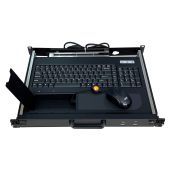
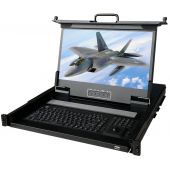
| 1u rackmount monitor drawers | Space-constrained racks where operators need a compact foldaway display, keyboard and pointing device. | Slim 1U design, pull-out drawer, integrated LCD, keyboard and touchpad or trackball, secure stowaway design. | How much rack space is available? Is a keyboard and pointing device required? Does the drawer need to lock securely during transport? What rack depth is available? |
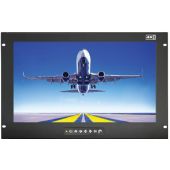
| Rackmount LCD panels | Fixed installations where the display needs to remain visible at all times without a pull-out drawer. | Front-mounted screen, fixed viewing position, simple rack integration, available in different screen sizes and resolutions. | Does the screen need to be visible continuously? Is operator input required, or display-only access? What screen size and resolution are needed? |
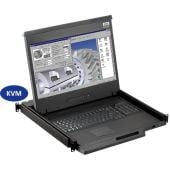
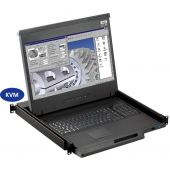
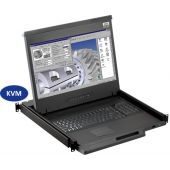
| Military KVM monitor consoles | Controlling one or multiple connected systems from a single rugged console. | Integrated display, keyboard, video and mouse control, multi-port KVM options, reduced equipment clutter, secure system access. | How many systems need to be controlled? Are CAC card readers or secure access features required? Which video and USB connections are needed? |
| High-brightness | Field, vehicle, marine, aerospace or daylight-readable environments where screen visibility is critical. | Higher brightness screens, anti-glare options, improved visibility in bright or changing light conditions, touch screen options where required. | Will the system be used in daylight or high-ambient-light conditions? Is anti-glare protection needed? Does the operator need touchscreen input? |
| Dual and triple display rackmount drawers | Command, monitoring, surveillance, control rooms and multi-source viewing. | Multiple screens in one rackmount unit, expanded viewing area, useful for monitoring several systems, feeds or applications at once. | How many data sources need to be viewed? Is the rack deep enough for a multi-display drawer? What resolution is required for each screen? |
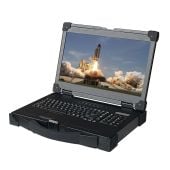
| Rugged portable displays and workstations | Mobile deployments, temporary command setups, field communications and flexible operational environments. | Portable design, rugged casing, quick deployment, display and workstation options, suitable for temporary or mobile use. | Does the system need to move between locations? What level of protection is required during transport? What power source will be available in the field? |
| Custom military rackmount solutions | Deployments where off-the-shelf options do not match rack depth, power, display, input, mounting, environmental or compliance requirements. | Configurable screen size, inputs, power options, KVM integration, EMI shielding, mounting, chassis depth and secure access options. | Are there specific rack, power, input, compliance or environmental requirements? Is documentation required for procurement? Does the system need to be built around an existing deployment? |
Choosing the right product type early helps prevent specification issues later in the procurement process. If you are unsure which solution is best for your environment, Rackmount Sales can help compare available options against your rack size, power requirements, display needs and deployment conditions.
The first step is to understand where the rackmount monitor will be used. A display system installed in a fixed data centre will have very different requirements than one used in a vehicle, shipboard environment, mobile command centre, field unit or aircraft-adjacent application.
Start by identifying whether the system will be used in a fixed rack, mobile rack, temporary deployment, control room, lab, industrial setting or field environment. This will help determine the level of ruggedisation, mounting flexibility, display performance and power compatibility required.
Once the deployment environment is clear the next step is to assess the conditions the system may be exposed to. Military and defence environments can involve shock, vibration, temperature changes, humidity, dust, moisture, altitude, transit movement and long storage periods.
These factors can affect the reliability of standard commercial monitors, especially where connectors, screens, keyboards, slides and internal components are not designed for demanding use. Understanding the likely environmental stresses helps you decide whether features such as rugged construction, sealed input devices, IP-rated panels, wide temperature operation or vibration-resistant mounting are needed.
The right form factor depends on rack space, operator access and how the display will be used. A 1U rackmount drawer is often suitable where space is limited, and the operator only needs the monitor, keyboard and pointing device when accessing the system. A fixed rackmount LCD panel may be better where the screen needs to remain visible at all times.
For environments where one operator needs to control multiple systems, a KVM monitor console may be the better choice. Larger displays, dual-screen or triple-screen drawers may be needed for surveillance, monitoring and command applications. Short-depth chassis options can help where rack depth is limited, while rugged portable displays or workstations may suit mobile or temporary deployments.
Display performance should be specified around what the operator needs to see and do. A server maintenance console may only need a compact screen and standard input, while command, surveillance or monitoring applications may require a larger display, higher resolution, wider viewing angles or multiple screens.
Brightness is also important. If the monitor will be used in bright environments, daylight conditions, vehicles, marine settings or field deployments, high-brightness options and anti-glare surfaces may improve visibility. Touchscreen input may also be useful where fast operator interaction is required or where keyboard access is limited.
Before choosing a system, confirm which devices, servers or video sources the rackmount monitor needs to connect to. Different deployments may require VGA, DVI, HDMI, DisplayPort, SDI, USB, KVM ports, IP KVM access or accessory hubs.
This is especially important when the rackmount monitor needs to integrate with existing systems. If the wrong connections are specified, additional converters or workarounds may be needed, which can add complexity and increase the risk of connection issues.
Power and mounting requirements should be confirmed early, as they directly affect whether the system will fit and operate reliably in the deployment environment. Rack depth, mounting range, power input and cable routing can all influence the final specification.
Some installations may use standard AC power, while vehicle, field or mobile applications may require DC power options. Locking connectors may be important where vibration or movement could cause cables to loosen. Cable management should also be considered to ensure the drawer, panel or console can be accessed without putting strain on connections.
Compliance requirements should be confirmed before ordering, especially for military, defence, aerospace and government procurement environments. Terms such as MIL-STD, EMI shielding, IP rating and ruggedised design should be checked against the exact product, configuration and documentation available.
Not every deployment will require the same level of testing or certification, so it is important to understand what is mandatory, what is preferred and what is simply useful for reassurance. This helps avoid over-specifying the system or choosing a product that does not meet the project's formal requirements.
A military rackmount solution should be chosen with long-term use in mind, not just initial installation. Availability, lead times, support access, spare parts and configuration consistency can all affect how easy the system is to maintain over time.
This is especially important for deployments where downtime is difficult to manage, replacement units need to match existing specifications, or procurement cycles are long. Planning for support and lifecycle requirements early can help reduce future disruption and make replacements or upgrades easier to manage.
Yes. Many military rackmount solutions can be configured around the operational environment, rack setup, power requirements and operator workflow. This is especially important when a standard off-the-shelf monitor does not match the deployment conditions or technical specification.
Depending on the product and configuration, customization options may include:
Send us your rack size, power requirements, video inputs and deployment conditions, and we'll help identify or configure the right military rackmount solution.
Rackmount Sales supplies a range of rugged military rackmount monitors, LCD drawers, KVM systems, rackmount LCD panels, portable rugged displays and custom-built rackmount options for demanding environments.
Our solutions are designed to support defense, aerospace, field, industrial, mobile and mission-critical applications where reliability, rack compatibility and operator access matter. Whether you need a compact 1U rackmount monitor drawer, a fixed LCD panel, a rackmount monitor with KVM control or a custom configuration, our team can help you compare suitable options against your exact requirements.
Available product types include:
Every deployment is different, so product suitability should always be checked against the exact specification, configuration and operating environment.
Request a Quote for Your Deployment
Am I risking mission failure with my current display systems?
You may be increasing operational risk if your current display systems are not designed for the environment. Standard commercial monitors can struggle in high-vibration, temperature-variable, space-constrained or field-based deployments.
The main risks include poor screen visibility, unreliable input devices, loose connections, power issues, heat-related failure and difficulty accessing or maintaining the unit when something goes wrong. If your system is used in a mobile, shipboard, vehicle-mounted, aerospace, industrial or field environment, it is worth reviewing whether it is fit for purpose.
How do I choose something that won't fail under pressure?
Start with the deployment environment. Before choosing a rackmount monitor, confirm where it will be used, how much rack space is available, what environmental stresses it may face and what the operator needs to do with it.
You should also check display size, resolution, brightness, video inputs, power requirements, KVM needs, rack depth, mounting range and any compliance or documentation requirements. This helps ensure the system is specified around the application, rather than chosen on screen size or price alone.
What is the difference between a rackmount monitor and a rackmount KVM drawer?
A rackmount monitor provides a display within a rackmount format. It may be fixed in place or built into a pull-out drawer, depending on the design.
A rackmount KVM drawer combines keyboard, video and mouse control in one rackmount console. It allows operators to access and control one or multiple connected systems from a single unit, which can reduce rack clutter and improve system management.
Do I need a high-brightness military rackmount monitor?
A high-brightness military rackmount monitor may be needed if the display will be used in daylight, field, vehicle, marine or bright control room environments. Standard brightness levels may not provide enough visibility in changing or high-ambient-light conditions.
High-brightness displays, anti-glare surfaces and wide viewing angles can help operators read information clearly and respond quickly, especially where visibility is critical.
Industrial LCD displays are built for heavy-duty environments like factories, warehouses, and outdoor terminals. They can handle heat, dust, vibration, and long operating hours.
Militarydev411

Downtime costs more than most people expect. When LCD monitor drawers fail inside a rack, teams lose access, waste time, and risk bigger hardware issues. Proper care keeps LCD monitordev411
A rack mount monitor with KVM combines display, keyboard, and mouse into a single unit. This all-in-one design lets IT teams access multiple servers without juggling separate devices.dev411
We are so confident you will be satisfied with our products that we offer a 100% satisfaction guarantee


