




24/7 Support
Fast, professional support




















Rack space becomes a problem when more equipment needs to be installed than the enclosure can comfortably support. In high-density or space-constrained environments, even a small amount of wasted space can limit what can be added later.
Common challenges include:
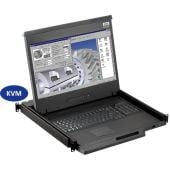
For this reason, reducing the size of individual components is only part of the solution. Integrating a display, keyboard, pointing device and potentially KVM functionality into a single compact rackmount drawer can often free up more usable space than simply choosing smaller standalone equipment.
Need to fit essential operator controls into limited rack space? At Rackmountsales, we supply compact rackmount monitors and drawers designed to combine displays, keyboards and pointing devices in a space-efficient format.
Explore our rackmount monitors and drawers today →
The most effective way to maximise limited rack space is to consolidate functions and minimise the number of rack units required for operator equipment. Choosing an integrated solution can free up valuable space while keeping essential controls accessible and organised.
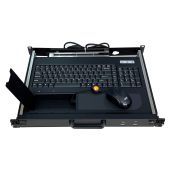
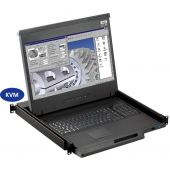
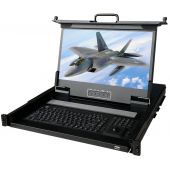
An integrated rackmount LCD drawer can combine several components into one unit, replacing a separate:
This makes a space saving rackmount drawer a practical option where rack space is limited, while also keeping operator equipment together and easy to access.
Rack height is only one part of the installation requirements. A 1U solution can save vertical space but may not be suitable if the chassis is too deep or there is limited clearance at the rear.
Consider:
Short-depth rackmount equipment can be particularly useful where available cabinet depth is restricted.
More features don't always mean a better solution. An application requiring a single local display, for example, may not need a large multi-port KVM configuration.
The best approach is to choose the smallest configuration that fulfils the operational requirement, rather than simply selecting the smallest product available. This helps make efficient use of rack space without sacrificing the functionality operators actually need.
For many installations, 1U is a practical starting point for a compact integrated rackmount console, combining essential operator controls within a single rack unit. However, the smallest option isn't automatically the best choice; the right configuration depends on the equipment, environment, and functionality required.
A compact 1U rackmount drawer can combine several functions in one space-saving unit, including:
Combining these components can reduce the amount of rack space needed while keeping essential controls together and accessible.
A larger rackmount solution may be more suitable where the application requires:
Saving another rack unit has little value if the resulting equipment is uncomfortable to operate, lacks the required connectivity, or cannot cope with its operating environment. The goal should be to find the smallest viable configuration, not simply the smallest available product.
Yes. A compact rackmount drawer can be combined with KVM switches to provide local control of multiple computers or servers from one display, keyboard, and pointing device. This can reduce the amount of operator equipment needed in a rack while keeping multiple systems accessible from a single console.
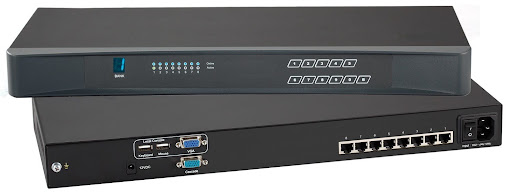
KVM stands for Keyboard, Video and Mouse. Instead of giving each connected system its own monitor, keyboard and pointing device, a KVM-enabled console allows operators to access multiple systems from one integrated setup.
This can be particularly useful in:
The number of KVM ports required will depend on how many systems need to be accessed from the console.
Not necessarily. A compact rackmount drawer reduces the physical space used by the operator interface, but this does not automatically mean compromising the performance of the connected systems. The key is to select a configuration that provides the required display, connectivity and environmental performance.
A smaller chassis may limit available screen sizes, so consider:
Check that the drawer supports the required connections, which may include:
The right options will depend on the connected equipment and application.
Compact equipment still needs to suit its operating environment. Consider:
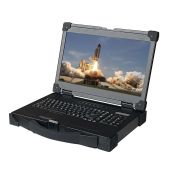
For applications exposed to more demanding conditions, military rackmount displays provide ruggedised options designed around requirements such as shock, vibration and environmental protection.
Ultimately, saving rack space should not come at the expense of suitability. The best compact rackmount drawer combines the required functionality with a size and specification that fits the application.
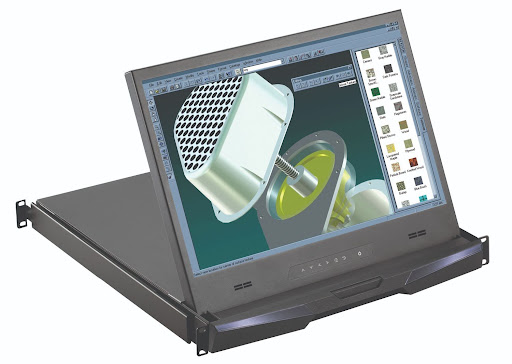
Choosing a space saving rackmount drawer involves more than selecting the smallest available unit. The right configuration needs to fit the rack while providing the display, controls, and connectivity required for the application.
Consider the following:
Taking these factors together helps identify a compact rackmount drawer that saves space without sacrificing the functionality or reliability the application requires.
The best space-saving rackmount drawer is the smallest configuration that meets your operational requirements without compromising usability or reliability. Choosing the right combination of size, connectivity, and functionality can free up valuable rack space while keeping essential equipment accessible and efficient.
Industrial LCD displays are built for heavy-duty environments like factories, warehouses, and outdoor terminals. They can handle heat, dust, vibration, and long operating hours.
Militarydev411
Downtime costs more than most people expect. When LCD monitor drawers fail inside a rack, teams lose access, waste time, and risk bigger hardware issues. Proper care keeps LCD monitordev411
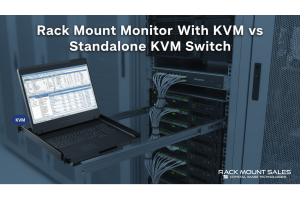
A rack mount monitor with KVM combines display, keyboard, and mouse into a single unit. This all-in-one design lets IT teams access multiple servers without juggling separate devices.dev411
We are so confident you will be satisfied with our products that we offer a 100% satisfaction guarantee


