




24/7 Support
Fast, professional support




















A rugged rackmount display needs to do more than fit neatly inside a rack. In the field, it may be exposed to vibration, sudden impacts, temperature changes, dust, moisture and inconsistent power. A standard commercial monitor may work perfectly in an office, but those conditions are a different story.
That does not mean every buyer needs the most heavily protected display available. The rugged rackmount display features that matter will depend on where the equipment is installed, how it will be transported and what could realistically cause it to fail.
This guide explains what features actually matter in the field, when shock resistance is necessary, how much attention you should pay to temperature tolerance and which requirements should be considered non-negotiable.
Before comparing product specifications, define where and how the display will be used. This is the easiest way to avoid paying for unnecessary protection or, worse, selecting a display that cannot cope with the actual environment.
A permanently installed display in a climate-controlled server room has very different requirements from one mounted inside a vehicle or transported as part of a field command system. The goal is not to buy every available feature. It is to identify the features that protect the display against realistic risks.
Shock resistance is important when a display may experience sudden impacts. Vibration resistance, meanwhile, protects against repeated movement over a longer period. Although the two are often discussed together, they relate to different types of stress.
Shock and vibration protection should be a priority for:
In these environments, repeated movement can loosen connections, damage internal components or affect the display panel over time. Secure internal construction, reinforced chassis materials and locking connections can all help reduce that risk.
A fixed rack in a stable, climate-controlled room may not require the same level of protection. Some resistance to normal handling is still valuable, but extensive environmental testing may provide little additional benefit if the equipment will never be exposed to meaningful impact or vibration.
The key is to look for specific test information. Avoid relying on vague terms such as “shockproof.” Check what level of shock or vibration the display has been tested against and whether that level reflects the planned installation.
For example, the 17-inch rugged high-brightness LCD panel provides defined shock and vibration figures rather than relying only on a general rugged designation.
Temperature tolerance can be one of the most important rugged rackmount display features, but it is also frequently misunderstood. Product specifications may include two separate ranges:
Operating temperature: The conditions in which the display can be switched on and used.
Storage temperature: The conditions the display can tolerate while powered off.
A display surviving a low temperature in storage does not necessarily mean it can operate correctly at that temperature. Wide temperature tolerance is particularly important for equipment installed in:
Remember that the temperature inside the rack may be considerably higher than the temperature in the surrounding room. Servers, power supplies and other rack equipment generate heat, especially when ventilation is limited.
Do not select a display whose operating range only just reaches the expected maximum or minimum. Leave a reasonable margin for unexpected conditions, reduced airflow and heat generated by nearby equipment.
Humidity and condensation should also be considered. A display may tolerate a low temperature, but rapid movement between warm and cold environments could still create moisture inside or around the system.
Dust and moisture can enter a display through gaps around buttons, bezels, ports and ventilation openings. In the wrong environment, this can reduce visibility, interfere with controls or damage internal electronics.
An IP or NEMA-rated design may be worth prioritizing in manufacturing facilities, outdoor systems, marine applications, food and beverage facilities, warehouses with high dust levels, areas cleaned using sprays, and public-facing industrial terminals. However, you need to confirm exactly which part of the display is protected.
Some displays have an IP-rated front panel or bezel, but the rear enclosure and connections still require protection from exposure. This can be perfectly suitable when the display is installed correctly into a sealed rack or control panel, but it should not be mistaken for complete enclosure protection.
For environments where front-facing dust and moisture are a concern, We stock rugged options such as the 17-inch NEMA 4 and IP65 high-brightness LCD panel .
A display can survive the environment and still be unusable if the operator cannot read it. Standard brightness may be sufficient in a server room or controlled office. Displays installed near windows, inside vehicles, on factory floors or outdoors may need much stronger brightness and glare control.
When assessing visibility, consider:
High-brightness panels can make information easier to read in demanding lighting, while anti-glare treatments can reduce distracting reflections. Optical bonding may also improve clarity by reducing reflections between layers of the display.
More brightness is not automatically better. Very bright screens can increase heat and power consumption, and they may be uncomfortable in darker operating conditions. Adjustable brightness is therefore valuable where lighting changes throughout the day.
CTA: Explore our high-brightness industrial LCD range .
Environmental protection tends to receive most of the attention, but physical compatibility is one of the true non-negotiables. Before ordering a display, confirm rack width, required rack units, overall chassis depth, rail adjustment range, display dimensions, product weight, rear cable clearance, ventilation requirements, and clearance around nearby equipment.
Depth is especially important in mobile, wall-mounted and compact racks. A standard-depth monitor drawer may fit the available rack units but still extend too far into the cabinet.
Short-depth systems can help where internal rack space is limited. For example, the 1U 17-inch short-depth rackmount monitor drawer is designed for shallower rack cabinets.
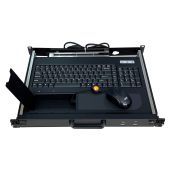
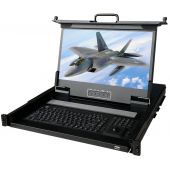
You should also decide which display format is most suitable. A fixed rackmount LCD panel provides a screen that remains visible at the front of the rack. An LCD monitor drawer can slide away when it is not being used, preserving space and protecting the screen.
For mobile racks, check that drawers have suitable latching mechanisms so they cannot slide open during transit.
A rugged enclosure cannot make up for incompatible connections. The display must work with the equipment already installed in the rack. Do not check the connector alone. Confirm the signal type, supported resolution and refresh rate. Two products may both have HDMI ports but support different resolutions or input formats.
Legacy equipment can also influence the decision. An older system may rely on VGA or DVI, while a modern workstation may require DisplayPort, HDMI or 4K support.
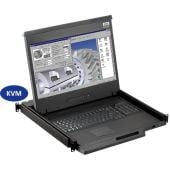
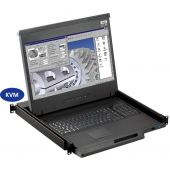
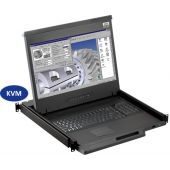
If several computers or servers need to be controlled from one display, a rackmount monitor with a KVM switch may reduce the number of separate keyboards, screens and control devices needed inside the rack.
Rugged equipment still needs to be practical for the person using it. A touchscreen may simplify operation in a confined space, but touchscreen technology should be matched to the working environment.
Capacitive touchscreens provide familiar multi-touch operation, but performance can vary when the operator is wearing heavy gloves or when moisture reaches the screen. Resistive touchscreens may be more appropriate where operators use gloves or a stylus, although they may not provide the same multi-touch experience.
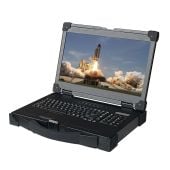
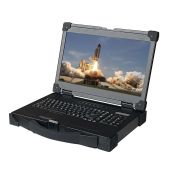
Front-mounted controls should be easy to access without being easy to activate accidentally. Backlit keyboards can help inside vehicles, control rooms and other low-light environments. For mobile applications where an integrated display and control setup is required, rugged portable displays and workstations may offer a more practical alternative to assembling separate components.
Higher resolution can provide more screen space and finer detail, but it should not be selected in isolation.
A compact 4K display may technically show more information, but interface text and controls could become too small to use comfortably. Conversely, a low-resolution panel may not provide enough workspace for detailed maps, multiple camera feeds or complex monitoring software.
Match the screen to the application. A smaller screen may be suitable for occasional server administration. A larger or higher-resolution display may be more appropriate for surveillance, mapping, industrial control or multi-window monitoring.
Rackmount Sales stocks high-resolution industrial LCD panels in different sizes and resolutions, allowing the screen to be selected around the actual source and interface.
Military standards can provide valuable evidence that a display has been tested against particular environmental conditions. However, “MIL-STD compliant” should not be accepted without further detail.
MIL-STD-810 includes multiple environmental test methods covering areas such as temperature, vibration, shock, humidity and other stresses. A product does not necessarily undergo every method within the standard.
When military testing matters, ask:
Electromagnetic compatibility may also be important around radios, communication systems, vehicles and sensitive electronic equipment. The display should not create unacceptable electromagnetic interference, and it should be able to operate in the presence of expected interference from nearby systems.
A military-grade specification can be entirely appropriate for a mission-critical field deployment. It may be unnecessary for a fixed commercial rack that remains in a clean and climate-controlled room.
Ruggedness is not only about surviving a dramatic impact or extreme temperature. It is also about continuing to work reliably throughout the life of the system.
Ask the supplier about:
This is particularly important for systems that will remain in service for several years. A display with impressive environmental ratings may still create problems if the exact model is discontinued and a replacement does not fit the existing rack or support the same inputs.
Consider the cost of downtime as well as the initial purchase price. For a mission-critical monitoring or control system, dependable support and replacement availability may be more valuable than a feature that will never be used.
There is no single shock rating, temperature range or military standard that every rugged rackmount display must have. The non-negotiable requirement is that the product must be suitable for the complete deployment.
At a minimum, confirm the following.
Those are the features that should never be compromised. Everything else should be judged according to the environment and the purpose of the display.
The best rugged display is not necessarily the one with the longest specification sheet. It is the one that fits the rack, connects to the required equipment and continues operating in the conditions it will genuinely face.
Rackmount Sales stocks rackmount monitors and drawers, industrial LCD panels, military rackmount systems and rugged portable display solutions for a wide range of applications.
Contact Rackmount Sales to discuss your operating environment and find a rugged rackmount display suited to your system.
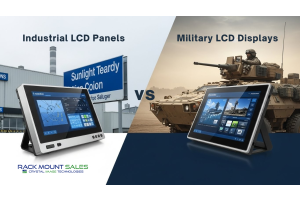
Industrial LCD displays are built for heavy-duty environments like factories, warehouses, and outdoor terminals. They can handle heat, dust, vibration, and long operating hours.
Militarydev411

Downtime costs more than most people expect. When LCD monitor drawers fail inside a rack, teams lose access, waste time, and risk bigger hardware issues. Proper care keeps LCD monitordev411
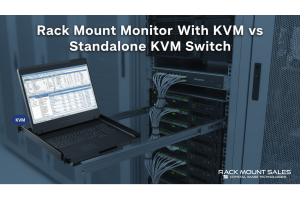
A rack mount monitor with KVM combines display, keyboard, and mouse into a single unit. This all-in-one design lets IT teams access multiple servers without juggling separate devices.dev411
We are so confident you will be satisfied with our products that we offer a 100% satisfaction guarantee


